

Changing your Bill Analyst preferences
You can adjust the way Bill Analyst displays your information, such as preferred currency and exchange rates, and notification options such as email format or confirmation display messages. For example, if you don't want to accidentally change the hierarchy, you can require a confirmation message is needed to make major changes. What you see is based on your permissions. If you need your permissions changed, contact your system administrator.
To change your preferences:
- Sign in to Media portal. (Get help resetting your password)
- From the main menu, select Billing > Invoice Management.
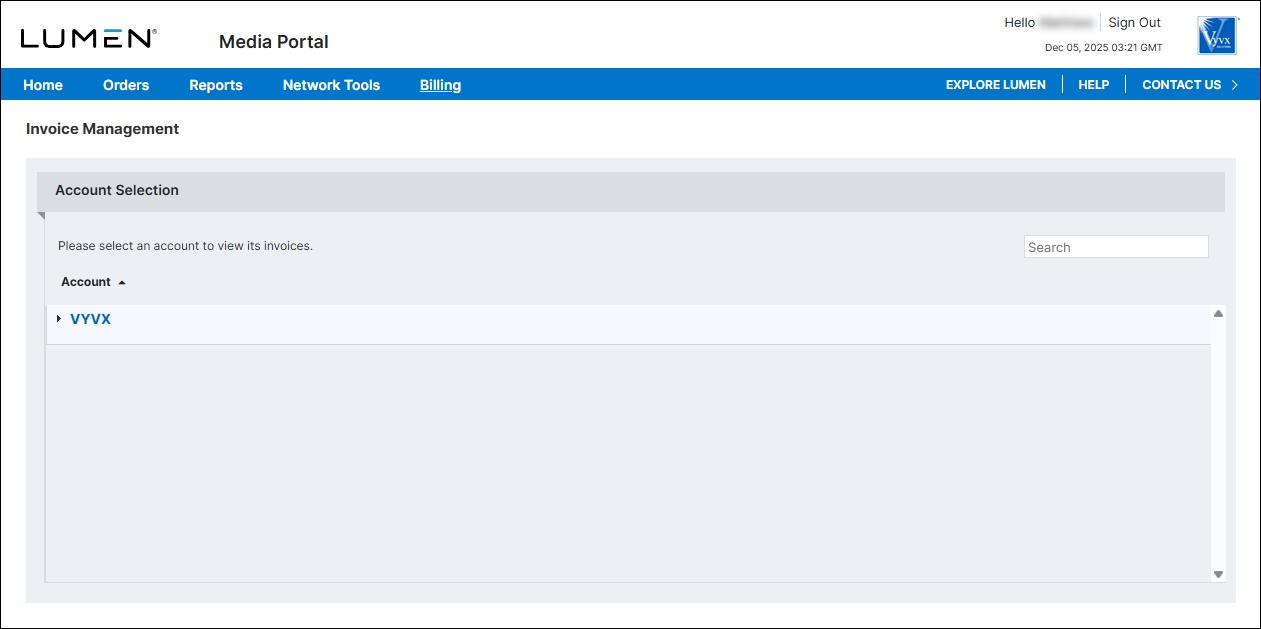
- From the list of accounts, click the blue hyperlink for the account you want to work with.
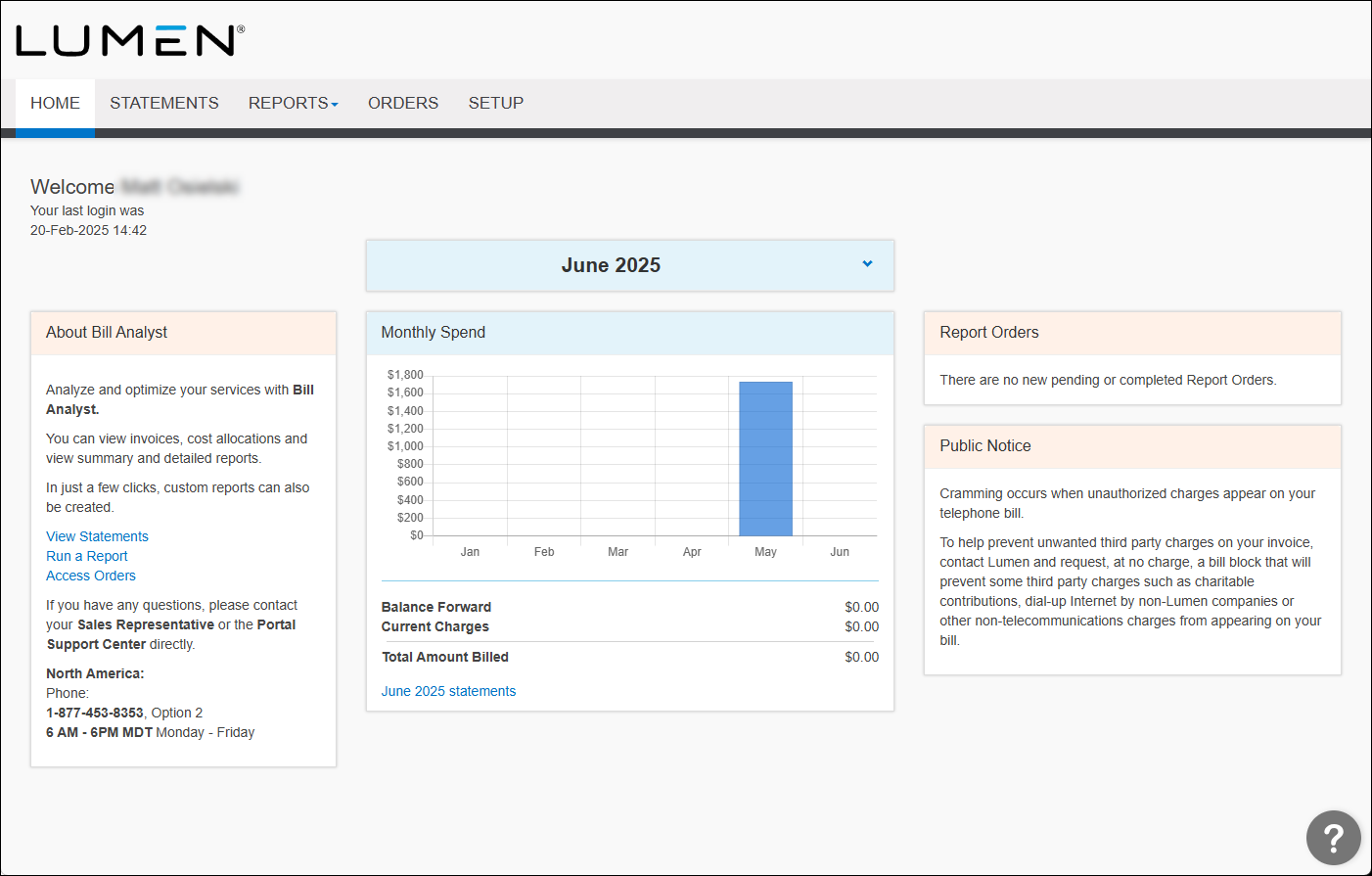
- Click the Setup tab.
- In the User Profiles section, click Preferences.
- Make your changes, then click Save.



