

Updating profile information for a Media portal user
As a Media portal administrator, you can update profile information for another user in your organization.
To update profile information for a Media portal user:
- Sign in to Media portal. (Get help resetting your password)
- From the main menu, select Portal Admin > User Profiles.
Media portal lists the users for your organization.
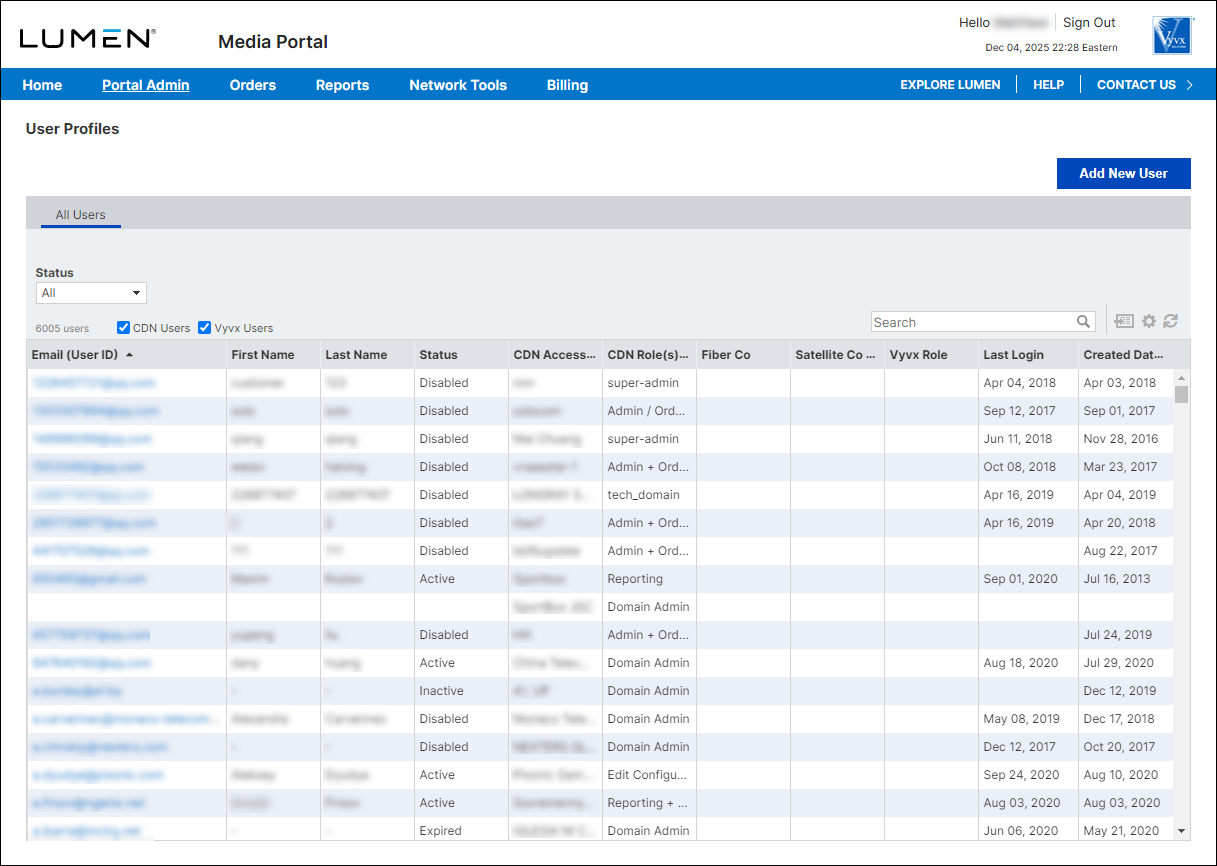
- Do any of the following to find the user whose profile information you want to update:
- Scroll through the list to find the user.
- Select the Vyvx Users or CDN Users checkbox to filter the list.
- Use the Search field to type criteria (e.g., the user's last name) to find the user.
- Scroll through the list to find the user.
- When you find the user, click their email address.
Media portal shows the profile for the user.
- Make your changes to the user's profile information. When you're done, click Save.
Media portal updates the user's profile information.



