

Opting out of the default catalog
Use Lumen® Private Cloud on VMware Cloud Foundation™ to opt out of automatic catalog synchronization for your clouds in Lumen® Edge Cloud Services. Lumen Private Cloud on VMware Cloud Foundation™ is built with a default catalog which uses a subscription model. Catalogs contain vApps and vApp templates, included by default or added by you. All of the upstream publisher content is automatically downloaded to the default catalog. The default catalog file name is ([siteID] [data center] cl01 Lumen). For example, s123456stl01cl01 Lumen.
Because your default catalog is a subscriber to the master catalog service, the contents change as new vApp templates are added and older vApp templates are retired. With this subscription model, you receive all of the contents of the upstream catalog. If you delete any of the vApp templates in your default catalog, they will be added again the next time your catalog synchronizes. To opt out, complete one of the following options:
- Unsubscribe from automatic synchronization. The current contents of the subscribed catalog remain, but the catalog will not be updated.
- Delete the default catalog. The catalog and all its contents will be deleted. To retain any vApp tempates, move the templates to another catalog before you delete the default catalog.
Unsubscribing from automatic synchronization
To unsubscribe from automatic synchronization:
- Sign in to your Lumen Private Cloud on VMware Cloud Foundation™ environment.
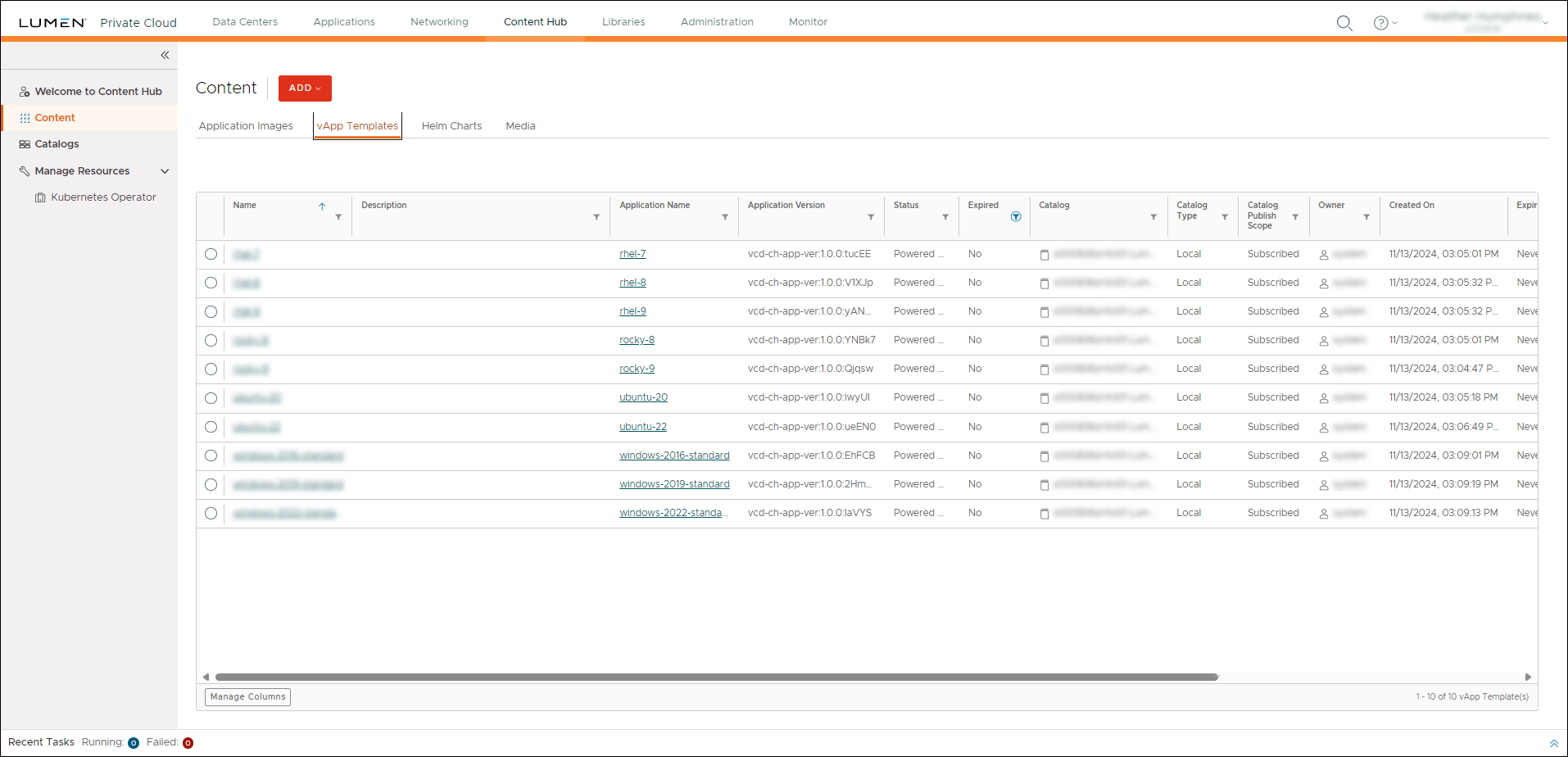
- Click Content Hub, then click vApp Templates.
The Lumen Private Cloud on VMware Cloud Foundation™ portal shows the vApp templates for your organization.
- On the left menu, click Catalogs.
- Click the icon located next to the catalog you want to unsubscribe from automatic synchronization, then click Subscribe settings.
- In the Subscribe settings for catalog window, turn the Automatically download the content from external catalog option off, then click SAVE.
Lumen Private Cloud on VMware Cloud Foundation™ unsubscribes the catalog from automatic synchronization.
Deleting the default catalog
To delete the default catalog:
- Sign in to your Lumen Private Cloud on VMware Cloud Foundation™ environment.
- Click Content Hub, then click vApp Templates.
The Lumen Private Cloud on VMware Cloud Foundation™ portal shows the vApp templates for your organization.
- On the left menu, click Catalogs.
- Click the icon located next to the catalog you want to delete, then click Delete Catalog.
- In the confirmation window that appears, click DELETE.
Lumen Private Cloud on VMware Cloud Foundation™ deletes the catalog.



