

Adding a vApp template to your catalog
Use Lumen® Private Cloud on VMware Cloud Foundation™ to add a vApp template to your Lumen® Edge Private Cloud catalog. You can also create a vApp template from an open virtualization format (OVF) file. If the vApp you create the template for is running, the Lumen Private Cloud on VMware Cloud Foundation™ adds it to the catalog as a vApp template with all of the associated virtual machines in a suspended state to avoid errors or loss during the process. When you use the default catalog, automatic updates can overwrite your saved changes. If needed, you can opt out of the default catalog.
To add a vApp template to your catalog:
- Sign in to your Lumen Private Cloud on VMware Cloud Foundation™ environment.
- Click Data Centers.
The Lumen Private Cloud on VMware Cloud Foundation™ portal shows the Virtual Data Center dashboard.
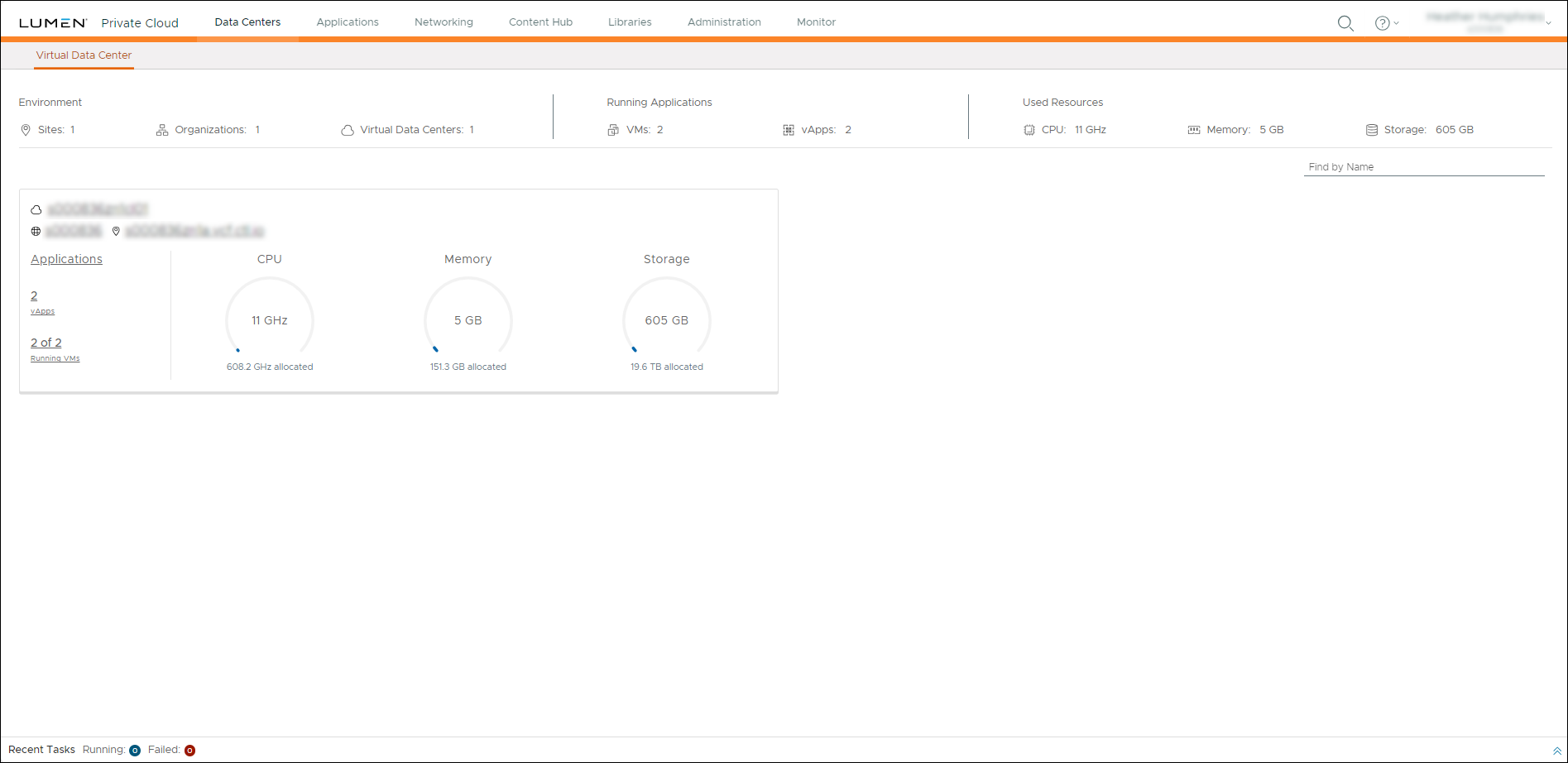
- Click inside the Virtual Data Center summary box to view a list of virtual machines for that data center.
- In the left panel, click vApps.
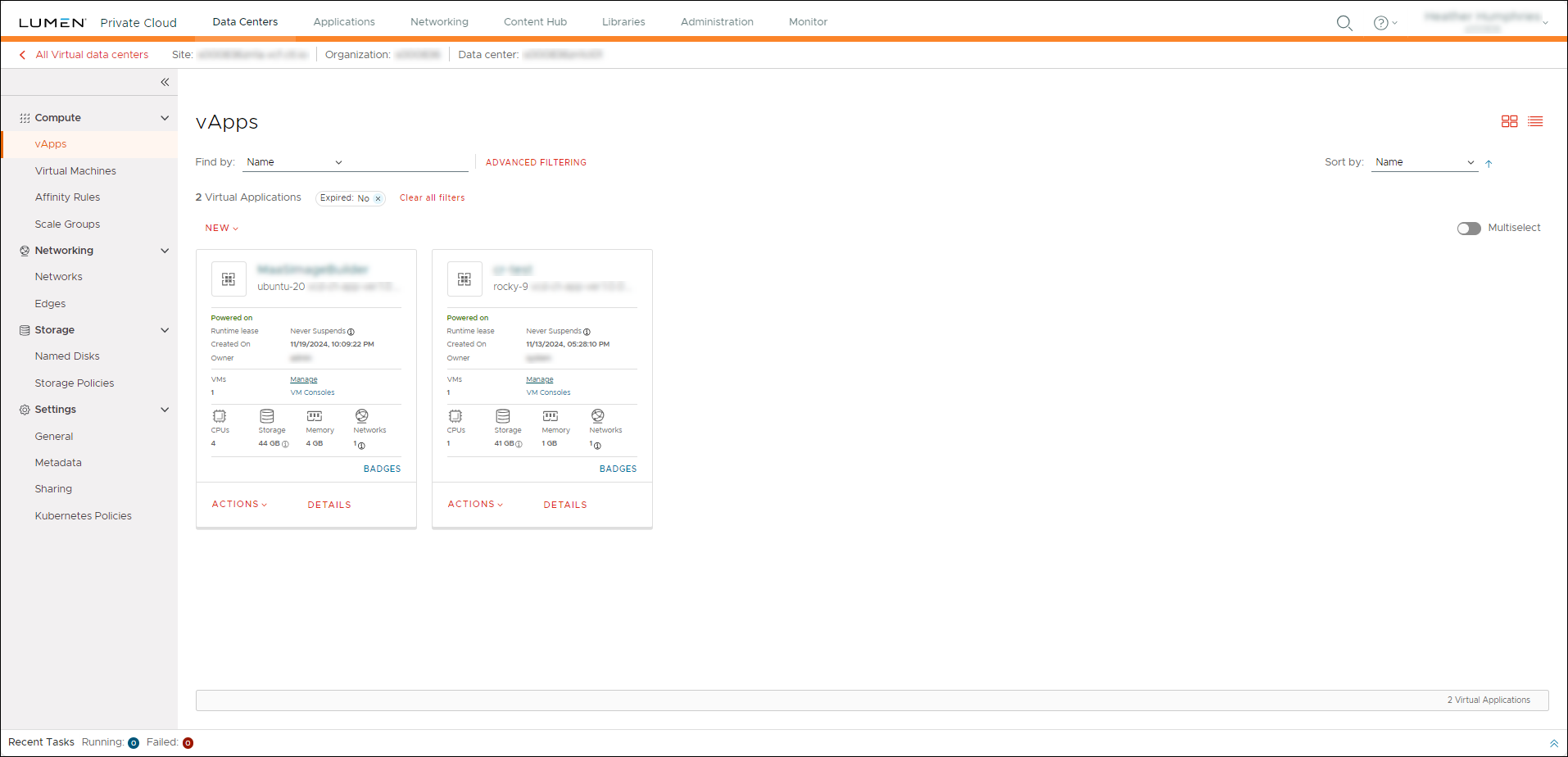
- Click ACTIONS on the vApp you want to create a template for, then select Create Template.
- In the Add to Catalog window, complete the following fields to choose the catalog you are adding to and create details for your new template:
- Catalog—Select the catalog to add this vApp template to.
- Overwrite catalog item—Depending on the catalog selected, you can choose to overwrite existing catalog items with the same name. To overwrite an existing catalog item, select the checkbox.
- Name—Type a name for the vApp template.
- Description—Type a description of the vApp template.
- Catalog—Select the catalog to add this vApp template to.
- To determine how vApps operate when using this template, select one of the following options:
- Make Identical Copy—vApps created from this vApp template inherit the guest operating system settings. If you select this option and guest customization is enabled, the guest operating system is customized. Network Interface Card (NIC) IP addresses in the template are reserved.
- Customize VM Settings—The guest operating system is personalized regardless of the vApp template settings when the template is created. Network Interface Card (NIC) IP addresses are available.
- Make Identical Copy—vApps created from this vApp template inherit the guest operating system settings. If you select this option and guest customization is enabled, the guest operating system is customized. Network Interface Card (NIC) IP addresses in the template are reserved.
- Click OK.
Lumen Private Cloud on VMware Cloud Foundation™ adds the vApp template to the specified catalog.



