

Adding a child access group to an access group
You can add child access groups to the access groups for your organization to subdivide your services allowing you to assign sets of services to a user rather than all the services in an access group. For example, you could create a child access group for your CDN services in Latin America and one for services in North America.
To add a child access group to an access group:
- Sign in to Media portal. (Get help resetting your password)
- From the main menu, select Portal Admin > Access Groups.
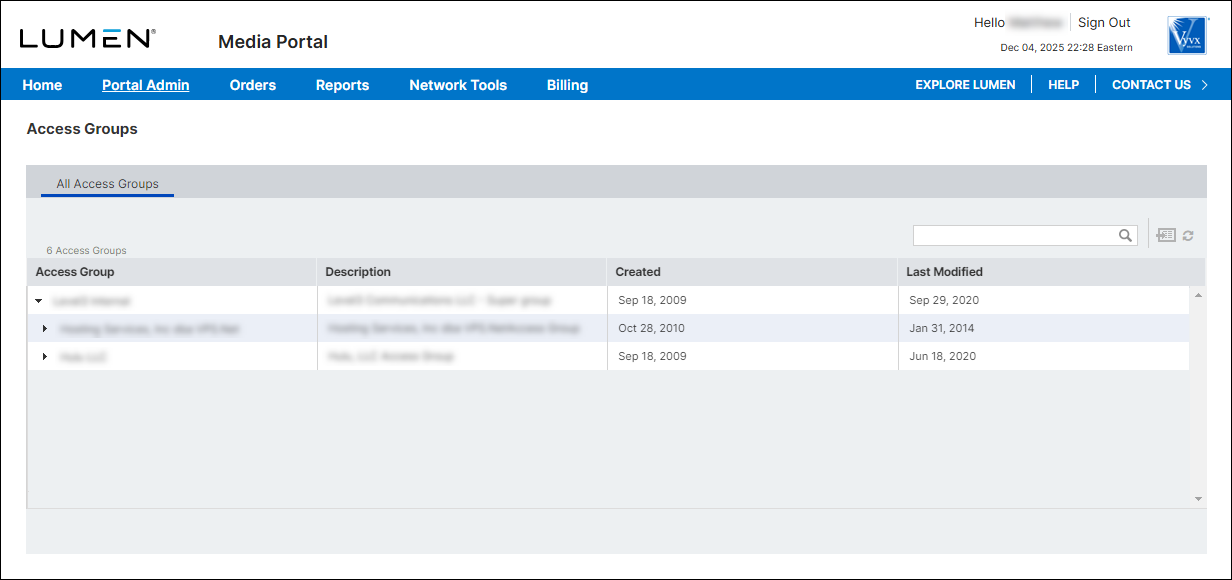
- Click the row for the access group where you want to add a child access group.
Media portal shows details for the access group.
- Click Add Child Group.
- In the Basic Info section, type a name and description for the access group.
- In the Services section, select the checkbox next to the service(s) you want to assign to the access group.
- In the Users section, add users you want to assign to the child access group. (By default, all users of the parent access group have access to the child access group you're creating.)
- When you're done adding users, click Save Changes.
Media portal creates the child access group.



