

Reactivating an inactive Media portal user
After a user is inactive for 180 days, Media portal deactivates the user. If the user still needs access to the portal, you can reactivate the user so they can sign in again. If the user no longer needs access, you can delete them.
Note: 30 days before Media portal deactivates a user, it adds a yellow caution triangle icon next to the last login date in the list of users.
To reactivate an inactive Media portal user:
- Sign in to Media portal. (Get help resetting your password)
- From the main menu, select Portal Admin > User Profiles.
Media portal lists the users for your organization.
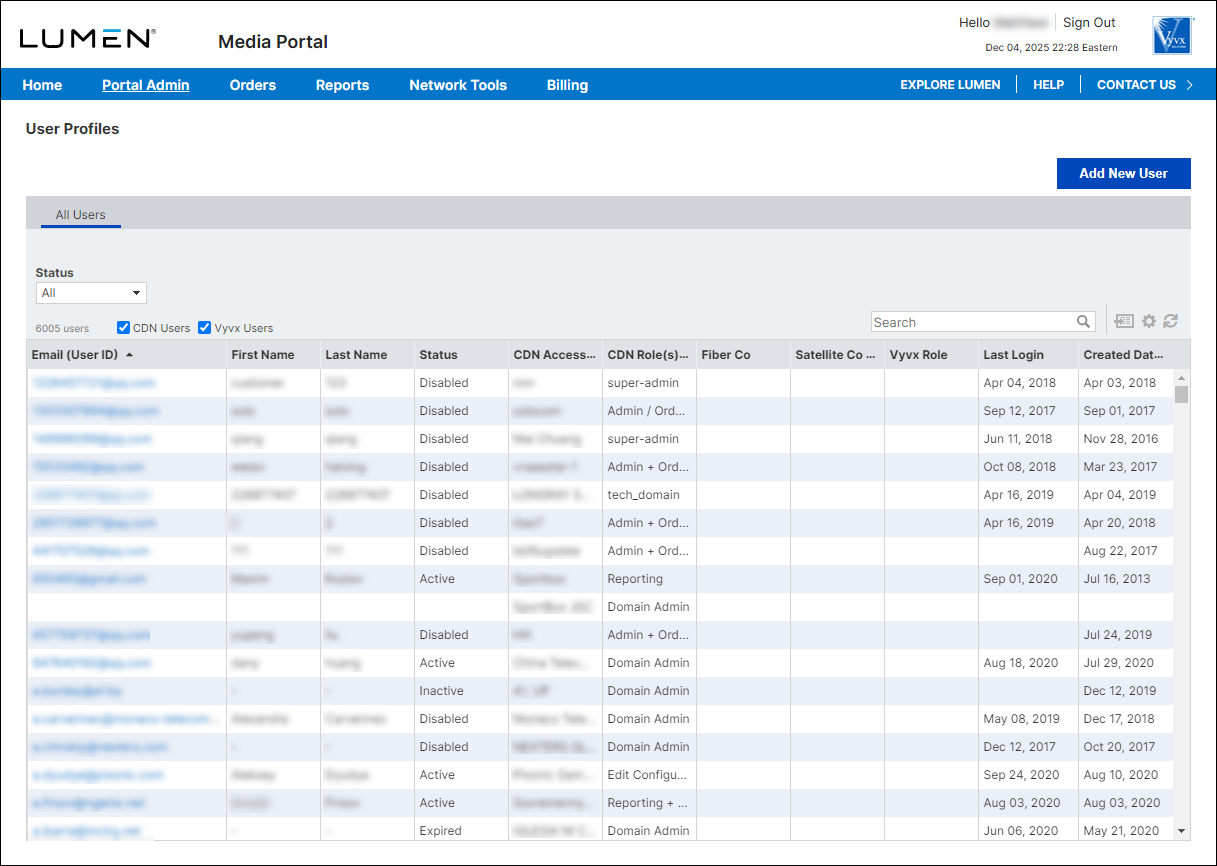
- Do any of the following to find the user you want to reactivate:
- Scroll through the list to find the user.
- Select the CDN Users or Vyvx Users checkbox to filter the list.
- Use the Search field to type criteria (e.g., the user's last name) to find the user.
- Scroll through the list to find the user.
- When you find the user, click their email address.
Media portal shows the profile for the user.
- Click Re-activate.
Media portal reactivates the user so they can access Media portal again.



