

Viewing details for a SASE node
For Lumen® SASE Solutions, you can view details for a node in Lumen Connect. The node details include node configuration (status, side, technology provider, service ID, etc.), site address and contacts, device information, and LAN configuration.
To view details for a SASE node:
- Using the left menu, click Services, click Service Tools, then click SASE Management.
Lumen Connect shows details about your service: configured SASE nodes (with a status for each), information about your technology provider, notifications (if any) related to your SASE service, etc.
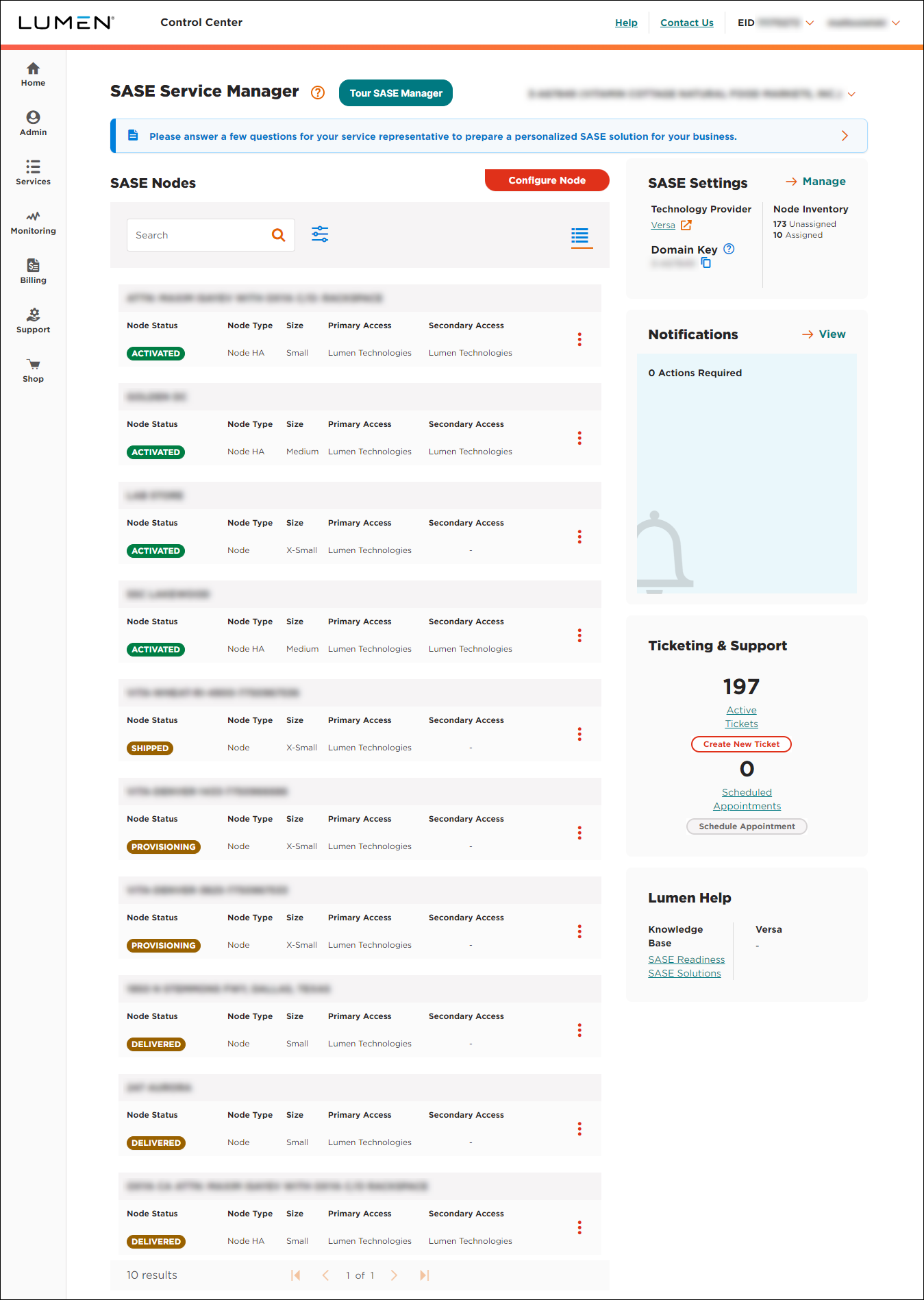
- In the SASE Nodes section, on the row for the node, click the icon, then click View Node Details.
Lumen Connect shows details for the node:
- node configuration (status, size, technology provider, service ID, etc.)
- site address
- contacts for the node
- information for the primary device
- LAN configuration
- information about site devices



