

Controlling traffic flow with SD‑WAN (voice traffic example)
This voice traffic flow use case shows the steps you need to take to complete a rule for a voice traffic flow based on network service level agreement (SLA) parameters such as latency, jitter, and packet loss on the WAN connectivity of your branch location for Lumen® SD‑WAN with Versa Networks service. (We also offer use cases for web traffic, URL filtering, and controlling traffic with QoS.) These three steps need to be done to make a complete configuration: SLA profiles, forwarding profiles, policies and rules:
- SLA profiles—set up the network performance parameters that monitor the performance of access circuits and WAN link of your related branch locations. An access circuit or WAN link is selected based on the threshold values specified in the SLA profile.
- Forwarding profiles—defines the properties of WAN circuits to be selected for traffic. It defines properties such as the load balancing method for traffic, priority of circuits, circuit type (broadband or MPLS), circuit media, and other associated attributes. Forwarding profiles are associated with SLA profiles to determine the selection of WAN circuits in a given order of priority.
- Policies and rules—you can configure traffic based on matching criteria such as the traffic source address, destination address, source zone, and specific IP packet header information.
Note: The Lumen engineer may have already defined some standard SLA profiles and forwarding profiles. In this case, you will see them and can add a new rule that refers to those profiles.
Creating a voice traffic SLA profile
The configuration is made on a branch template and not on an individual appliance.
Step 1—configuring SD-WAN SLA profiles
A service level agreement (SLA) defines the network performance parameters between your organization and Lumen and includes packet delay, packet loss, and jitter profiles.
- Log in to the SD‑WAN portal.
- In the Director Context, click on the Config Templates tab, select a template.
- In the Services tab (shown with a gear icon), select SDWAN > SLA Profiles.
- From the Organization list, select an entity.
- Click + to add an SLA profile.
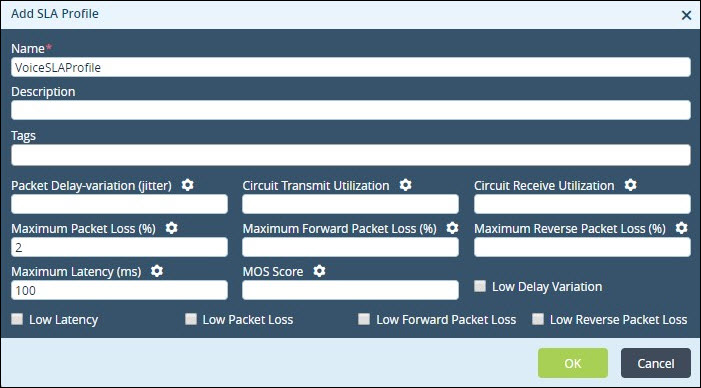
- Fill in the fields to create the SLA profile. In this use case, we describe how to fill in the fields and show options for completing the profile. These selections may not be specific to your situation, they are selected for this specific example. You can also select the checkbox to turn on default options.
- In the Name field, type a name for the SLA profile. This is the only required field. We named ours VoiceSLAProfile.
- In the Description field, describe the SLA profile.
- In the Tags field, type words to describe the item so it will appear in a search.
- In the Packet Delay‑variation (jitter) field, type the acceptable packet delay (in milliseconds).
- In the Circuit Transmit Utilization field, type the number of circuit transmit use (in percentage).
- In the Circuit Receive Utilization field, type the number of circuit receive use (in percentage).
- In the Maximum Packet Loss field, type the acceptable packet loss (in percentage). We typed 2.
- In the Maximum Forward Packet Loss field, type the acceptable packet loss (in a percentage).
- In the Maximum Reverse Packet Loss field, type the acceptable packet loss (in a percentage).
- In the Maximum Latency field, type the acceptable latency (in milliseconds). We typed 100.
- In the MOS Score field, type a value for the MOS score.
- In the Name field, type a name for the SLA profile. This is the only required field. We named ours VoiceSLAProfile.
- Click OK.
Step 2—configuring SD-WAN forwarding profiles
A forwarding profile determines the traffic path based on realtime SLA performance of traffic. A forwarding profile defines the properties such as load balancing method, priority of circuits, circuit type, circuit media, and others to be selected for traffic.
- In the Director Context, click the Config Templates tab, then select a template.
- In the Services tab (shown with a gear icon), select SDWAN > Forwarding Profiles.
- From the Organization list, select an entity.
- Click + to add a forwarding profile.
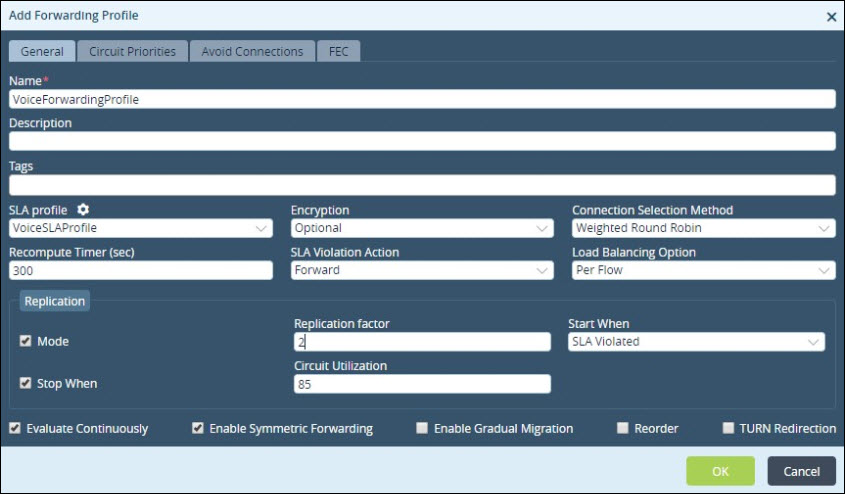
- Fill in the fields to create the SLA profile. In this use case we describe how to fill in the fields for adding a forwarding profile. These selections may not be specific to your situation, they are selected for this voice forwarding use case.
- In the Name field, type a name for the profile. We named ours VoiceForwardingProfile.
- In the Description field, type a description for the forwarding profile.
- In the Tags field, type words to describe the item so it will appear in a search.
- From the SLA Profile list, select the SLA profile. This matches the name we created in the previous step, VoiceSLAProfile.
- From the Encryption list, select the encryption mode. We selected Optional.
- From the Connection Selection Method list, select the mode to balance traffic. We selected Weighted Round Robin.
- In the Recompute Timer field, type the switching time (in seconds) between circuits when the current circuit does not meet the SLA threshold values. We typed 300.
- From the SLA Violation Action list, select the action to be taken if the traffic does not meet the SLA thresholds. We selected forward.
- From the Load Balancing Option list, select a load balancing option. We selected Per Flow.
- In the Replication section:
- Select the Mode checkbox for replication. Since our example is a voice forwarding profile, the box is checked.
- In the Replication factor field, type a replication factor. In our example, we typed 2 so the packets are replicated twice, for each of our WAN circuits.
- In the Start When list, select when the SLA is violated. We selected SLA Violated.
- Select the Stop When checkbox to stop replication. We stop replication when circuit use gets too high, so we don’t overload the circuits.
- Select the Mode checkbox for replication. Since our example is a voice forwarding profile, the box is checked.
- In the Circuit Utilization field, type the circuit use (in percentage). We typed 85.
- Select the Evaluate Continuously checkbox to apply switching during traffic flow. We checked the box.
- Select the Enable Symmetric Forwarding checkbox to ensure traffic is sent out from the same circuit that was used for the inflow of traffic. We checked the box.
- Select the Enable Gradual Migration checkbox to enable gradual migration.
- In the Name field, type a name for the profile. We named ours VoiceForwardingProfile.
- Click the Circuit Priorities tab to configure circuit properties for local and remote clients.
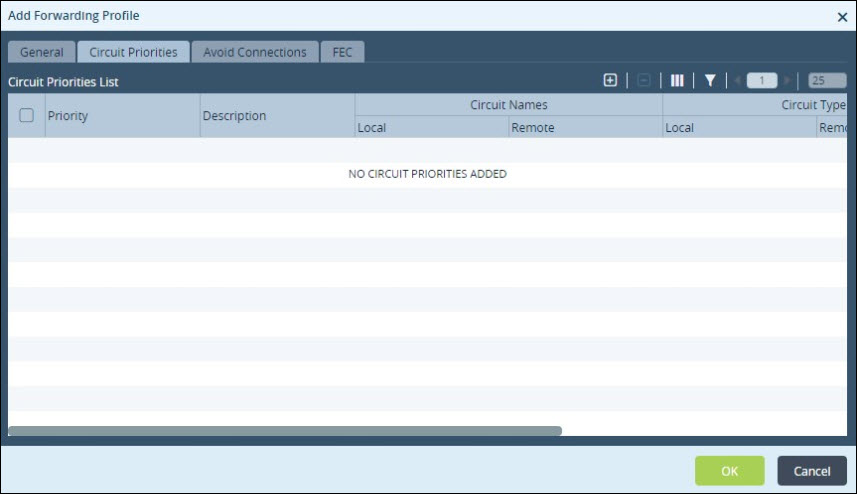
- Click + to define the circuit properties.
- Fill in the fields to create the SLA profile. In this use case we describe how to fill out the fields to add circuit priorities. These selections may not be specific to your situation; they are selected for this voice forwarding use case.
- From the Priority list, select the circuit priority, 1 is the default. We used the default.
- In the Description field, type a description for the circuit priority.
- In the Tag field, type words to describe the item so it will appear in a search.
- Click the Circuit Names tab, create a name for the local and remote clients. Click + next to each heading and type the circuit name. Since this is a voice forwarding example, we picked both INET and MPLS to be Priority 1. This defaults to a load balanced flow across these two connections.
- Click the Circuit Types tab, select the type of circuit to be used for the local and remote clients. Click + to select a circuit type from the list in each section.
- From the Priority list, select the circuit priority, 1 is the default. We used the default.
- Click the Circuit Media tab, define the media of the circuit for the local and remote clients. Click the + sign to select a circuit type for each client from both lists. We selected a circuit media of LTE with a priority 2.
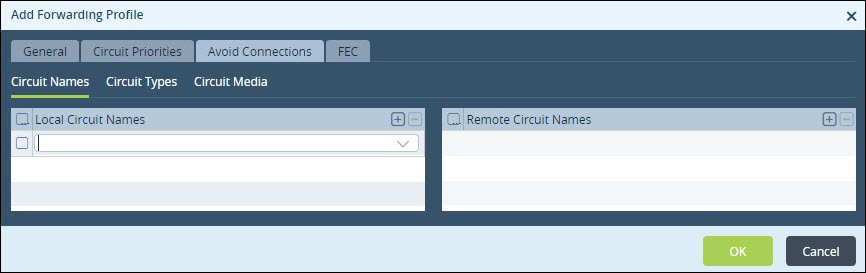
- Click the Avoid Connections tab to configure the links that should not be picked. These are defined for the local and remote client links. In our example, we will not avoid any connections.
- In the Local Circuit Names section, click + to define the local circuit name to be skipped.
- In the Remote Circuit Names section, click + to define the remote circuit name to be avoided.
- In the Local Circuit Names section, click + to define the local circuit name to be skipped.
- Click the FEC tab to apply any forward error correction.
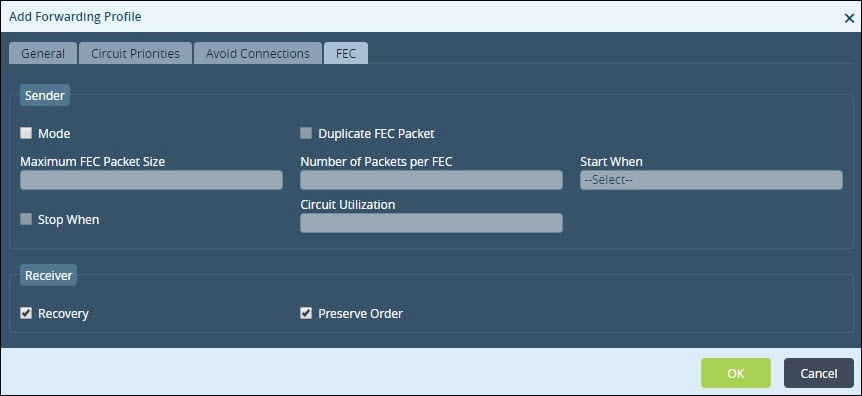
- Select the Mode checkbox and fill in the parameters for FEC. In our example, we are already doing replication for the voice forwarding profile, so we will not add any forward error correction.
- Click OK.
Step 3—configuring SD-WAN policies and rules
An SD-WAN policy called the Default-Policy will have already been created.
- In the Director Context, click the Config Templates tab, then select a template.
- In the Services tab, select SDWAN > Policies > Rules.
- From the Organization list, select an entity.
- Click + to add a rule.
- Fill in the fields to create the SLA profile. In this use case we describe how to fill out the fields to edit rules. These selections may not be specific to your situation, they are selected for this voice forwarding use case.
- In the Name field, type a name for the rule. We named ours Voice‑Skype.
- In the Description field, describe the rule.
- In the Name field, type a name for the rule. We named ours Voice‑Skype.
- Click the Source/Destination tab to configure source and/or destination addresses to capture traffic.
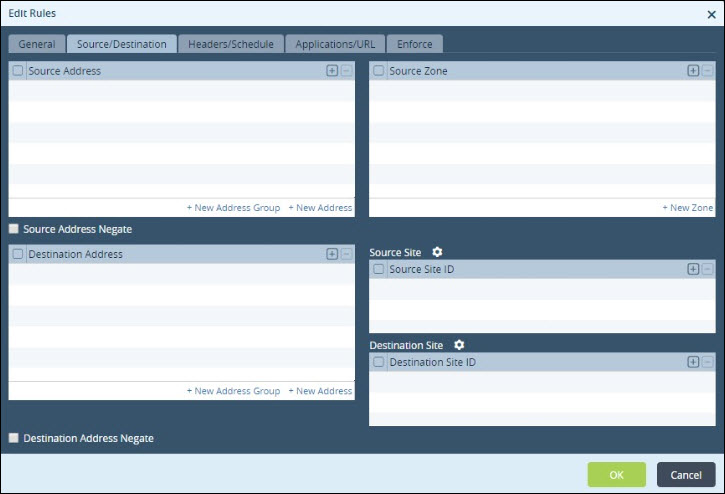
- Fill in the information for the addresses:
- In the Source Address section, click + to select a source address. Source address refers to the originating address of incoming traffic and is classified by originating country, region, or IP address.
- Select the Source Address Negate checkbox to block traffic to the selected source addresses.
- In the Destination Address section, click + to select a destination IP address. Destination address refers to the destination address of the traffic. Addresses are classified by countries, regions, or IP addresses. We do not have any source or destination rules to reference in our example.
- In the Source Address section, click + to select a source address. Source address refers to the originating address of incoming traffic and is classified by originating country, region, or IP address.
- Click the Headers/Schedule tab to configure matching criteria based on the IP packet header information.
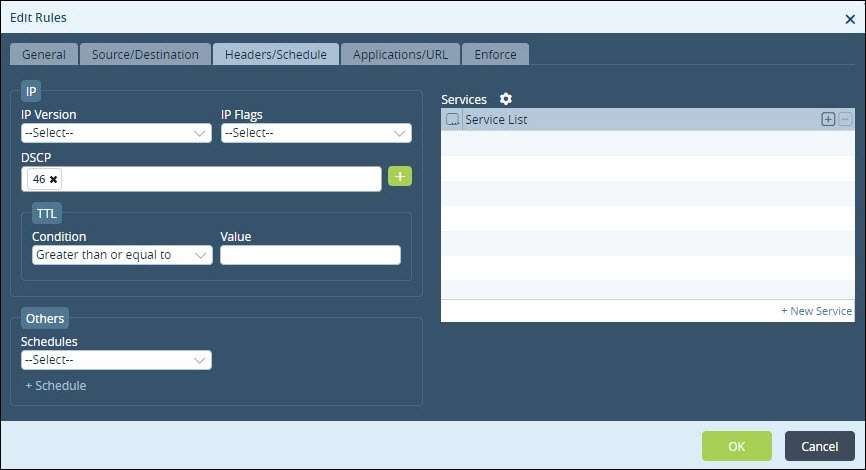
- Fill in the information to configure matching criteria:
- In the IP Version list, select the version of IP.
- In the IP Flags list, select either More Fragments or Don’t Fragment to indicate whether routers can fragment the data packets.
- In the DSCP field, click + to add the differentiated services code point, which refers to the value or cost of the policy.
- In the Condition list, select the condition.
- In the Value field, type the value. This matches traffic based on the selected IP version, IP flag, and TTL match condition in the packet's header.
- In the Schedules list, specify the frequency of the action to be taken.
- Click + Schedule to create a new schedule.
- In the Services List section, click + to select services to be allowed or blocked from the list. The list includes predefined and user‑defined services. Service is defined based on the destination address and port. We do not have any rules based on IP headers or schedules for our example.
- In the IP Version list, select the version of IP.
- Click the Applications/URL tab to select traffic based on applications and URLs. Select the applications and application groups in which to apply this rule.
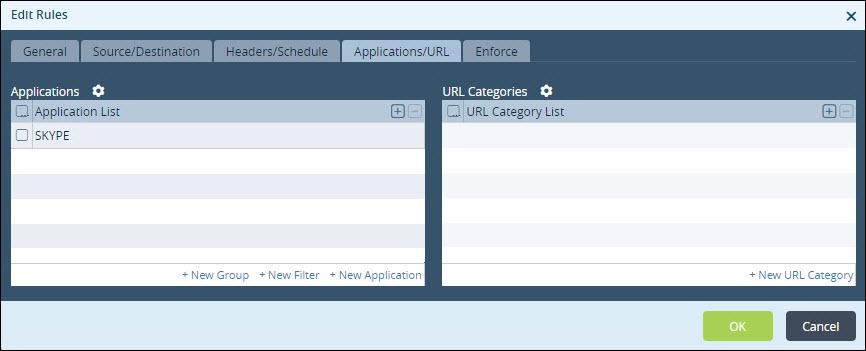
- Click the Applications/URL tab, click + to select an application from the list. The list includes predefined and user‑defined applications.
- Click the Enforce tab to select the forwarding profile and the action to be taken on the traffic.
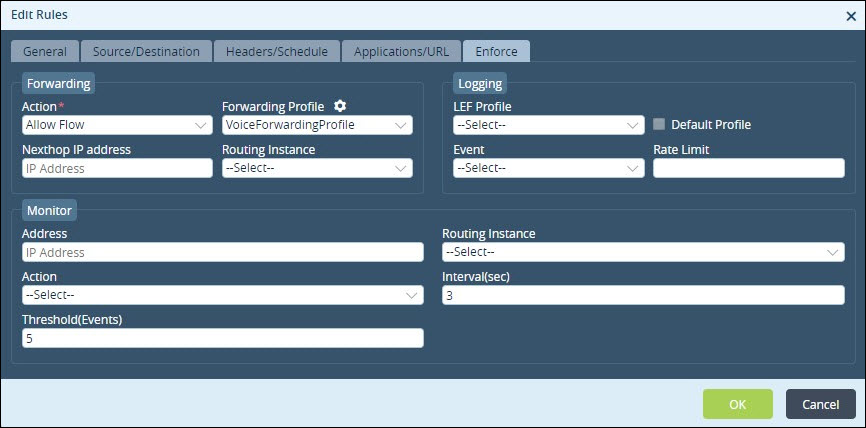
- In the Action list, select the action to be taken on the traffic (Allow Flow or Deny Flow).
- In the Forwarding Profile list, select the forwarding profile to be applied on the traffic.
- Click OK.
The last step is to apply these changes to your branches.
- Click Commit (in the upper-right corner of the portal).
- In the Select Template list, select the related branches to push either the new SD‑WAN rule or all rules. We recommend you commit a template to just one branch to test your new rule before applying it to all the branches related to your template.
- In the View column, click the icon to preview changes.
- Click OK.



