

Managing Sequential Ring for your Voice Complete phone number
As a Voice Complete Feature Manager user, you can use Lumen Connect to manage Sequential Ring for your Lumen® Voice Complete® phone number (if you have the Mobility Feature Pack enabled).
To manage Sequential Ring for your Voice Complete phone number:
- Using the left menu, click Services, click Service Tools, then click Voice Complete Features.
Lumen Connect shows the calling feature settings for your Voice Complete phone number.
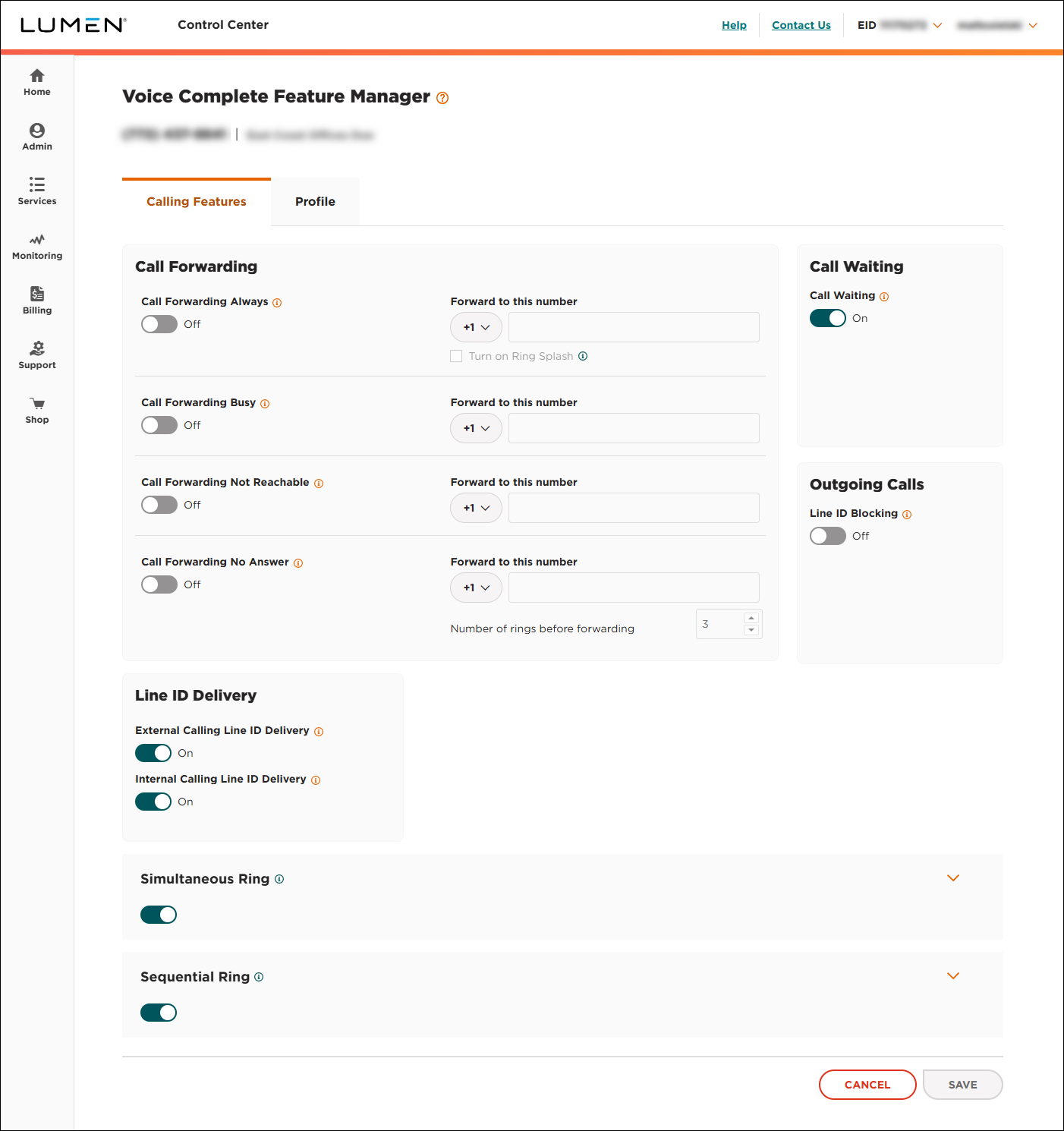
- Scroll down to the Sequential Ring section, then click the (on the right side of the section).
Lumen Connect shows details for the Sequential Ring feature (if any) for the phone number.
- Do any of the following:
- To turn on Sequential Ring, select one or more Active checkboxes in the Rules section.
Lumen Connect changes the Sequential Ring section to Active.
- To turn on Sequential Ring, clear the Active checkboxes in the Rules section.
Lumen Connect changes the Sequential Ring section to Inactive.
- To add a rule, do the following:
- Click Add New Rule.
- Type a description for the rule.
- Select whether the rule should ring the numbers in the Sequential Phone Numbers list.
- Select a time schedule and a holiday schedule (if applicable) for the rule.
- Select the calls this rule applies to: all calls or a filtered set of calls (e.g., calls from private numbers).
- Click SAVE.
- Click Add New Rule.
- To update a rule, click the icon, make your changes to the rule, then click SAVE.
- To remove a rule, click the icon on the row for the rule.
- To activate a rule, select the Active checkbox on the row for the rule.
- To deactivate a rule, clear the Active checkbox on the row for the rule.
- To manage the phone numbers used for the Sequential Ring feature, use the fields in the Phone Numbers and Ring Order section. You can specify up to five numbers to ring in sequence, the number of rings before trying the next number in the sequence, and whether you want an answer confirmation when that phone number is answered.
- To ring this Voice Complete phone number first, select the Use Base Location first checkbox, then select the number of rings before moving to the list of sequential numbers. (To skip this Voice Complete phone number, clear the Use Base Location first checkbox.)
- To move to the list of sequential numbers if this phone number is busy, select the Continue the search process if the base location is busy checkbox. (To bypass the sequential ring list if this phone number is busy, clear the checkbox.)
- To allow a caller to skip the search process, select the Enable caller to skip search process. checkbox.
- To turn on Sequential Ring, select one or more Active checkboxes in the Rules section.



