

Managing the Voice Portal settings for a group
As a Voice Complete Feature Manager administrator, you can manage the Voice Portal settings for a group of Lumen® Voice Complete phone numbers in Lumen Connect. Each group has a unique Voice Portal phone number so you can customize the settings for different organizations. For phone numbers with the Mobility Feature Pack assigned, users can use the Voice Portal to turn calling features on and off (e.g., Call Forwarding).
To manage the Voice Portal settings for a group:
- Using the left menu, click Services, click Service Tools, then click Voice Complete Features.
Lumen Connect shows the groups associated with your Voice Complete service.
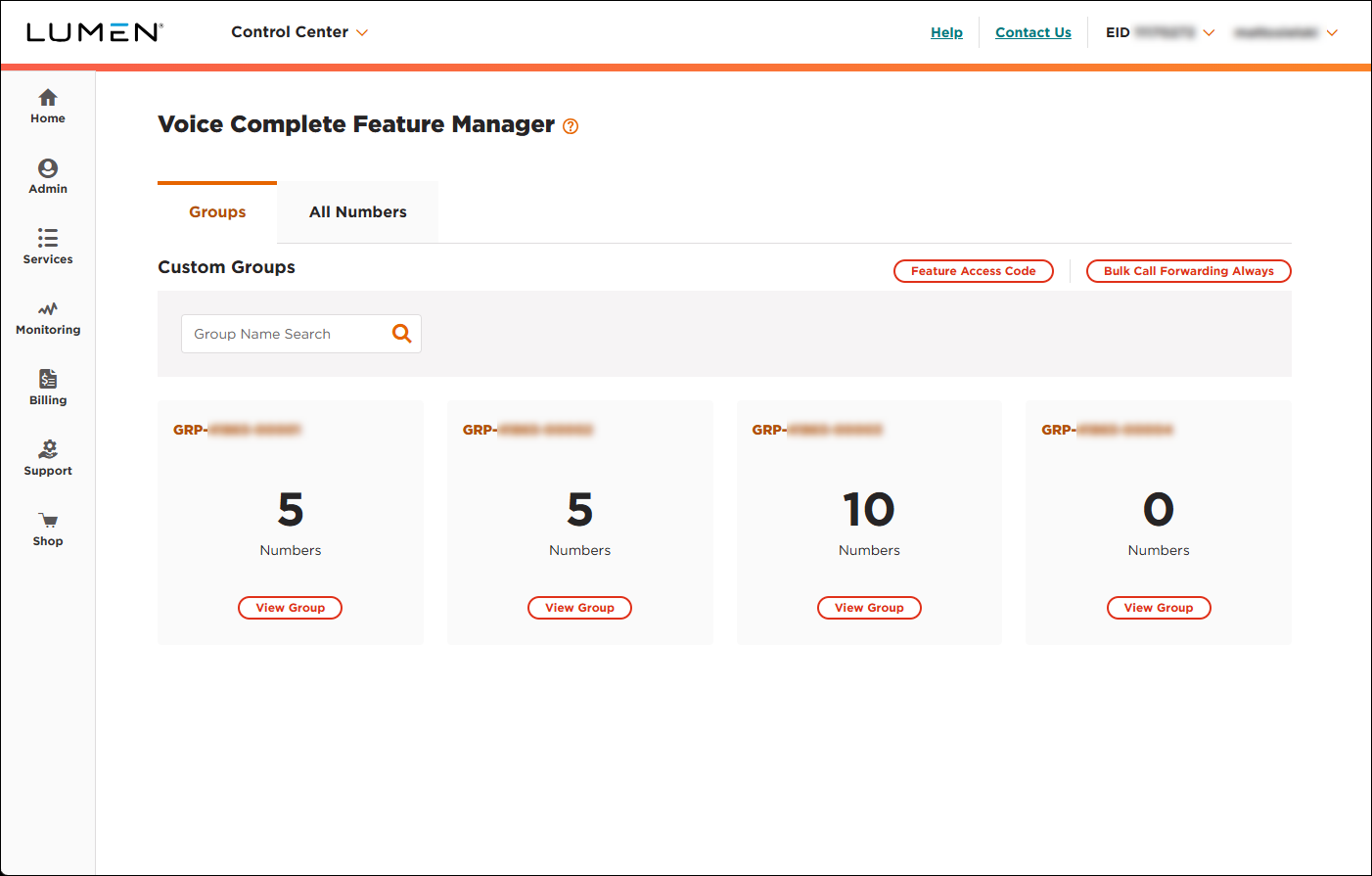
- On the card for the group you want to work with, click View Group.
Lumen Connect lists the phone numbers associated with the group you selected.
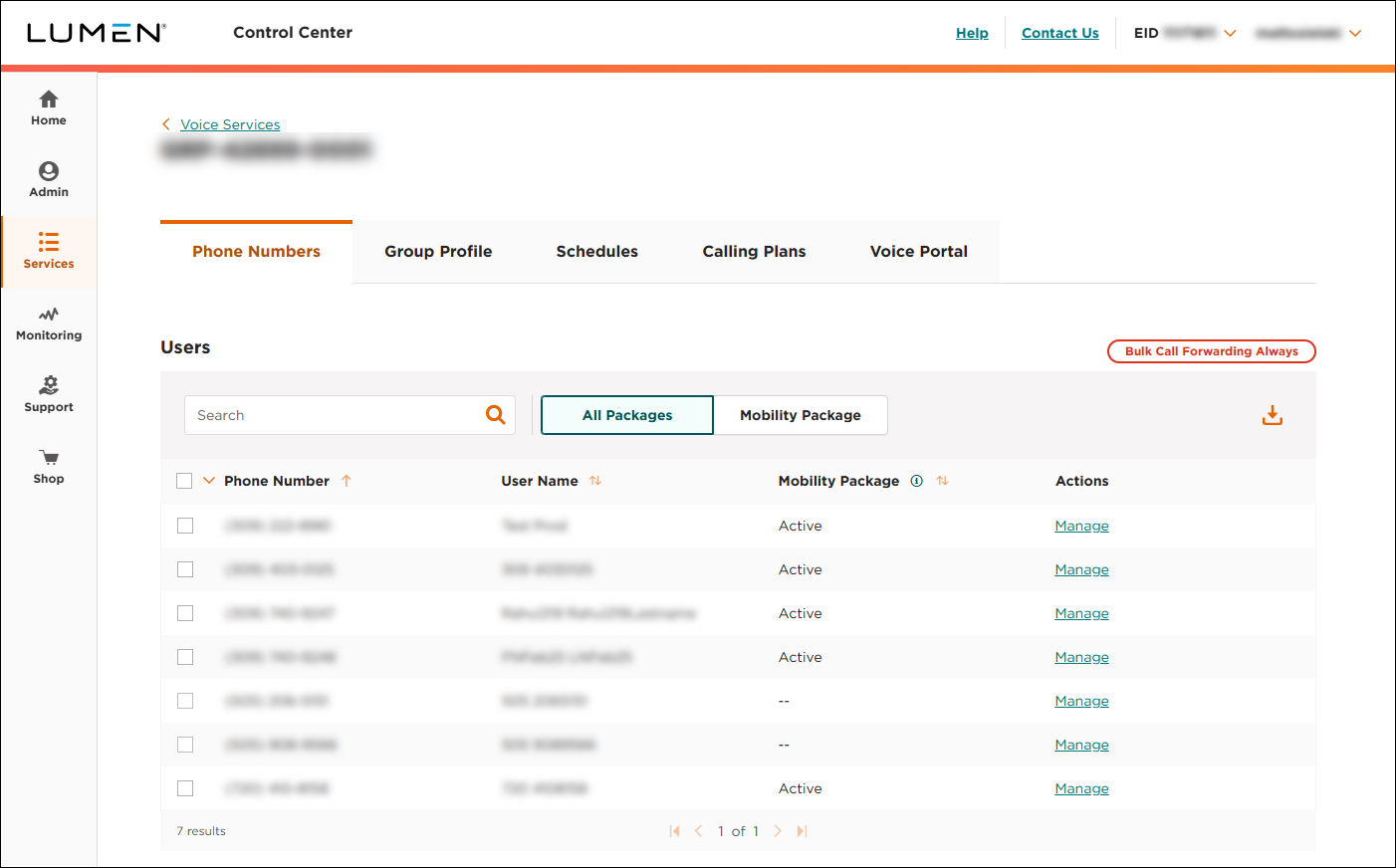
- Click the Voice Portal tab.
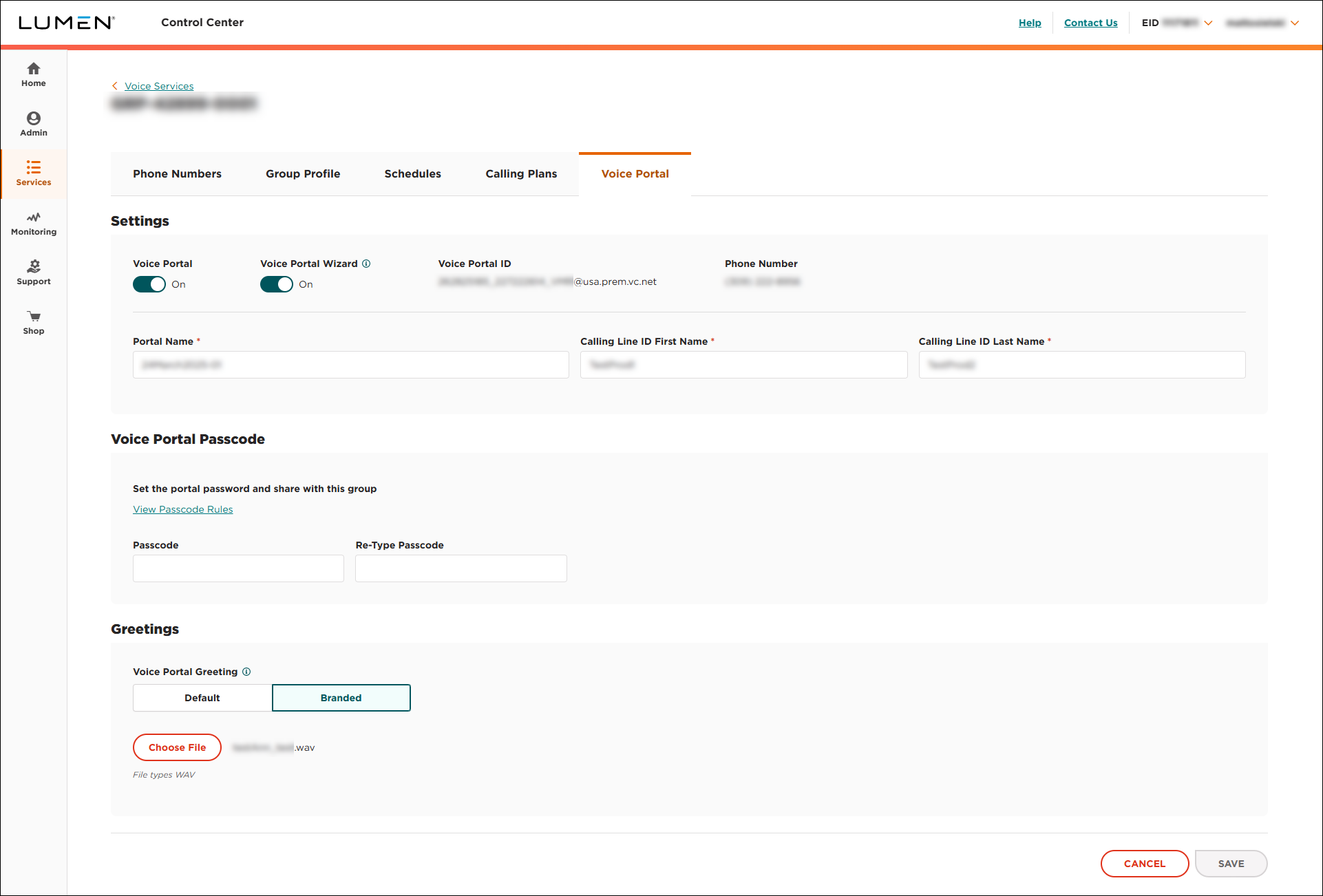
Lumen Connect shows the settings for the Voice Portal for the group—including the phone number users dial to access the calling features.
- Do any of the following:
- To turn on the Voice Portal for the group, click the Voice Portal toggle. (Lumen Connect changes the toggle to On and enables the Voice Portal for phone numbers in the group with the Mobility Feature Pack assigned to them.)
- To turn off the Voice Portal for the group, click the Voice Portal toggle. (Lumen Connect changes the toggle to Off and disables the Voice Portal for the group.)
- To update the name of the Voice Portal, type a name in the Portal Name field.
- To update the caller ID name for the Voice Portal, update the information in the Calling Line ID First Name and Calling Line ID Last Name fields.
- To set the passcode for the Voice Portal, type a passcode in the two fields Voice Portal Passcode section. (Use the guidelines provided to choose a passcode.)
- To use a custom greeting for the Voice Portal, click the Branded button, click Choose File, navigate to the .wav file you want to use, then click Open.
- To use the default greeting for the Voice Portal, click the Default button.
- To turn on the Voice Portal for the group, click the Voice Portal toggle. (Lumen Connect changes the toggle to On and enables the Voice Portal for phone numbers in the group with the Mobility Feature Pack assigned to them.)
- When you're done, click SAVE.
Lumen Connect saves your changes to the Voice Portal for the group.



