

Updating profile information for a VoIP portal user
As a VoIP portal administrator, you can view profile information for users in your organization and make updates as needed, such as changing their email address. Users can also make changes to their own profile information.
Note: If you're migrating from Business Communicator to Hosted VoIP with Webex, each user must have a unique email address listed in their VoIP portal profile. Shared or group email addresses are not supported. You can download a user report to help you track the email address each user profile uses.
To update profile information for a VoIP portal user:
- Sign in to the VoIP Administrator portal.
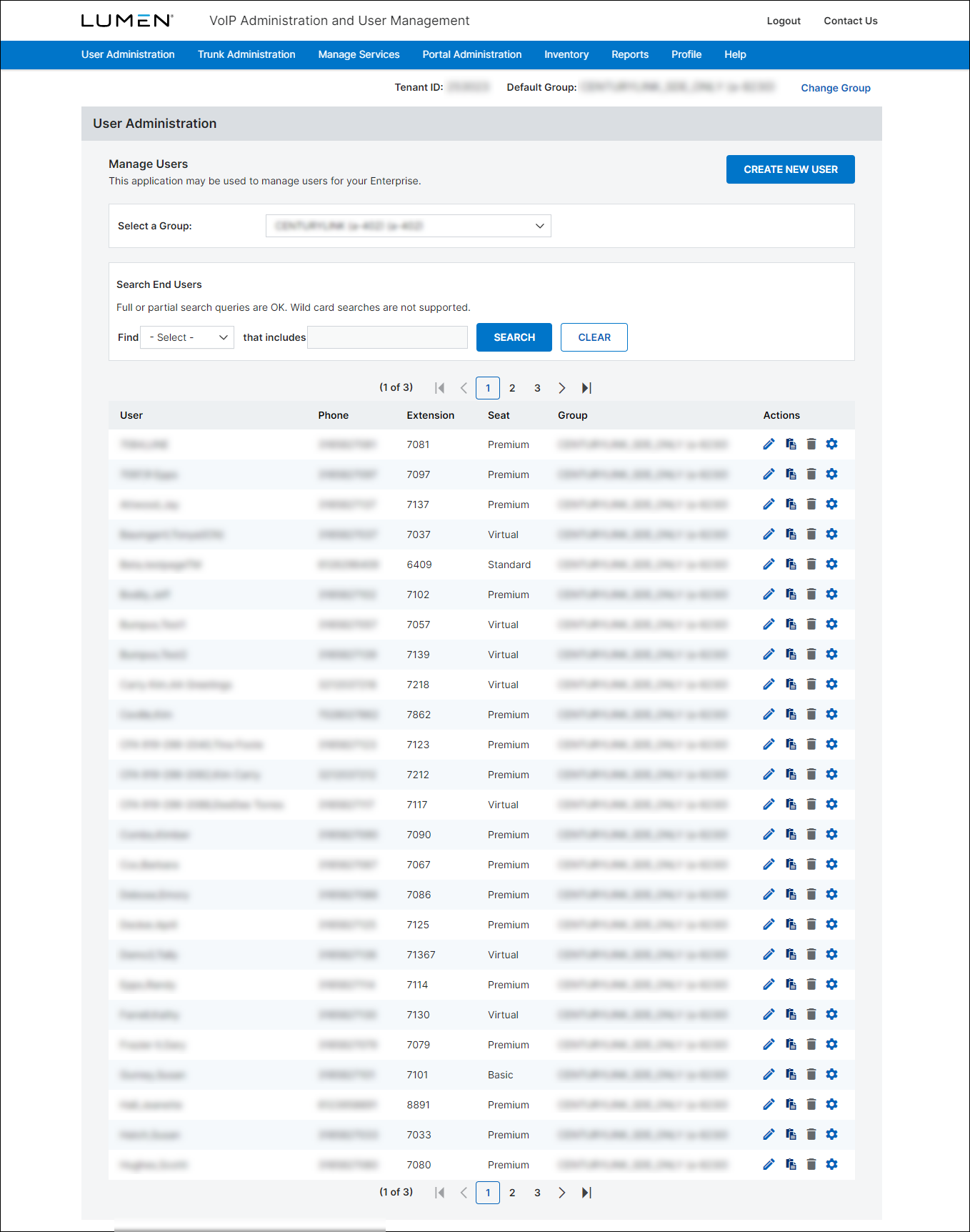
- Search for the user by doing one of the following:
- Scroll through the list of users. If you have more than 20 users, use the arrows at the top and bottom of the page to navigate between pages.
- Start typing part of the user's first name, last name, or username in the Search field. (The VoIP Administrator portal filters the user list as you type.)
- One the row for the user, click the icon.
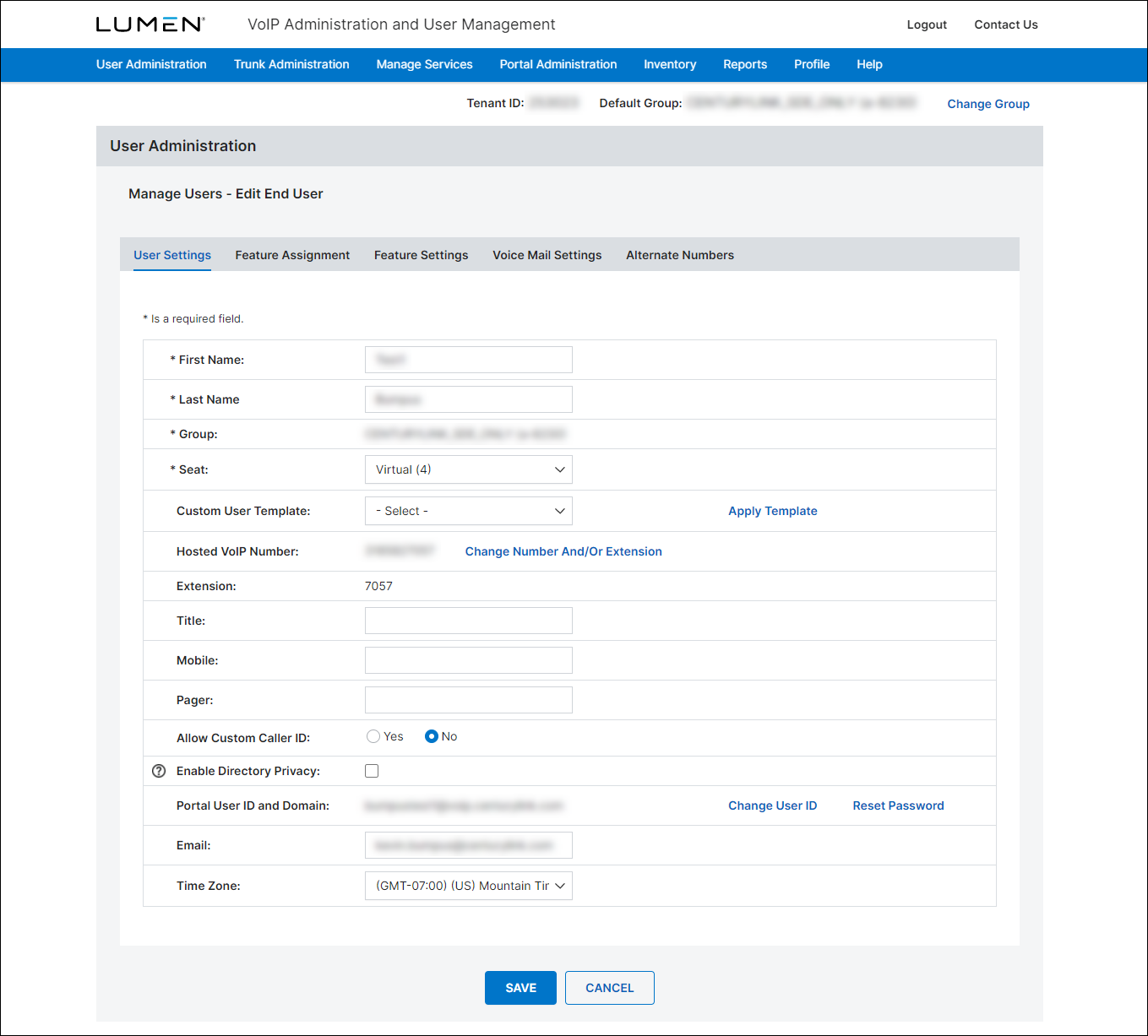
- Update the user's information as needed. When you're done, click Save.
The VoIP Administrator portal updates the user's profile.



