

Changing the wrap‑up time setting
Wrap-up time is your post-call work time to update the system with call details or send emails to start on actions that come from calls. If your organization’s administrator gives you permissions, you can change the wrap-up timer setting in the Contact Center Client. The setting will only change the wrap-up time for queues that don’t have an established wrap-up time policy.
To change the wrap-up time setting:
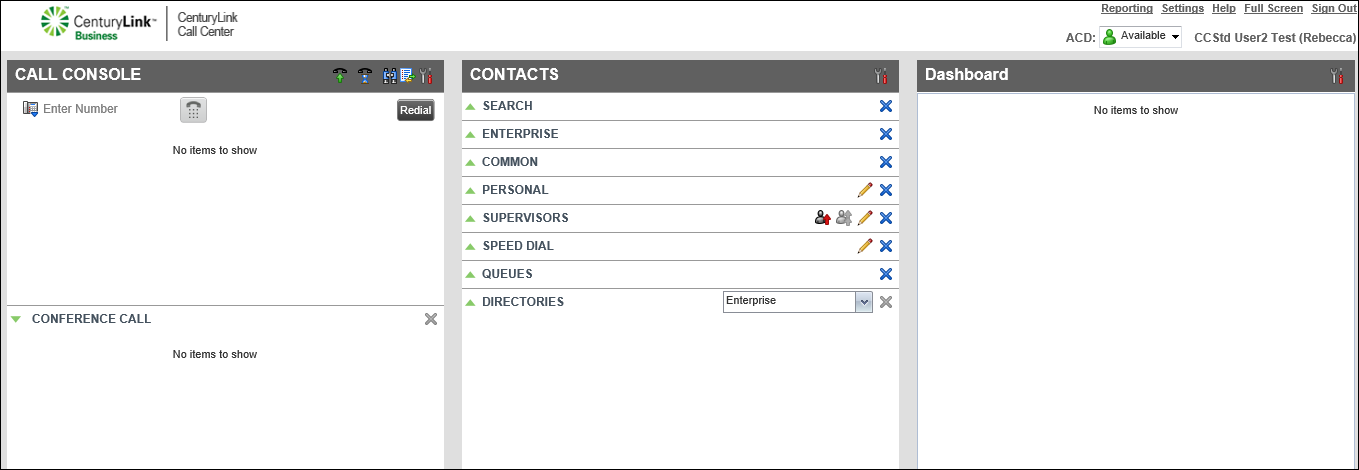
- Click Settings (in the upper-right corner).
- Click the Application tab.
- Scroll down to the Agent Policies section, then select the Set Wrap-up timer to checkbox.
- To set the time for wrap-up, use the arrows to set the minutes and seconds.
The wrap-up timer changes and your ACD status will change to Available after you reach the time set for wrap-up.



