

VoIP Contact Center Client
Lumen® Contact Center Supervisor Client and Contact Center Agent Client are carrier-class communications-management products for contact center (call center) agents and supervisors assigned to Contact Center licenses. Contact Center licenses offer many benefits to supervisors and agents:
- efficient call handing and automatic call distribution (ACD) state management by agents
- integration of online enterprise directories for click-to-dial compatibility
- realtime monitoring of agent and queue activity by supervisors
- historical reporting of agent and queue activity by supervisors
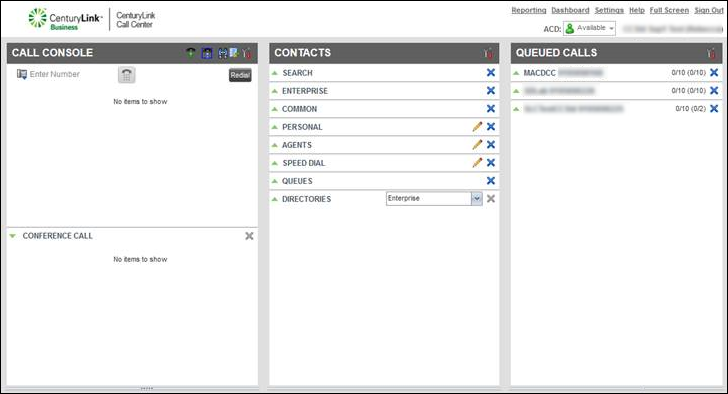
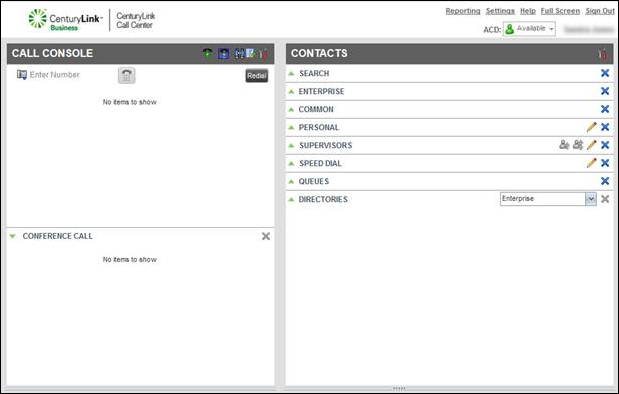
Getting started
Learn how to access the Contact Center Supervisor and Contact Center Agent Clients and explore the features for setting your phone status, answering calls, and monitoring your queues, agents, and supervisors.
- Accessing the Contact Center Client for the first time
- Setting up the Contact Center Client the first time you sign in
- Signing in to the Contact Center Client
- Exploring the Contact Center Agent Client
- Exploring the Contact Center Supervisor Client
- Changing the wrap-up time setting
- Changing your status in a queue
- Joining a queue
- Setting the status of your phone when you sign in
- Setting the status of your phone when you disconnect from a queue call
- Saving your workspace automatically
- Signing out of the Contact Center Client
Making and managing calls
Learn how to answer and make calls, start conference calls, place calls on hold, and set call control services.
- Answering calls
- Answering calls automatically
- Calling from the Contact Center Client
- Conference calling from the Contact Center Client
- Placing calls on hold and resuming held calls
- Transferring calls
- Turning Call Forwarding Always on and off
- Turning Call Waiting on and off
- Turning Do Not Disturb on and off
- Viewing and using your call history
Using the Contacts pane
Learn how to access and use your Contact Center Client directories to find and edit contact records, control who you monitor, and manage queue memberships.
Viewing your directories and managing contact records
- Viewing and using your directories
- Viewing and using your queue directory
- Viewing the status of supervisors assigned to you
- Searching for a contact
- Adding a contact to your personal directory
- Adding a contact to your speed dial directory
- Updating a personal directory contact
- Updating a speed dial contact
- Deleting a contact from your personal directory
- Deleting a contact from the speed dial directory
- Selecting the supervisors to monitor
- Viewing and using the agents directory (Supervisor Client)
- Changing an ACD status for an agent (Supervisor Client)
- Choosing the agents you monitor (Supervisor Client)
- Setting an agent's membership in a queue (Supervisor Client)
Making calls
Using the Contact Center Client dashboards
As a supervisor, you can use the Contact Center Supervisor Client dashboard to get performance statistics on queues and agents. As an agent, you can select the queues you want to monitor and view in the Contact Center Agent Client dashboard.
- Accessing and using the Contact Center Supervisor Client dashboard
- Exploring the Contact Center Supervisor Client dashboard statistics
- Monitoring active calls waiting in a queue
- Grouping queued calls by priority
- Ungrouping queued calls by priority
- Sorting calls in your monitored queues
- Selecting the queues you want to monitor (Agent Client)
- Selecting queues for the Queued Calls pane (Agent Client)
- Changing the statistics for the queues you monitor (Agent Client)
- Changing the sort order for queue statistics on your dashboard (Agent Client)



