

Searching for a contact
To look for a contact in a directory, use the search feature in the Contacts pane in the Contact Center Client. You can search all directories or choose a specific one.
To search for a contact:
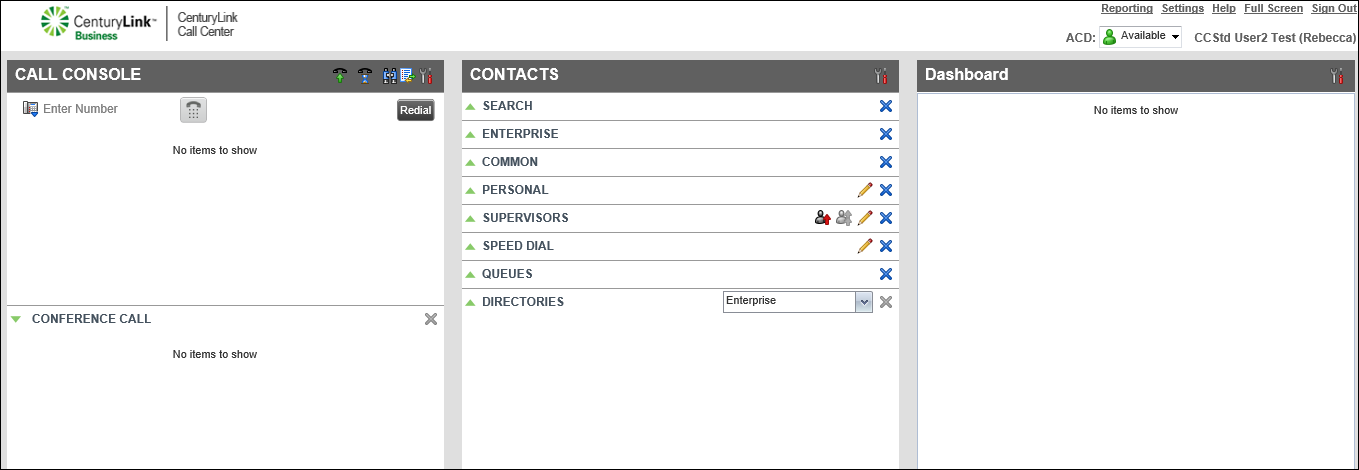
- In the Contacts pane next to SEARCH, click the icon.
- In the Search field, do one of the following:
- Type the contact’s first name, last name, or phone number.
- Type part of the contact’s name or phone number, then select the Begins with checkbox.
- Type the contact’s first name, last name, or phone number.
- To search a specific directory or all directories in the Directories list, select the directory to search.
- Do any of the following:
- To call the contact, click on the contact’s name, then click CALL.
The active call details show in the Call Console pane.
- To clear your search and start over, click the X next to the Search field.
The Contact Center Client clears the search criteria and results.
- To call the contact, click on the contact’s name, then click CALL.



