Viewing details for a bare metal server network
Use Lumen Connect to view details about Lumen® Edge Bare Metal server networks such as the status of network provisioning, connection availability, and the current allocation of CPU, memory, and storage. You can edit a network configuration to adjust the name you see. If the network configuration does not meet your needs, you can delete the network and provision another network.
To view details for a bare metal server network:
- Click the Networks tab.
Lumen Connect shows the networks created for your organization with a status and brief summary for each network (location, network type, and IP block).
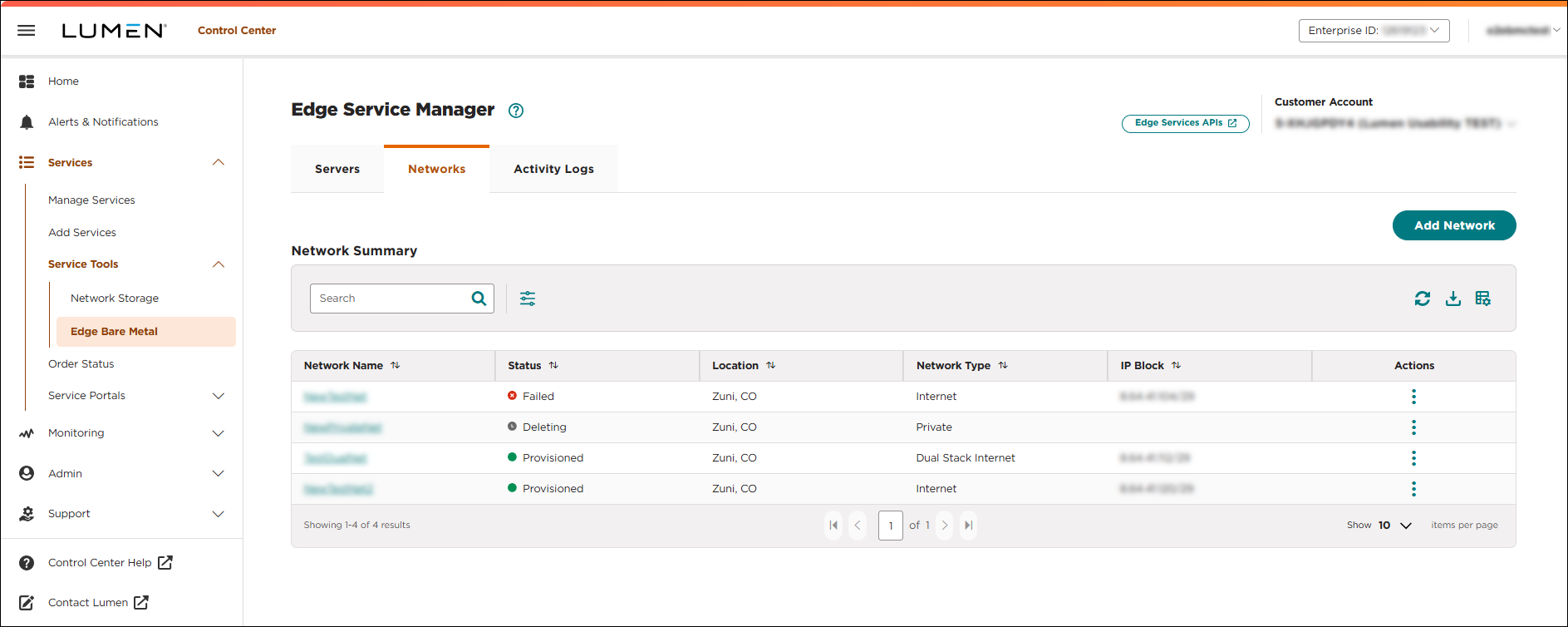
- Click the network name you want to work with to view details for that network.
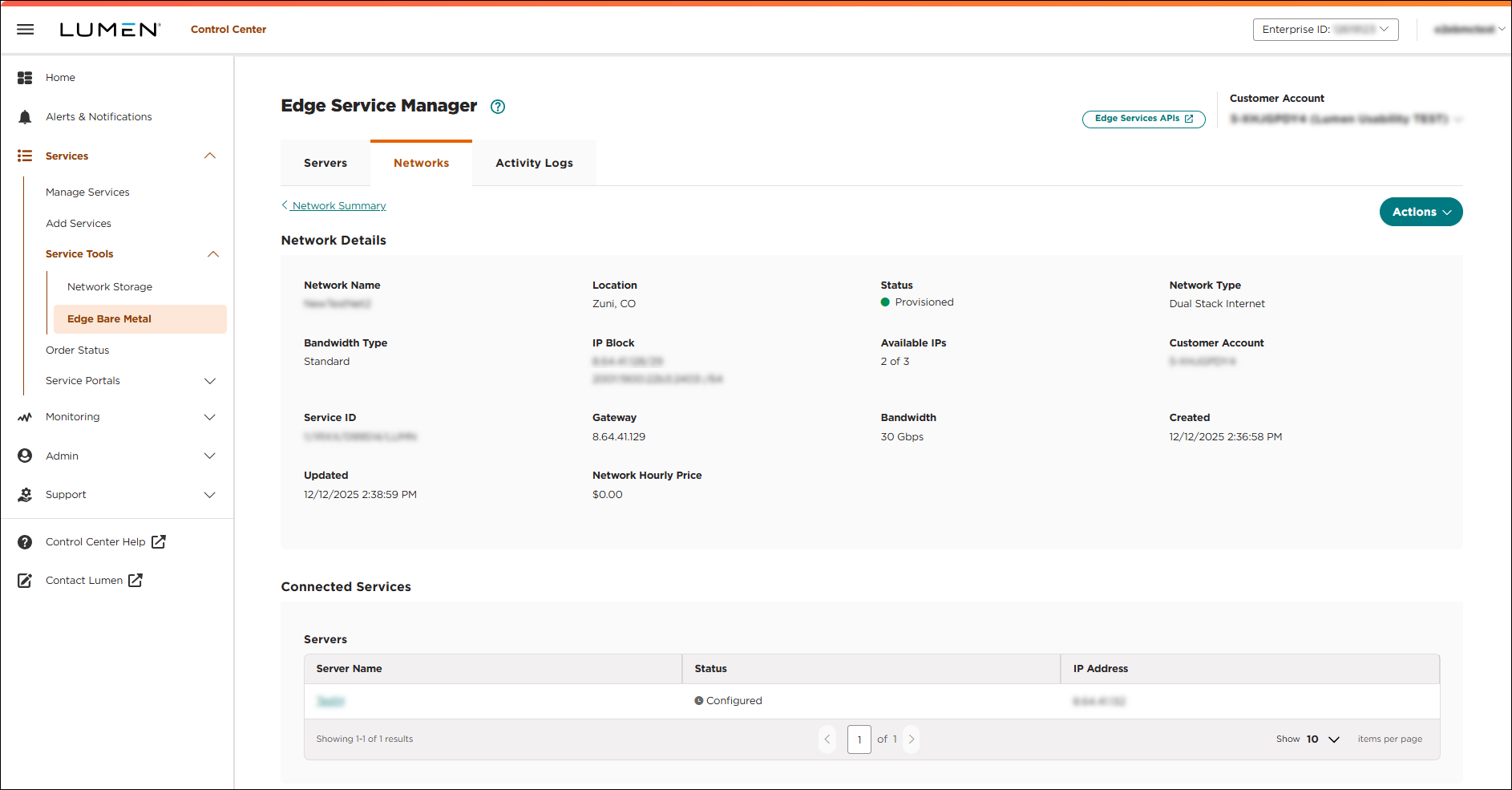
The details page provides the following information about the network configuration:
- The Network Details section provides the network metrics, IP block (showing either IPv4 or IPv4/IPv6 dual-stack addresses), and running status. If you have a private network, the VRF name and VRF description shows. This section also includes the customer account associated with the network, the location, network type, VLAN, and number of available IPs for the network. You can take the following actions on the network:
- To edit the name for the network, click Actions, then select Edit Name.
- To delete the network click Actions, then click Delete. Before you delete a network, you must delete all bare metal servers connected to the network.
- To edit the name for the network, click Actions, then select Edit Name.
- The Connected Services section shows the server details specific to the network including the server name, server status, and IP address assigned to the bare metal server. If a dual stack network is selected, both the IPv4 and IPv4/IPv6 addresses are shown in the IP Address column.



