

Viewing activities
Use Lumen Connect to gain audit insight into the actions performed for your Lumen® Edge Bare Metal services. View successes and failures for provisioning and deleting bare metal servers and networks. Lumen Connect shows recent activity in order from newest to oldest. You can search and filter the information by keyword and date or download the activity as a report.
To view activities:
- Click the Activity Logs tab.
Lumen Connect shows a list of activities about your bare metal servers and networks.
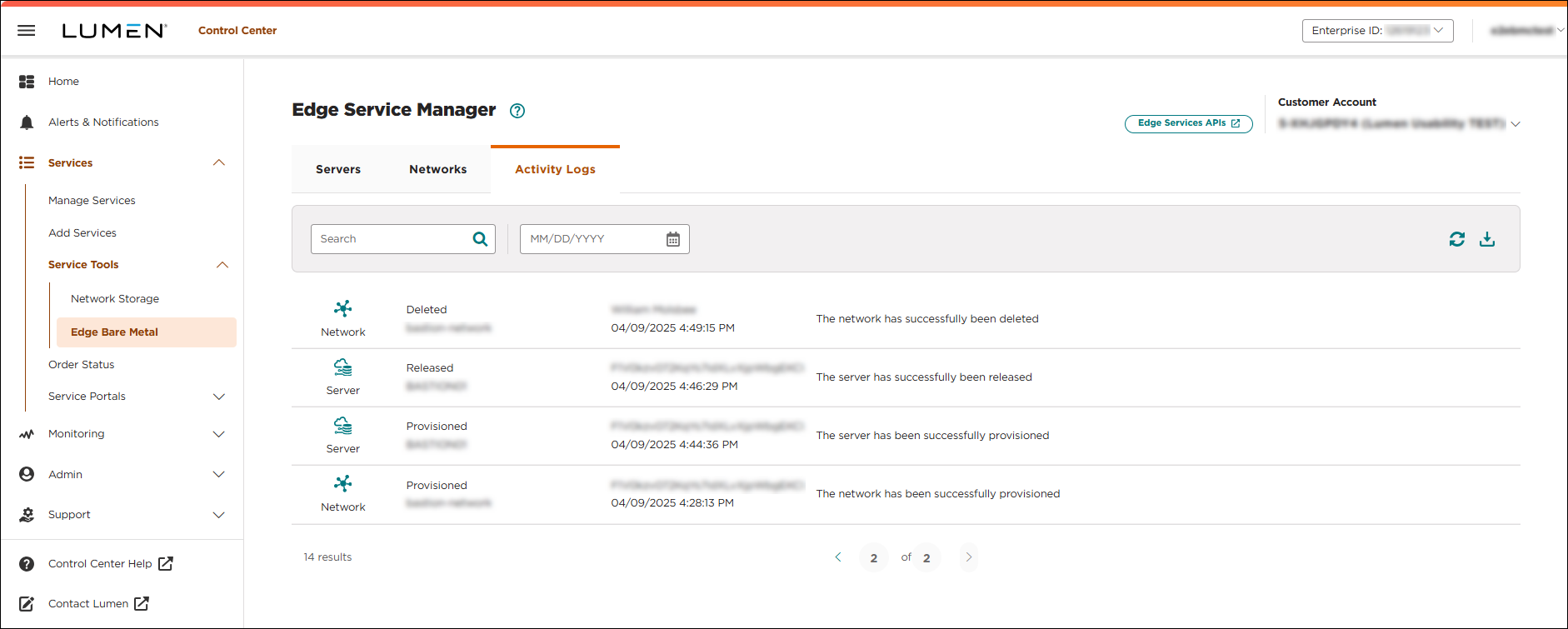
- Search the activity list by doing either of the following:
- Scroll through the activities on the screen. If you have more than 10 activities, use the arrows at the bottom of the screen to view more.
- To filter the log, type keywords in the search field and select a date
The activity log automatically refreshes and shows activities according to the filter criteria.
- Scroll through the activities on the screen. If you have more than 10 activities, use the arrows at the bottom of the screen to view more.
- To refresh the list, click the refresh icon ( ).



