

Adding an LTE connection to an Edge Gateway device
Use Lumen Edge Gateway Manager to add an LTE (Long‑Term Evolution) connection to an Edge Gateway™ device. LTE connections are not required, but may be useful when other connection options are not consistent or available. Check details of the Edge Gateway device to determine your connection configuration and requirements. You can edit LTE connections and remove unnecessary LTE connections. If needed, add VNFs to the Edge Gateway device.
To add an LTE connection to an Edge Gateway device:
- Sign in to Lumen Edge Gateway Manager.
- Search for the Edge Gateway you want to add the LTE connection to.
Lumen Edge Gateway Manager shows Edge Gateway devices in the list section.
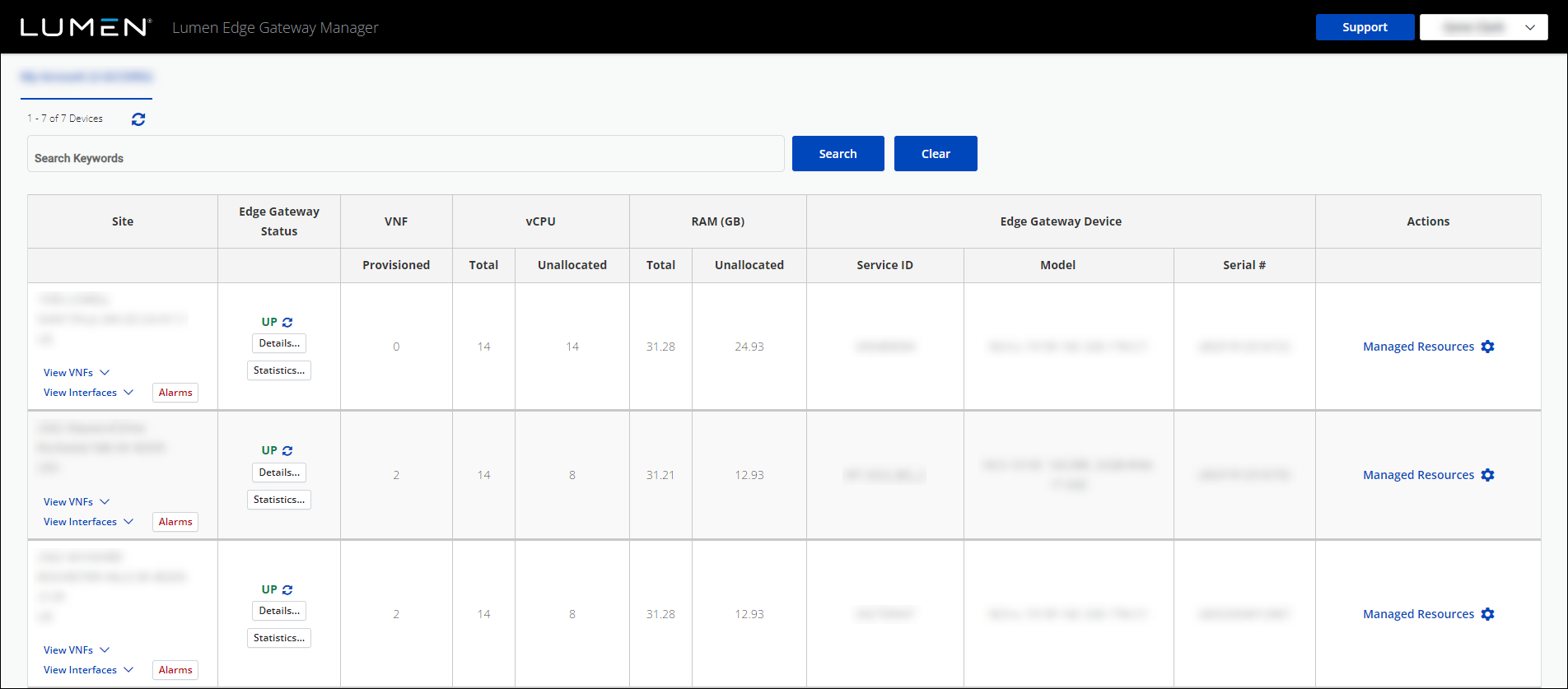
- Click Manage Resources next to the Edge Gateway device you want to work with.
- Click Manage Resources, again, (in the Order Summary window), to manage the resources for that Edge Gateway device.
- Click Add LTE.
- Complete the following fields for the LTE connection:
- APN's as comma separated values—Type the Access Point Names (APN) used by the device. You can have up to three comma‑separated APNs.
- Carrier—Select the LTE carrier (ATT or Verizon).
- Country Code—Type US. (The country code is always US.)
- Network Code—Type the network code of the LTE connection.
- APN's as comma separated values—Type the Access Point Names (APN) used by the device. You can have up to three comma‑separated APNs.
- Click Add.
The request for the LTE connection is submitted and added to the Order Summary window.
- In the Order Summary window, complete one of the following tasks:
- To execute the request for the LTE connection, click Execute.
Lumen Edge Gateway Manager executes the request.
- To schedule the request for execution, click Schedule, then select a date and time for the execution.
Lumen Edge Gateway Manager executes the request on the scheduled date and time.
- To edit the request for the LTE connection, click Edit, edit the details for the LTE connection, then click Update.
Lumen Edge Gateway Manager saves the updates to the request.
- To delete the request for the LTE connection, click the icon.
Lumen Edge Gateway Manager deletes the request.
- To execute the request for the LTE connection, click Execute.



