

Disconnecting a phone number from VoIP Enhanced Local
Using Lumen Connect, you can create an order to disconnect phone numbers from a Lumen® VoIP Enhanced Local service (up to 1000 per order). Once we process your disconnect order, you will see the phone number in the disconnect report. If your business needs change, you can cancel the order.
To disconnect a phone number from VoIP Enhanced Local:
- Using the left menu, click Services, click Service Tools, then click ELS & LI Management.
- If you have more than one customer number on your enterprise ID, select the customer number you want to work with, then click PROCEED.
- Click the Disconnect Order tab.
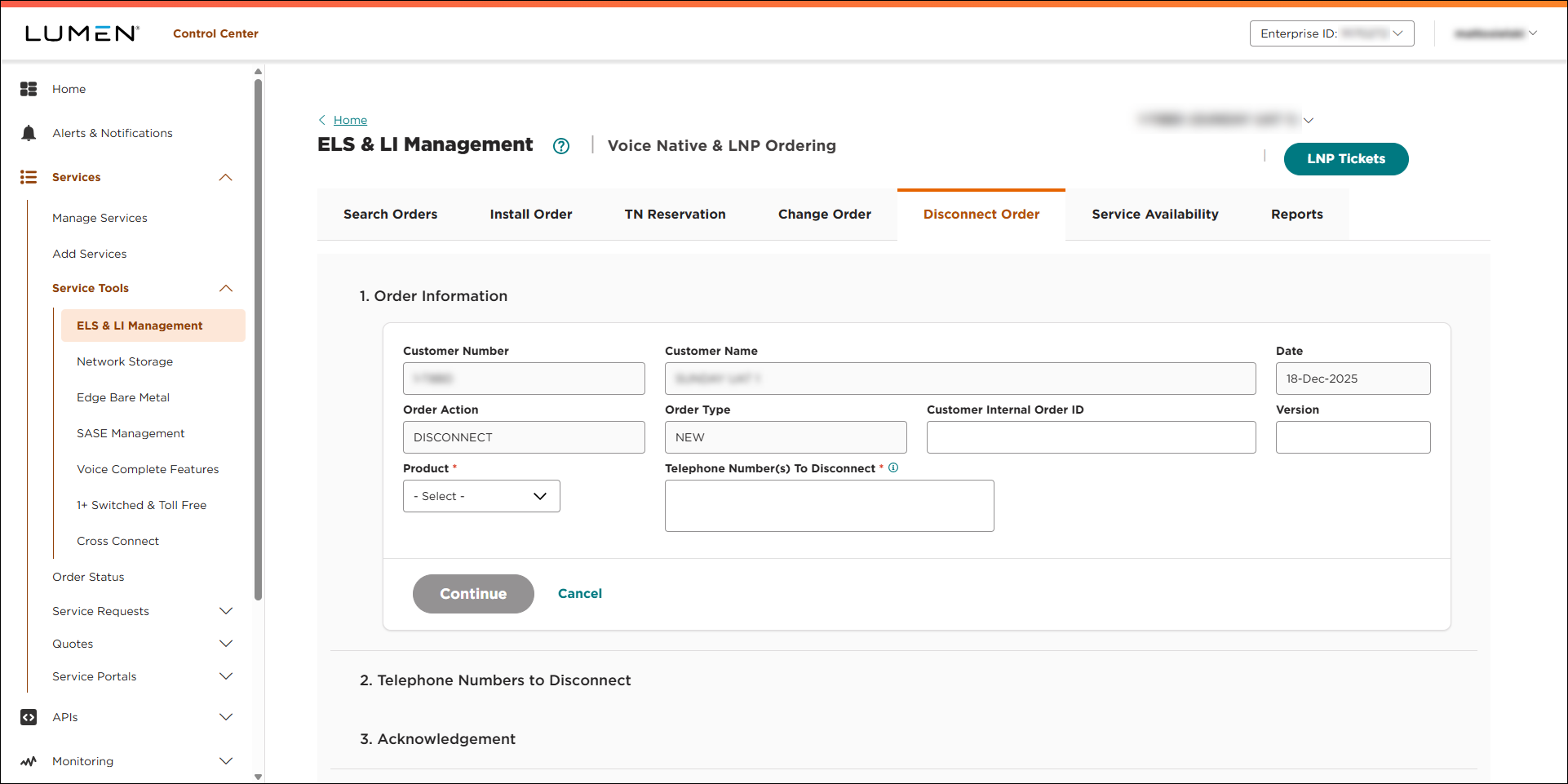
- Fill in the Order Infomation section:
- If you want to add an internal tracking number, type it in the Customer Internal Order ID field.
- If you want to add a version number to the order, type it in the Version field.
- From the Product list, select ELS.
- In the Telephone Number(s) to Disconnect field, type the phone number(s) you want to disconnect (e.g., 3035551234). You can disconnect up to 1000 per order.
- Click CONTINUE.
- If you want to add an internal tracking number, type it in the Customer Internal Order ID field.
- In the Customer Requested Date field, select the date you want Lumen to disconnect the phone number(s).
- If you need to add more details for the disconnect order, type them in the Comments field.
- Click CONTINUE.
- Review the terms on the screen, click the checkbox to agree to the terms, then click SUBMIT ORDER.
Lumen Connect places your order and shows the status of your order as Created. You can now track the status of your order in Lumen Connect.



