

Deleting a pending use report order
If you've placed an order for a summary or detail use report and no longer need it, you can delete the order from your list of pending orders in Usage Analyst. You can also make changes to the order before it is complete if you want to change the frequency or order details.
To delete a pending use report order:
- Using the left menu, click Monitoring, click Voice Reports, then click Usage Analyst.
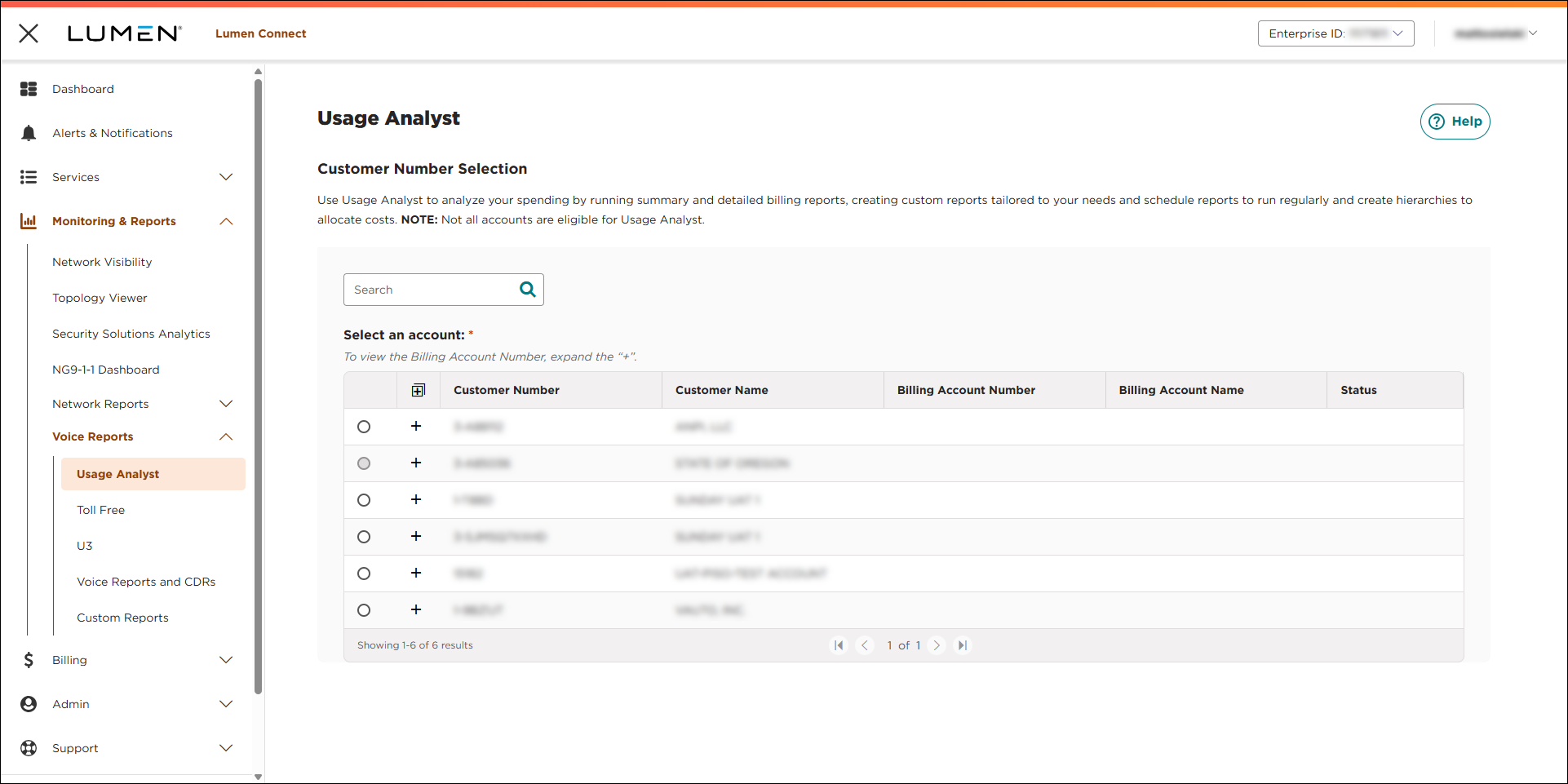
- Select the radio button next to the account you want to view, then click LAUNCH USAGE ANALYST.
Lumen Connect opens Usage Analyst in a new tab.
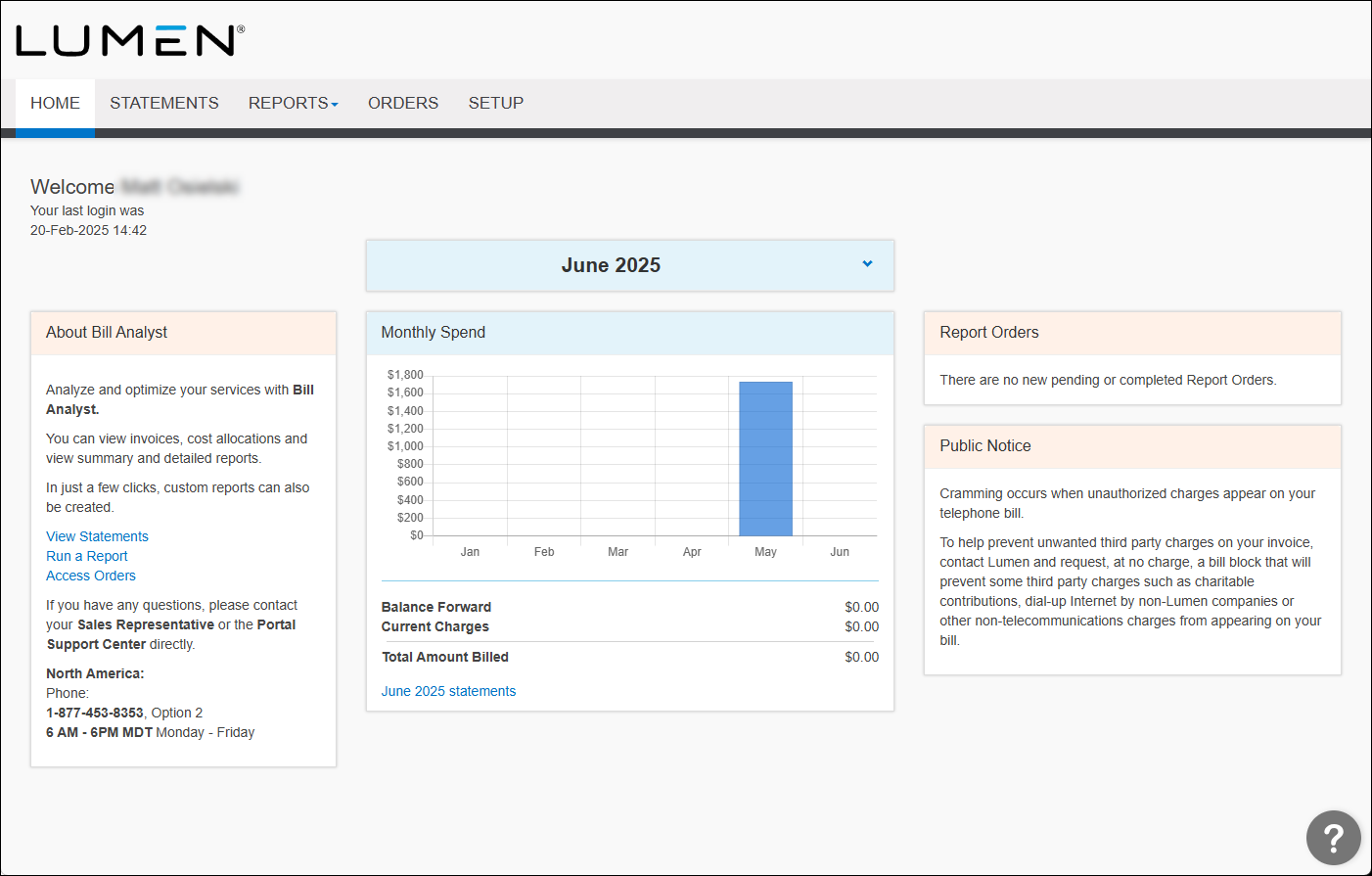
- Click the Orders tab.
Usage Analyst shows completed orders for use reports for your organization. Above the list of completed orders, Usage Analyst shows the amount of storage your orgainzation is currently using.
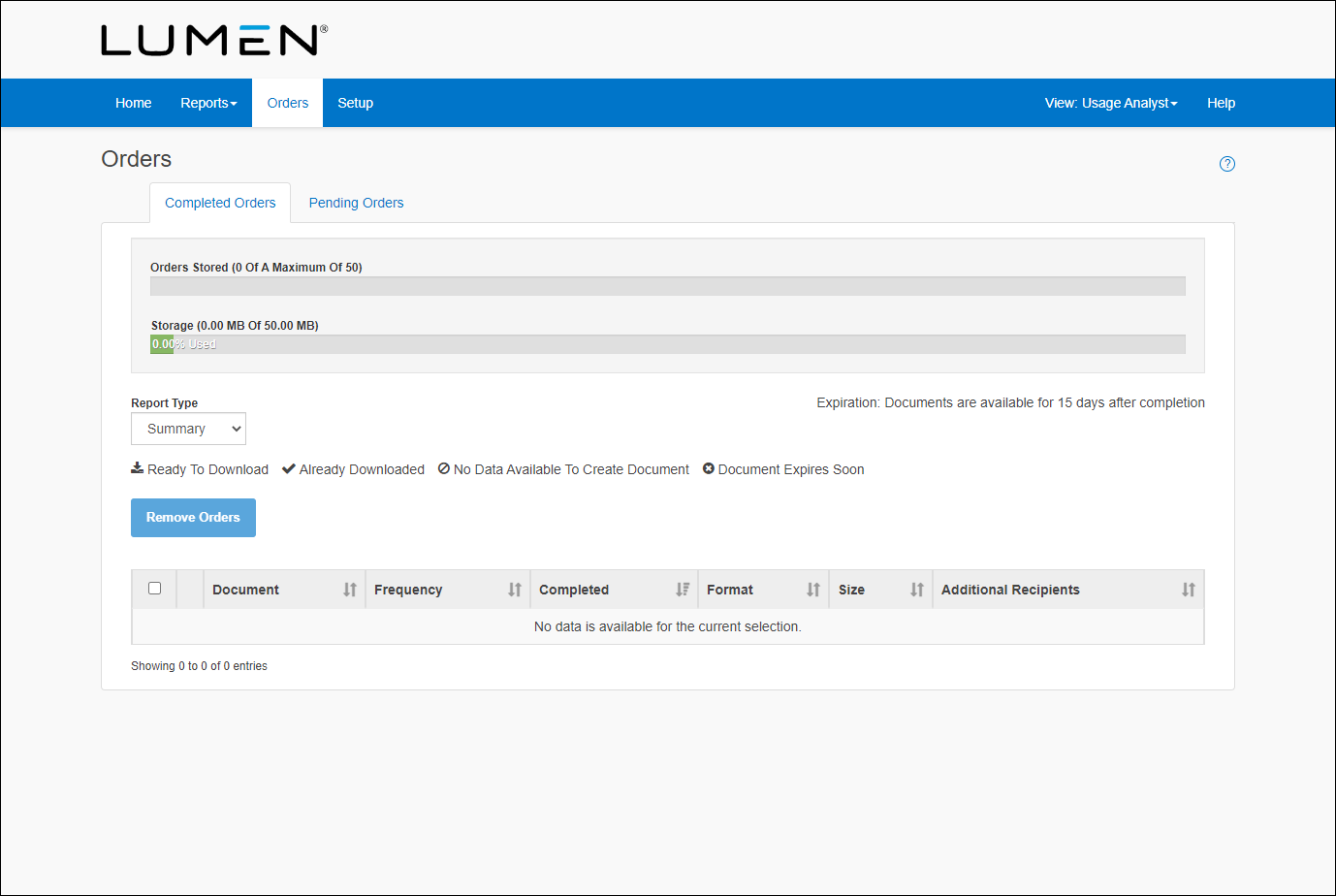
- Click the Pending Orders tab.
Usage Analyst lists the pending orders for reports. You can use the Report Type list to view a specific type of pending reports (e.g., Summary).
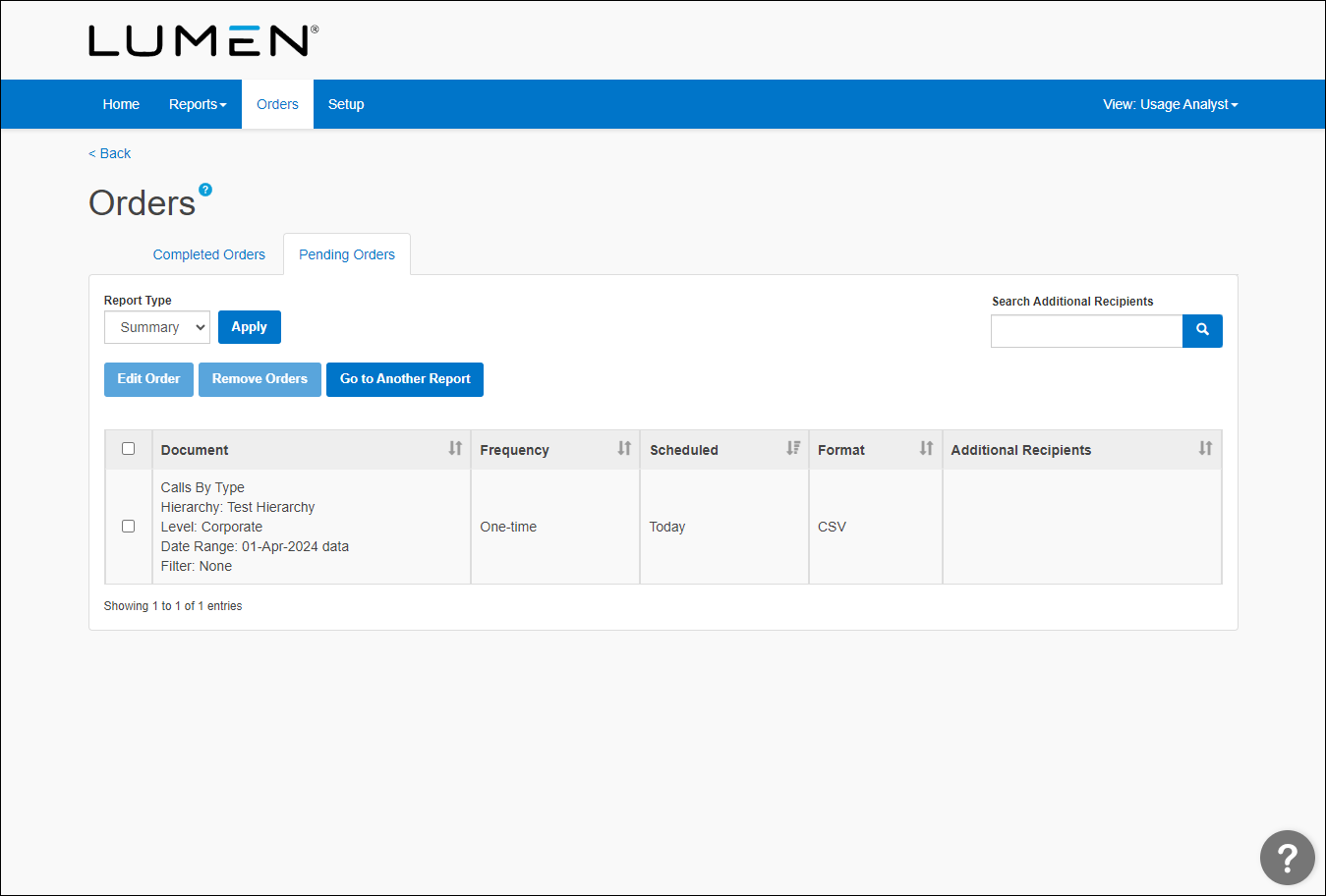
- Select the checkbox on the row for the order(s) you want to delete, then click Remove Orders.



