

Closing a portal support ticket
If your issue has been resolved, or you no longer need your request, you can close a portal support ticket created in Lumen Connect. Be sure to review the details of a portal support ticket to ensure you're closing the correct ticket.
Note: You can also request that a ticket be closed by replying Close Request to the latest email update about the ticket, or by typing Close Request in the notes for the ticket.
To close a portal support ticket:
- Using the left menu, click Support, then Ticketing.
Lumen Connect lists all tickets—repair, potential repair, activation, configuration, billable field tech, maintenance inquiry, portal support, and reason for outage (RFO)—including tickets Lumen created on your behalf. By default, Lumen Connect shows tickets created in the past 90 days and tickets are organized by the date the ticket was created (starting with the newest). The Status column shows the status for each ticket: Active, Canceled, Closed, etc. Potential tickets are marked with a yellow flag (). Tickets needing a reply from you are marked with a green flag ().
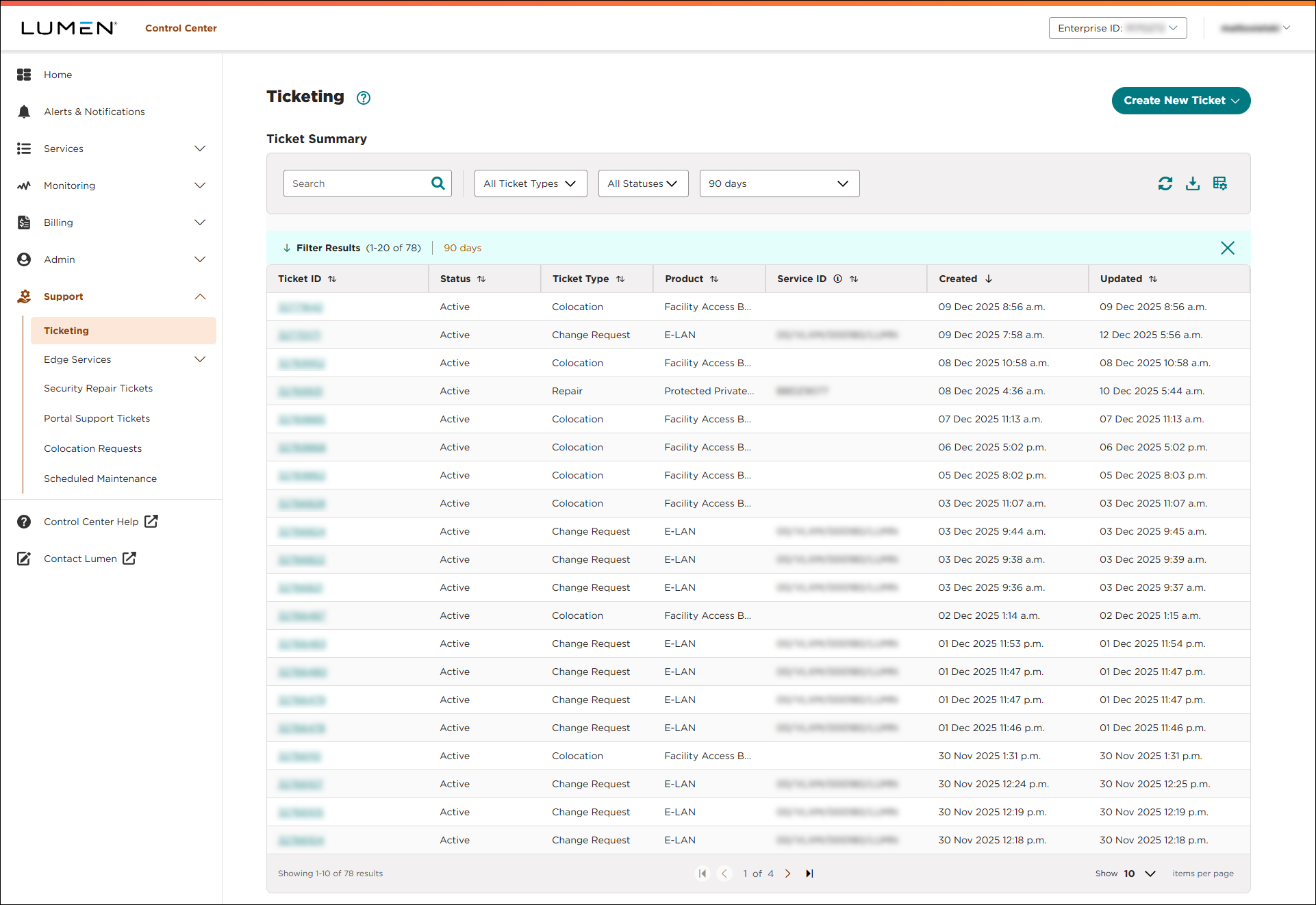
- Click the ticket ID for the portal support ticket you want to close.
Lumen Connect shows details for the ticket you selected.
- Click CLOSE TICKET.
- In the window the appears, type the reason you want to close the ticket, click CLOSE TICKET, then click OK.
Lumen Connect closes the ticket and emails you a confirmation.



