

Viewing CCP pool threshold metrics for Voice Complete
Using Lumen Connect, you can view concurrent call path (CCP) pool threshold metrics for a Lumen® Voice Complete® trunk group. The report tells you how many concurrent call paths you can have and the peak threshold metrics for the date range you select. Lumen Connect also offers utilization reports for CCP pools.
To view CCP pool threshold metrics for Voice Complete:
- Using the left menu, click Monitoring, click Voice Reports, then click Voice Complete.
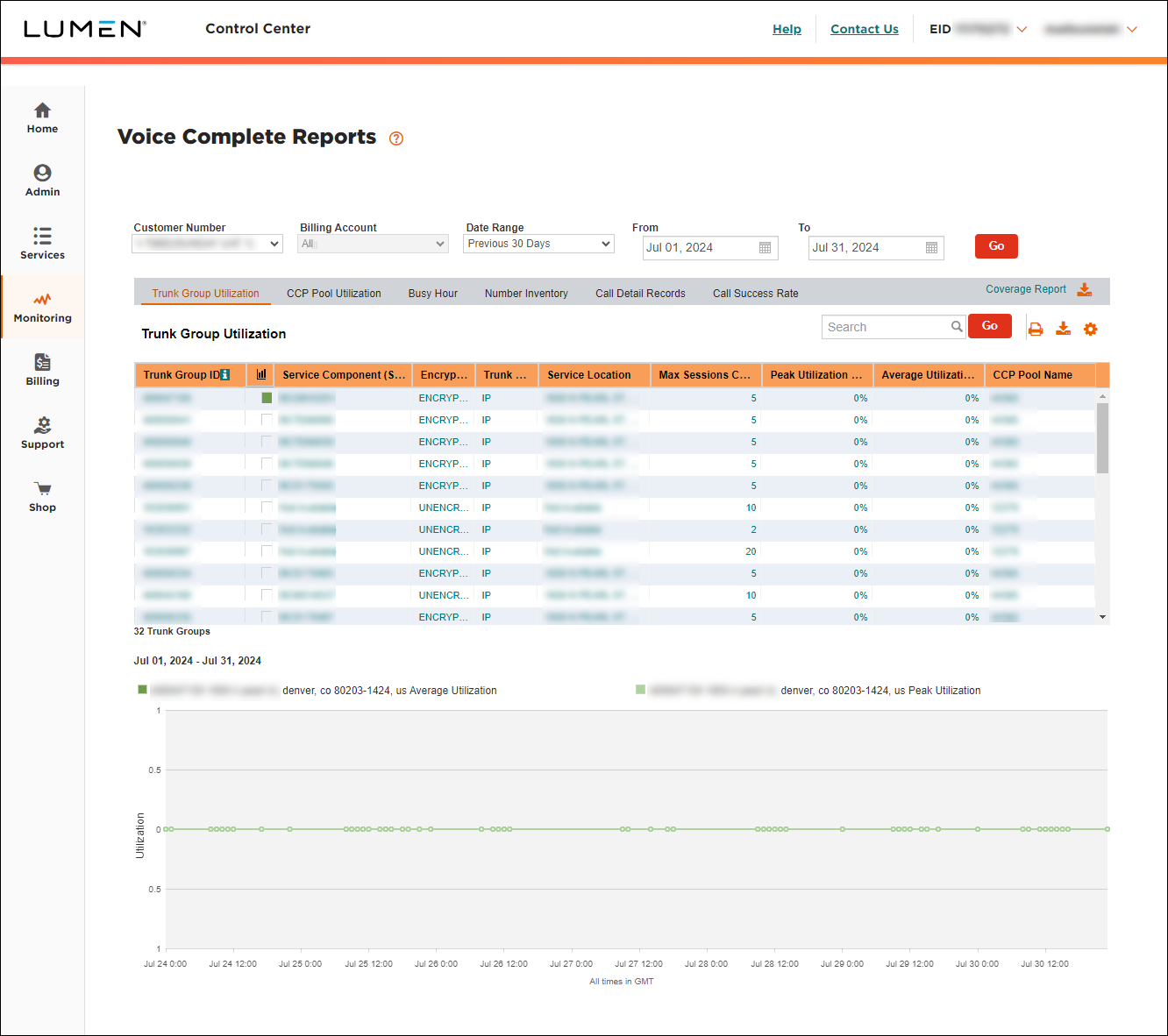
- Select the customer number and billing account with the trunk group you want to view CCP threshold metrics for.
- Click CCP Pool Utilization.
Lumen Connect shows the CCP pool utilization for the date rage you selected. Lumen Connect lists two reports: CCP detail and CCP trunk group.
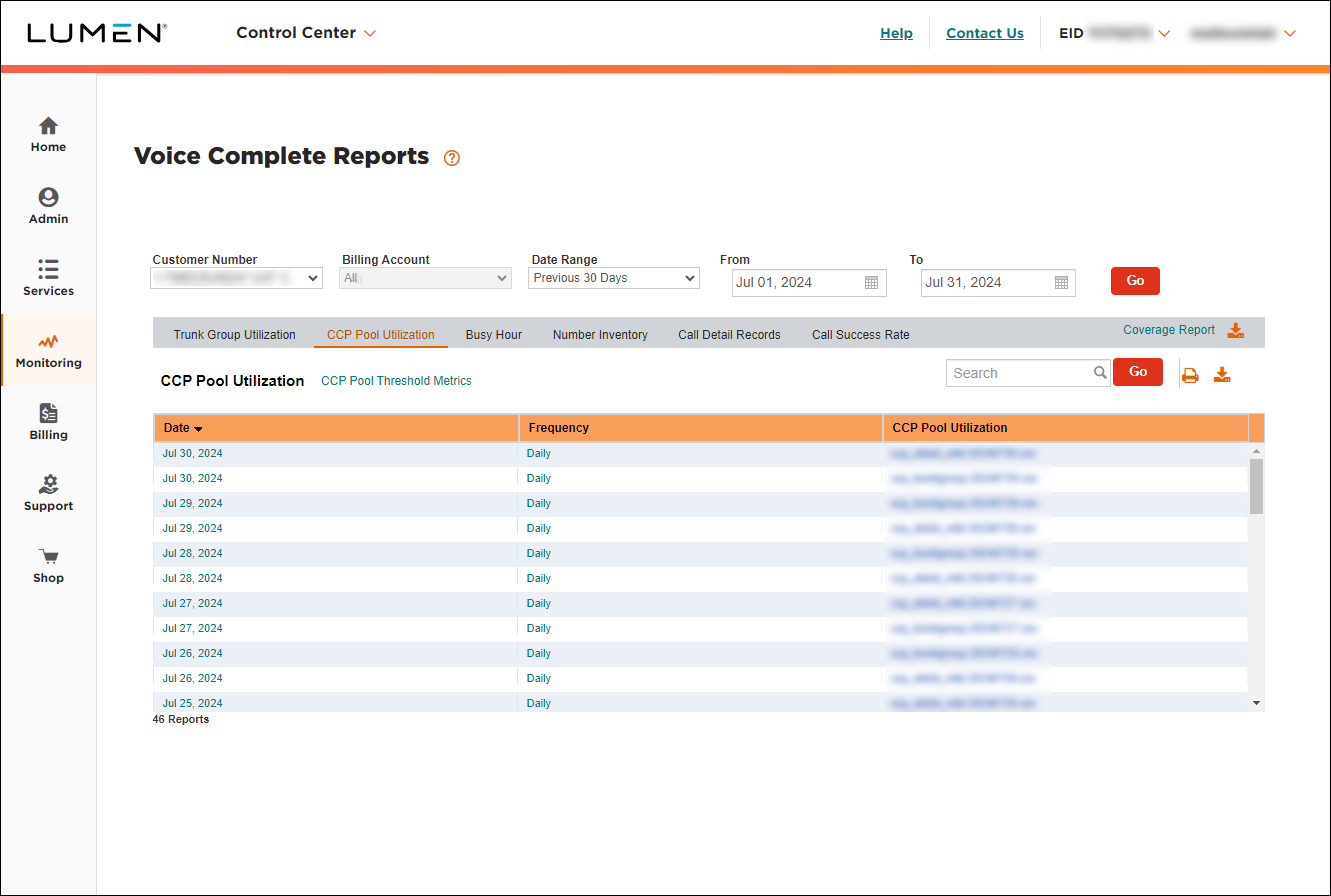
- Click CCP Pool Threshold Metrics.
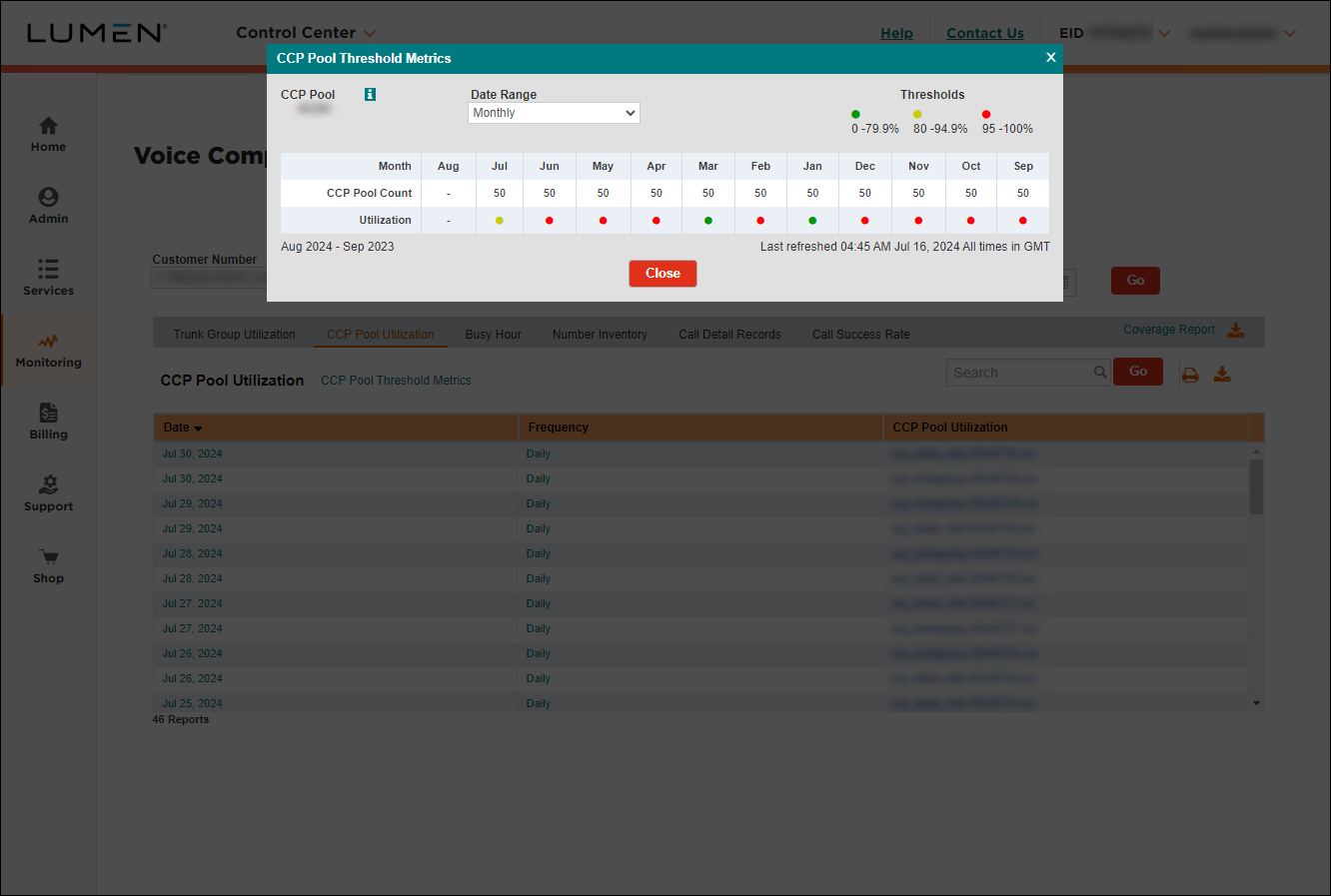
Lumen Connect shows the monthly threshold metrics (high-water mark) for the past year.
- Do any of the following:
- To view pool utilization for a different pool, select a pool from the CCP Pool list.
- To change the date range for the report, select an option from the Date Range field. (If you select Monthly, Lumen Connect shows threshold metrics per month for the past year. If you select Last 7 Days, Lumen Connect shows threshold metrics per day for the past week.)
- To view pool utilization for a different pool, select a pool from the CCP Pool list.
- When you're done, click Close.



