Viewing the status of supervisors assigned to you
If you've selected the supervisors to monitor from the Contacts pane in the Contact Center Agent Client, you can view the status of your supervisor(s). It is useful to monitor the supervisors in your queues to know if they're on the phone and if you can reach them when there’s an escalating problem or emergency.
To view the status of your supervisor:
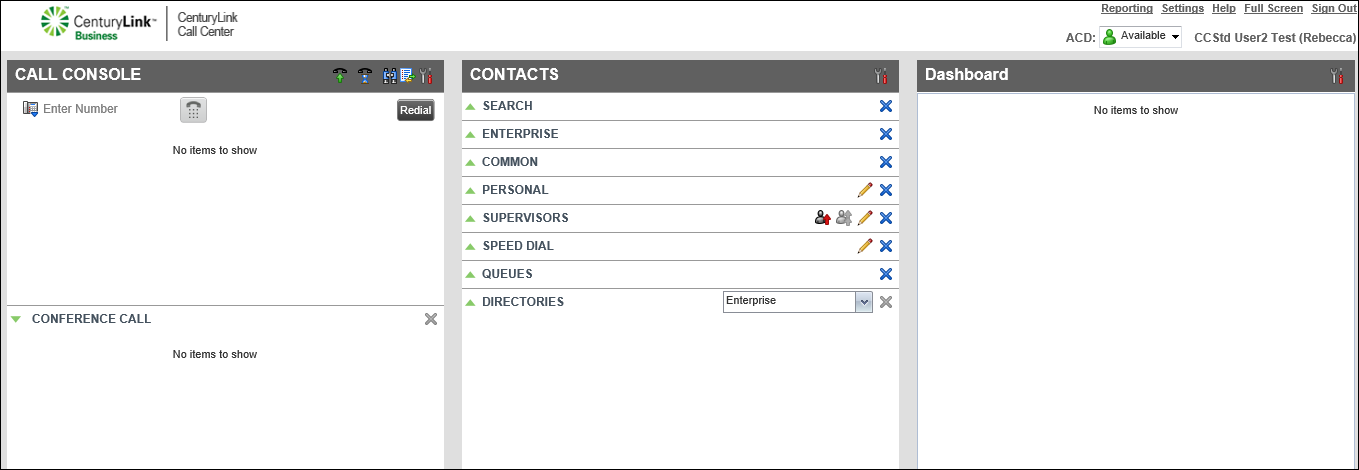
- To expand the supervisor directory, from the Contacts pane, click the green arrow pointing up.
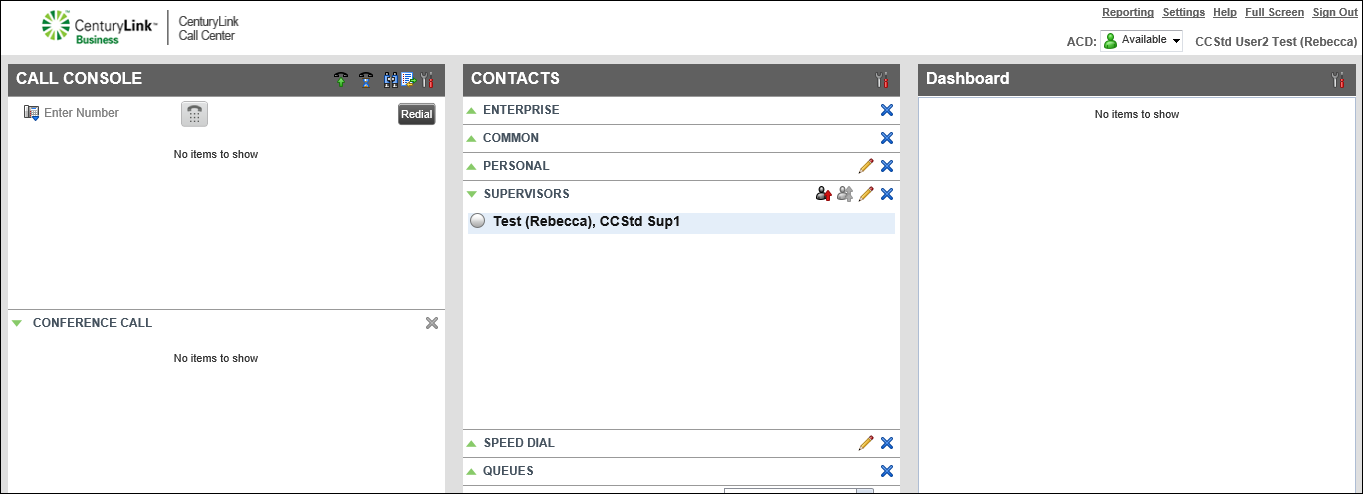
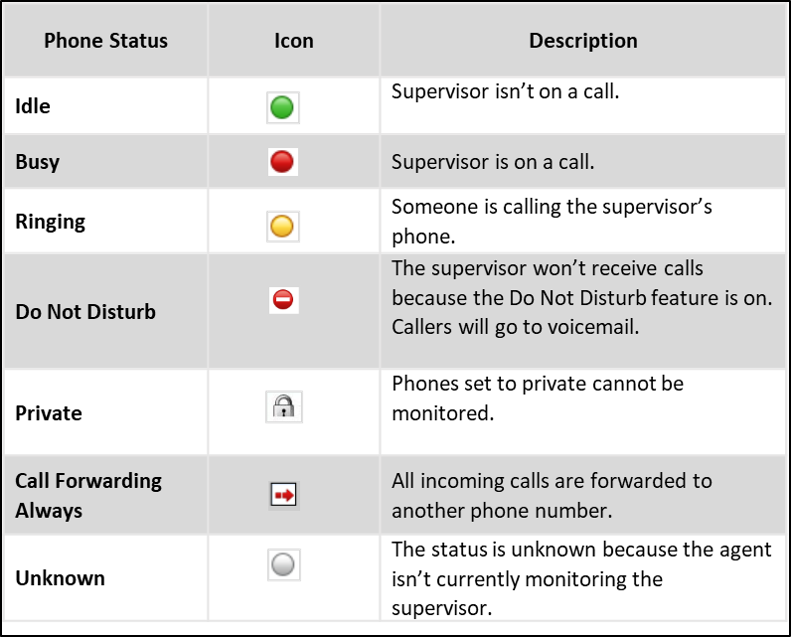
The phone status indicator is next to each supervisor's name: