

Turning Do Not Disturb on and off
Using the Contact Center Client, you can turn on the Do Not Disturb feature (DND) to send callers directly to voicemail when you're in a meeting, working and you don't want to be interrupted, going to lunch, going home at the end of the day, or otherwise unavailable to take calls. You can also forward calls to another number as needed.
Turn DND on
When DND is on, callers are sent directly to voicemail and have the option to leave you a message. If your profile is set up with an escape-to-operator option, callers can press 0 and they will be redirected to another person. When DND is on, your phone will not ring.
To turn DND on:
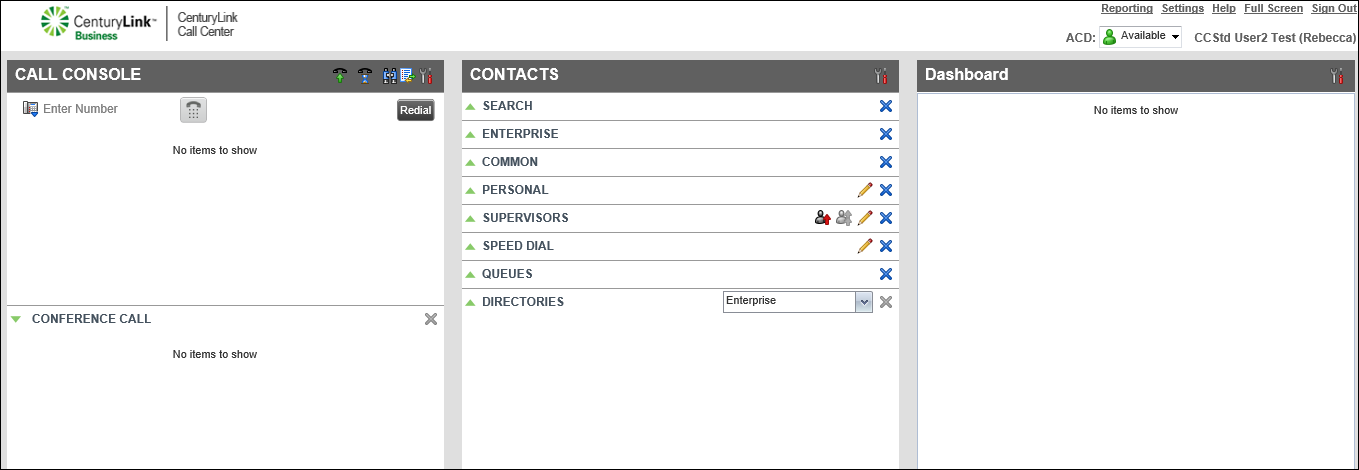
- Click Settings (in the upper-right corner).
- Click the Services tab.
The Contact Center Client shows your active and inactive services.
- In the Inactive section, click Do Not Disturb.
- In the Service Settings section, select the Active checkbox.
- If you want a reminder that Do Not Disturb is on, select the Ring Splash checkbox.
- Click Save.
The Contact Center Client turns on Do Not Disturb and lists the feature in the Active section.
Turn DND off
When you turn off Do Not Disturb (DND), your phone will ring as normal.
To turn DND off:
- Click Settings (in the upper-right corner).
- Click the Services tab.
The Contact Center Client shows your active and inactive services.
- In the Active section, click Do Not Disturb.
Contact Center Client turns off Do Not Disturb and lists the feature in the Inactive section.
- In the Service Settings section, clear the Active checkbox.
- Clear the Ring Splash checkbox.
- Click Save.
Contact Center Client turns off Do Not Disturb and lists the feature in the Inactive section.



