

Deleting a bare metal server
Use Lumen Connect to delete a Lumen® Edge Bare Metal server provisioned for your organization that is no longer needed. When you delete a bare metal server, the hourly billing stops. You are billed the prorated provisioned time of the bare metal server during the billing period. Stopping, starting, or restarting a bare metal server doesn't impact billing. Before you can delete a bare metal server network, you must delete all bare metal servers connected to that network.
You can also edit information and view the details for a bare metal server.
Important: Lumen does not back up data when a bare metal server is deleted. Before deleting a bare metal server, back up any data needed for your records.
To delete a bare metal server:
- Click the Servers tab.
Lumen Connect shows the servers created for your organization with a status and brief summary for each server (name, location, IP address, server ID, and tags assigned to the server).
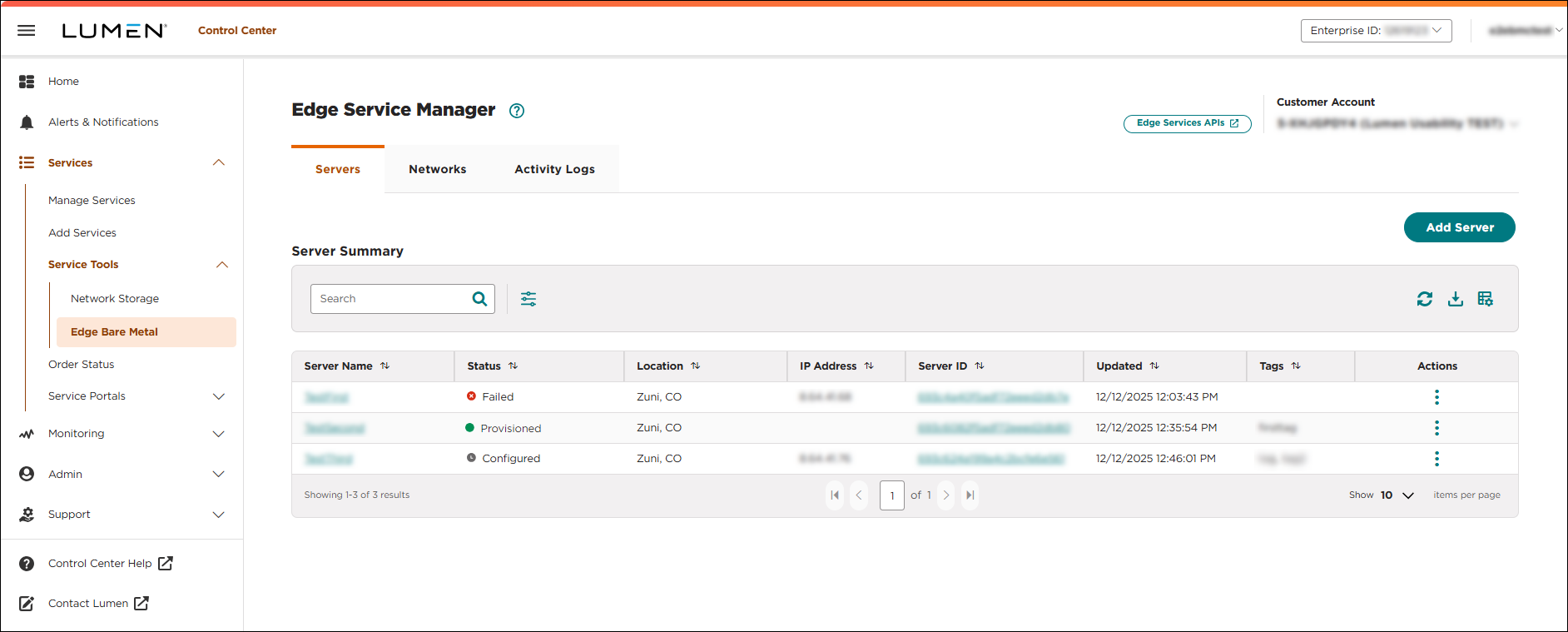
- Click the server name you want to work with to view details for that server.
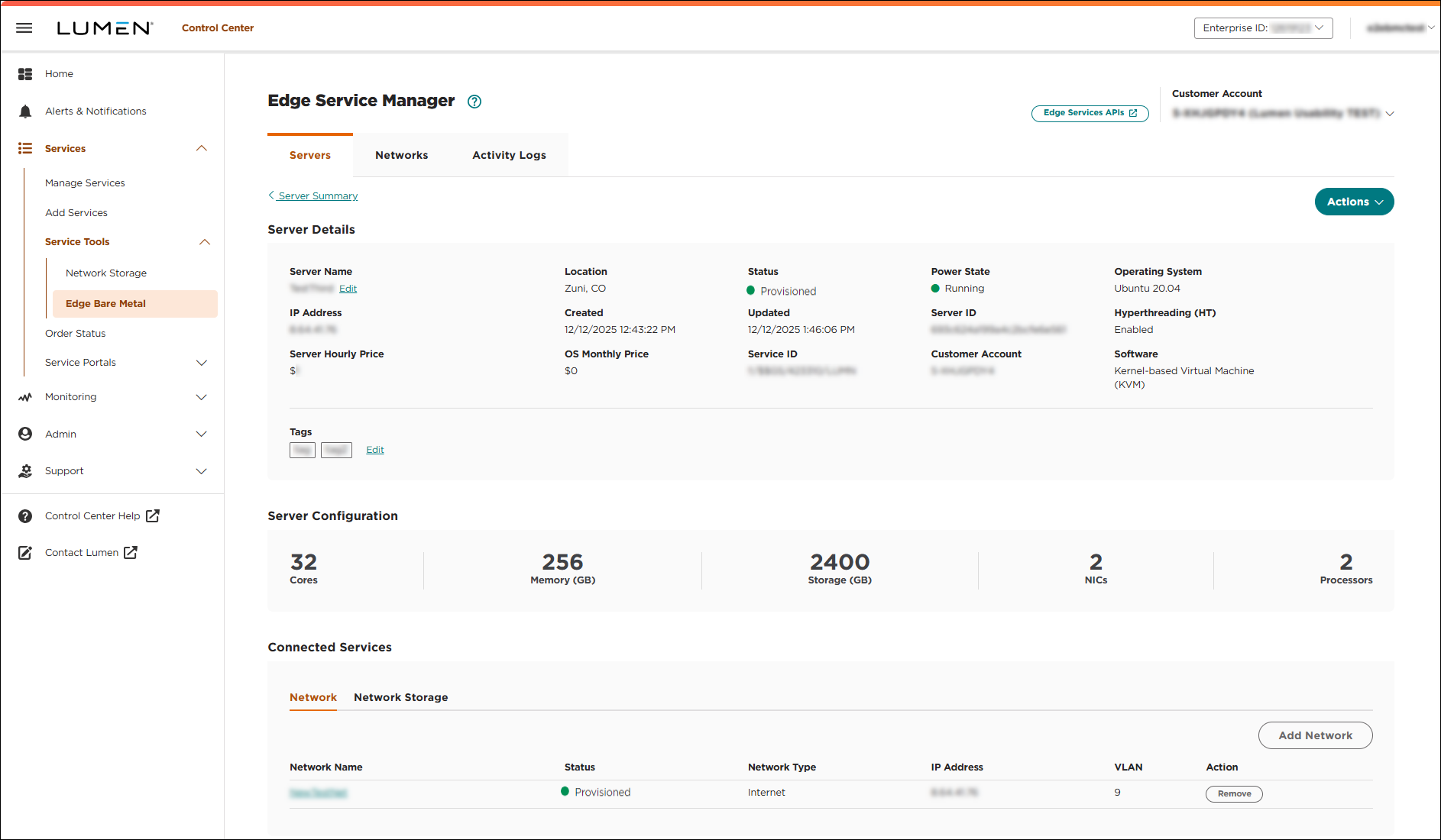
- Click Actions, then select Delete.
- Review the details be sure you selected the correct bare metal server, then click CONFIRM.
Lumen Connect deletes the bare metal server, removes it from the list, disconnects the network, removes it from the inventory, and stops billing. When the bare metal server has been succcessfully deleted, a success message appears on the Servers tab.
When you delete a bare metal server, it is powered off and the physical storage (solid-state drive, non-volatile memory express) is cryptographically erased. After the erase, the data is unrecoverable. Before a bare metal server is put back into service, the server hardware controller is factory reset and the system hardware is reconfigured.



