Deleting a bare metal server network
Use Lumen Connect to delete Lumen® Edge Bare Metal server networks you no longer need. You can view network details before deleting the network to confirm it is no longer needed. You can also provision a replacement network.
Important: Before you can delete a network, you must delete all bare metal servers connected to that network.
To delete a bare metal server network:
- Click the Networks tab.
Lumen Connect shows the networks created for your organization with a status and brief summary for each network (location, network type, and IP block).
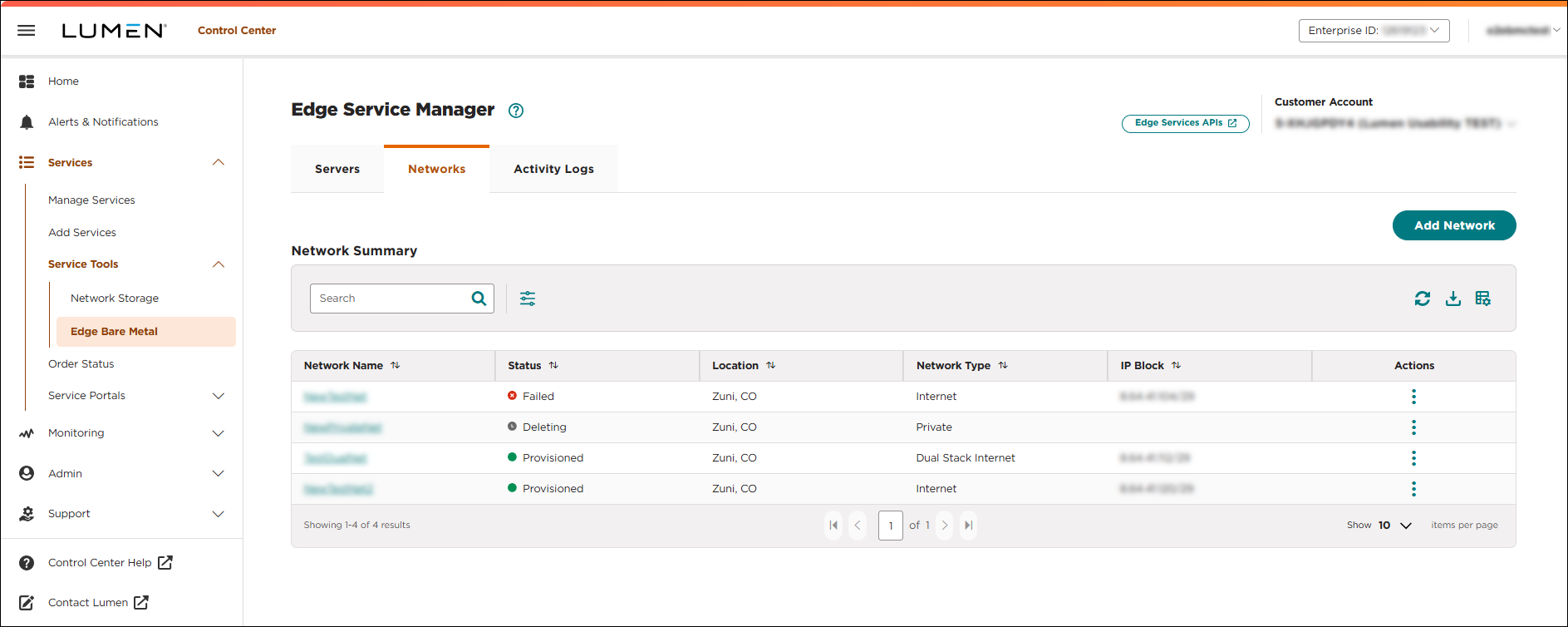
- Click the network name you want to work with to view details for that network.
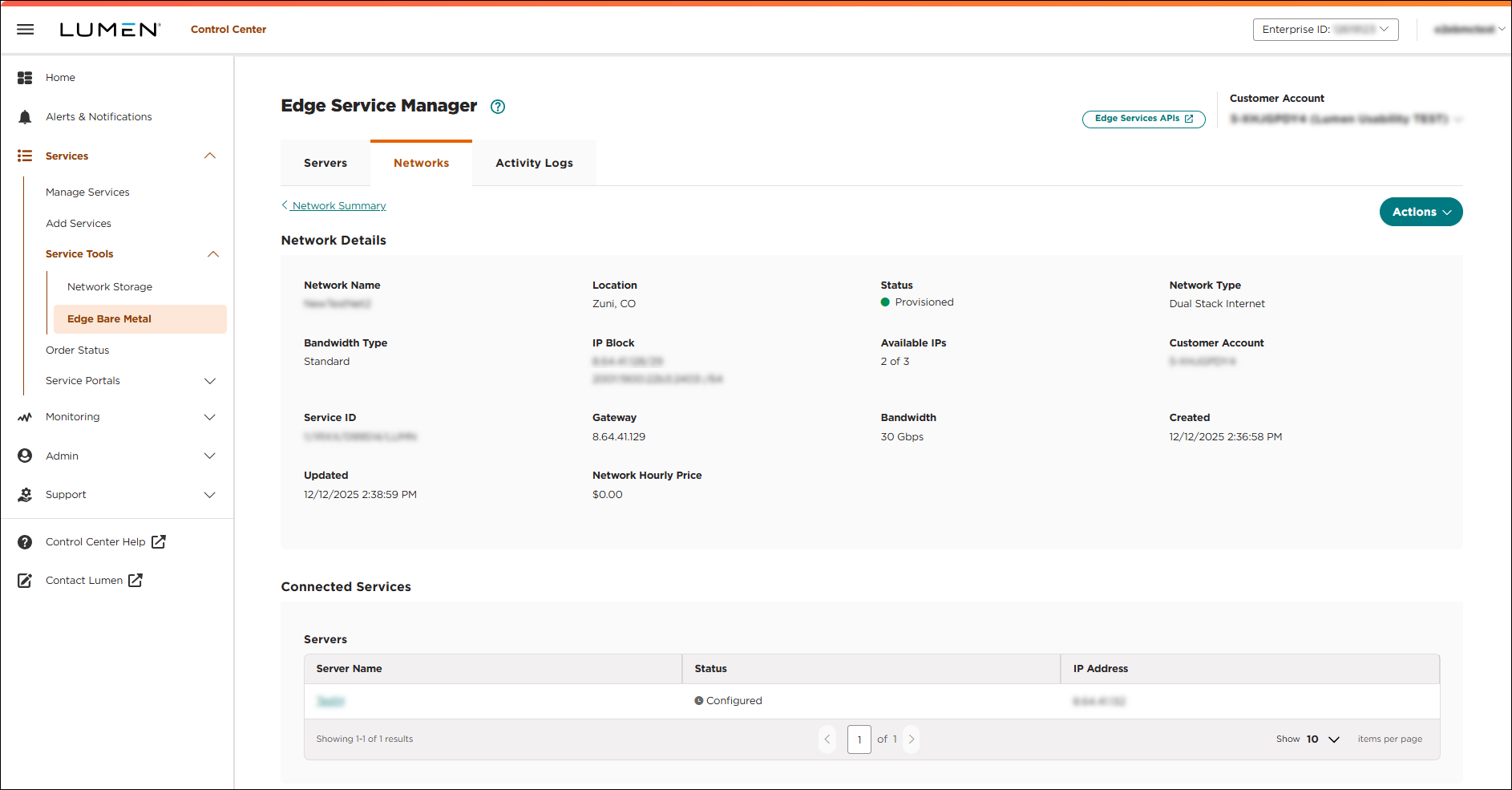
- Click Actions, then, click Delete. You must delete all connected servers before you can delete a network.
After all connected servers are deleted, the Delete Network window shows.
- Click CONFIRM.
Lumen Connect deletes the network. When the network has been successfully deleted, a success message shows on the Networks tab.



