

Closing an LNP ticket
If you no longer need an LNP (local number portability) ticket that was opened for your organization, you can close the ticket using Lumen Connect. You can also update information in a ticket to save having to close it and create a new one.
To close an LNP ticket:
- Using the left menu, click Services, click Service Tools, then click ELS & LI Management.
- If you have more than one customer number on your enterprise ID, select the customer number you want to work with, then click PROCEED.
- Click LNP Tickets.
Lumen Connect lists all open LNP tickets for your organization and tickets closed within the past 30 days.
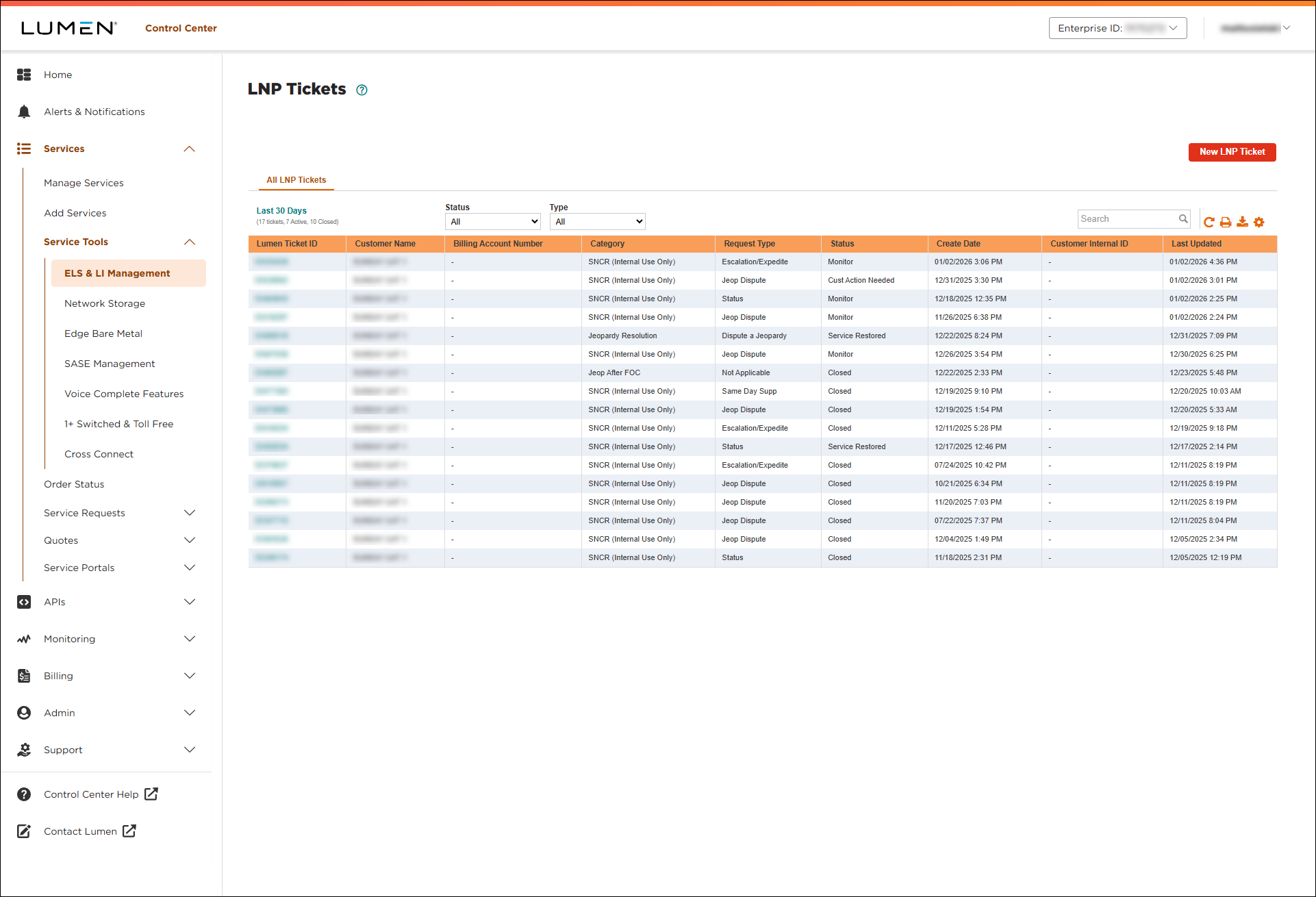
- Search for the LNP ticket you want to work with by doing one of the following:
- Scroll through the LNP tickets. If you have more than 20 LNP tickets, you can view the rest of your LNP tickets by using the arrows at the bottom of the list.
- Search for the LNP tickets by typing search criteria in the Search field.
- Filter the list of LNP tickets using the Status or Type lists.
- Scroll through the LNP tickets. If you have more than 20 LNP tickets, you can view the rest of your LNP tickets by using the arrows at the bottom of the list.
- After you find the LNP ticket you want to close, click link in the Lumen Ticket ID column on the row for the ticket.
Lumen Connect shows details for the LNP ticket. (Before you close the ticket, review it to be sure you're closing the correct one.)
- To close the LNP ticket, click Close Ticket.
Lumen Connect changes the status to Closed.



