

Creating a billing request
You can change your billing address, dispute a charge, clarify a charge, or apply for a refund in Media portal. After you submit a billing request, use Media portal to view its status, update it, or close.
To create a billing request:
- Sign in to Media portal. (Get help resetting your password)
- From the main menu, select Billing > Billing Requests.
Media portal shows all open billing requests and request closed in the past 30 days with a status for each request.
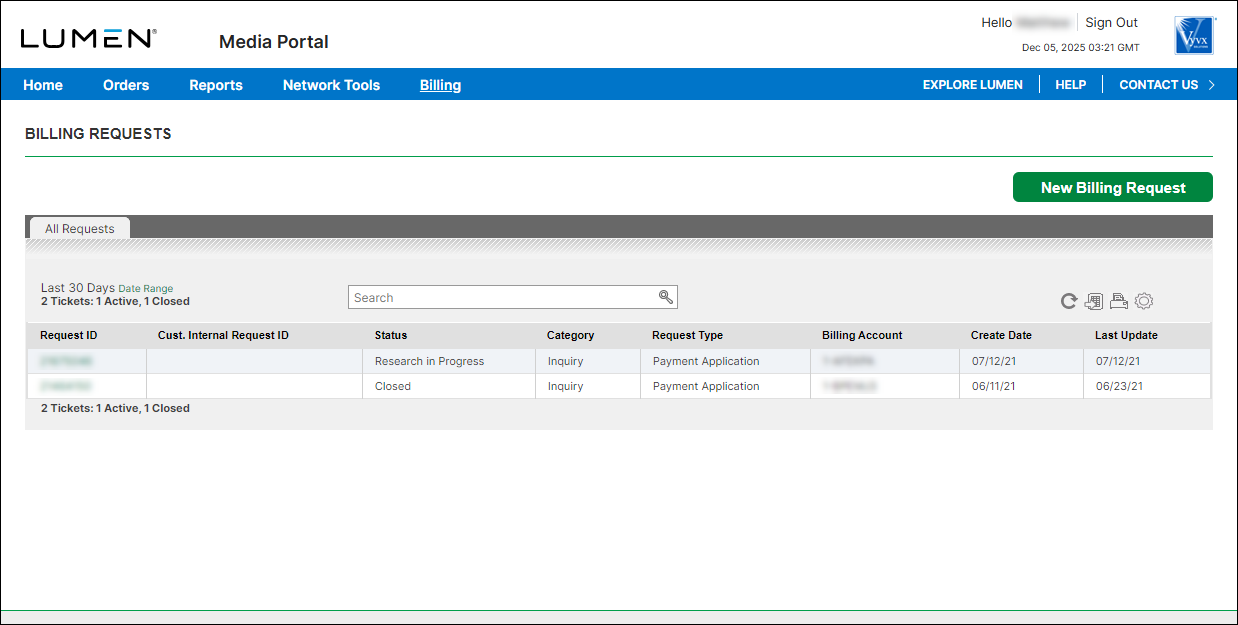
- Click New Billing Request.
- Use the radio buttons to select the type of billing request you want to create, then select an option from the list that appears. (For example, to change your billing address, select the Other radio button, then select Billing Account Address, etc. from the list.)
Based on the radio button and item you select from the list, Media portal builds the billing request form.
- Fill in the form with the details for your request, add any attachments that will help Lumen process your request, provide contacts for the billing request. (By default, Media portal fills in your contact information as the primary contact for the request.) You can also add a tracking number for your organization to help you match this billing request with your systems.
- Click Submit Billing Request.
Media portal submits your billing request and gives you a request ID; you can now track its status. A Lumen billing specialist will update your request within 72 hours; Media portal changes the status from Analysis In Progress to Research in Progess.



