

Creating a cross connect request
Using Lumen Connect, you can request a new cross connect or modify an existing service. Once you submit the new request, you can track the status of the request in Lumen Connect. Once it's converted to an order, you can then track its status with the rest of the orders for your organization.
To create a cross connect request:
- Using the left menu, click Services, click Service Tools, then click Cross Connect.
Lumen Connect shows cross connect requests for your organization with a status for each request.
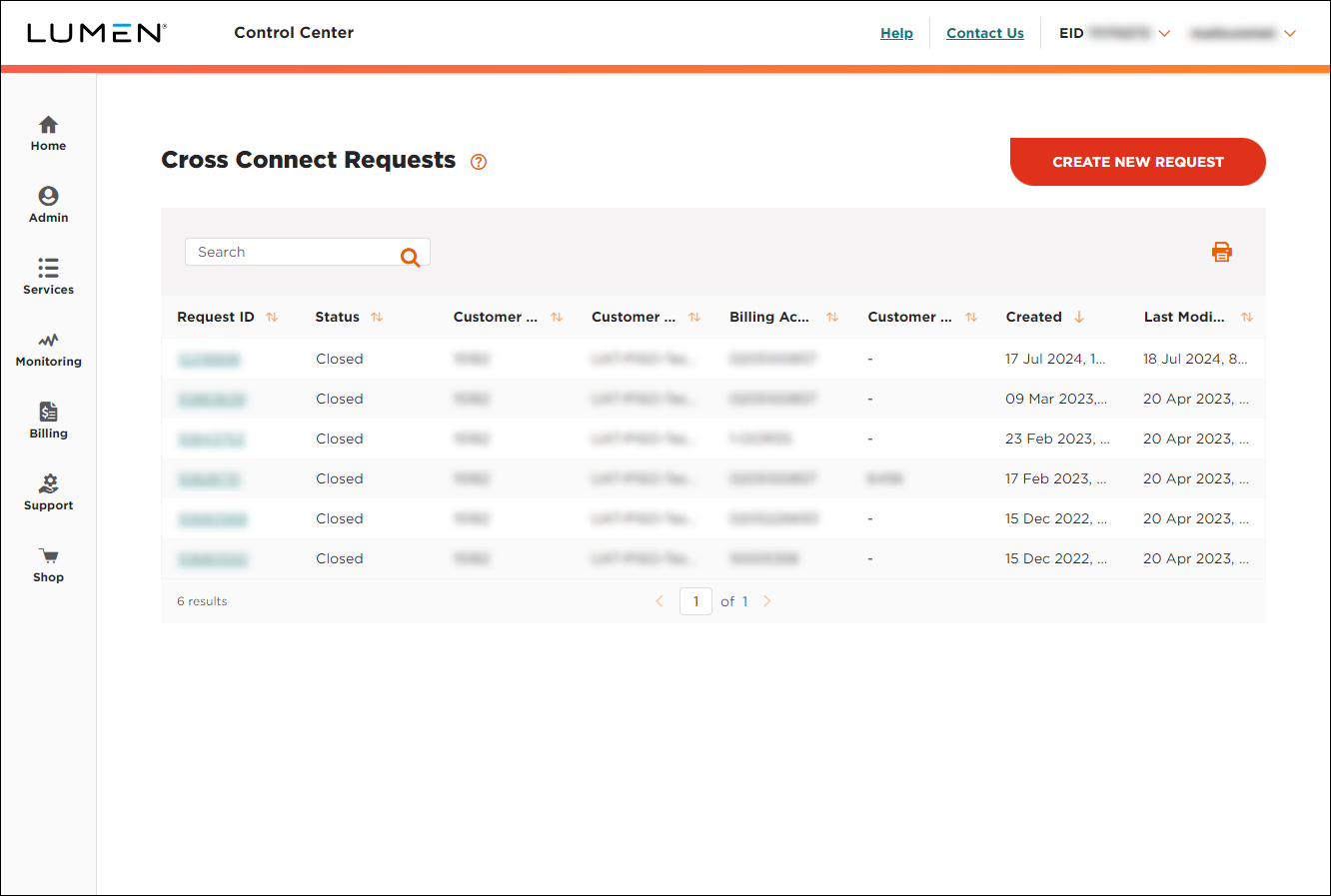
- Click CREATE NEW REQUEST.
- In the Account Selection section, select the customer number and billing number you want to use for the request.
- In the Order Information section, select the date you're requesting Lumen deliver the cross connect, fill in the PIID, and (optionally) add your customer's purchase order number for reference.
- Fill in the Contact Information section. At a minimum, add a primary contact (name, phone number, and email address) for the request. You can also add technical, product acceptance, and billing contacts as needed. (By default, Lumen Connect uses your contact information for the request—pulled from your user profile.)
- In the Product Details section, select the bandwidth for the connection, connection medium, interface, and handoff for your request.
- Fill in the A Location section with the details for the location you want to connect from.
- Fill in the Z Location section with the details for Lumen gateway location you want to connect to.
- If you have any additonal details to provide with the request, type them in the Special Instructions section.
- In the Attachments section, you can attach any documents (such as additional details pertaining to your request). You can upload up to five documents (up to 2MB each). To attach a document, click Add Attachment, browse to locate the file, then click Open.
- When you're done, click Submit. (By clicking Submit, you acknowledge and accept the terms shown.)
Lumen Connect submits your request and emails you a copy of the request (with a confirmation number). Standard provisioning intervals are between 5–8 business days.



