Viewing the status of an order
Using Lumen Connect, you can check the status of your orders. For example, you can see what's happening with adds, moves, or changes you've submitted. In a hurry or on a mobile device? You can get status on an order without having to sign in to Lumen Connect. You just need your billing account number and order number. Have a lot of orders to manage? Learn how to search, filter, and sort orders; you can also create and save views to customize the page.
To view the status of an order:
- Using the left menu, click Services, then click Order Status.
Lumen Connect shows all open orders and those completed in the past 90 days and lists status of each order in the Status column. If an order has child orders, a icon appears to the left of the order number. (You can use the cards at the top of the page to filter your orders to view install, change, or disconnect orders.)
- Pending—we priced and designed a solution and you accepted it. We’re working on the final details of the order so our team can submit your order.
- Submitted—we submitted your order and are getting credit approval. Once your credit is approved, we will assign a customer care manager to work on your order (depending on the service you purchased).
- In Progress—we’re working on building and testing your service. As progress continues, we’ll email you to let you know the status. If you have questions about your order, contact the customer care manager listed on your order.
- Cancelled—we canceled your order and your service(s). No further progress will be made. For questions concerning the cancellation, contact the customer care manager listed on your order.
- Complete—we completed your order and your service(s) is ready for you to use and manage. We’ve also started billing you for this service.
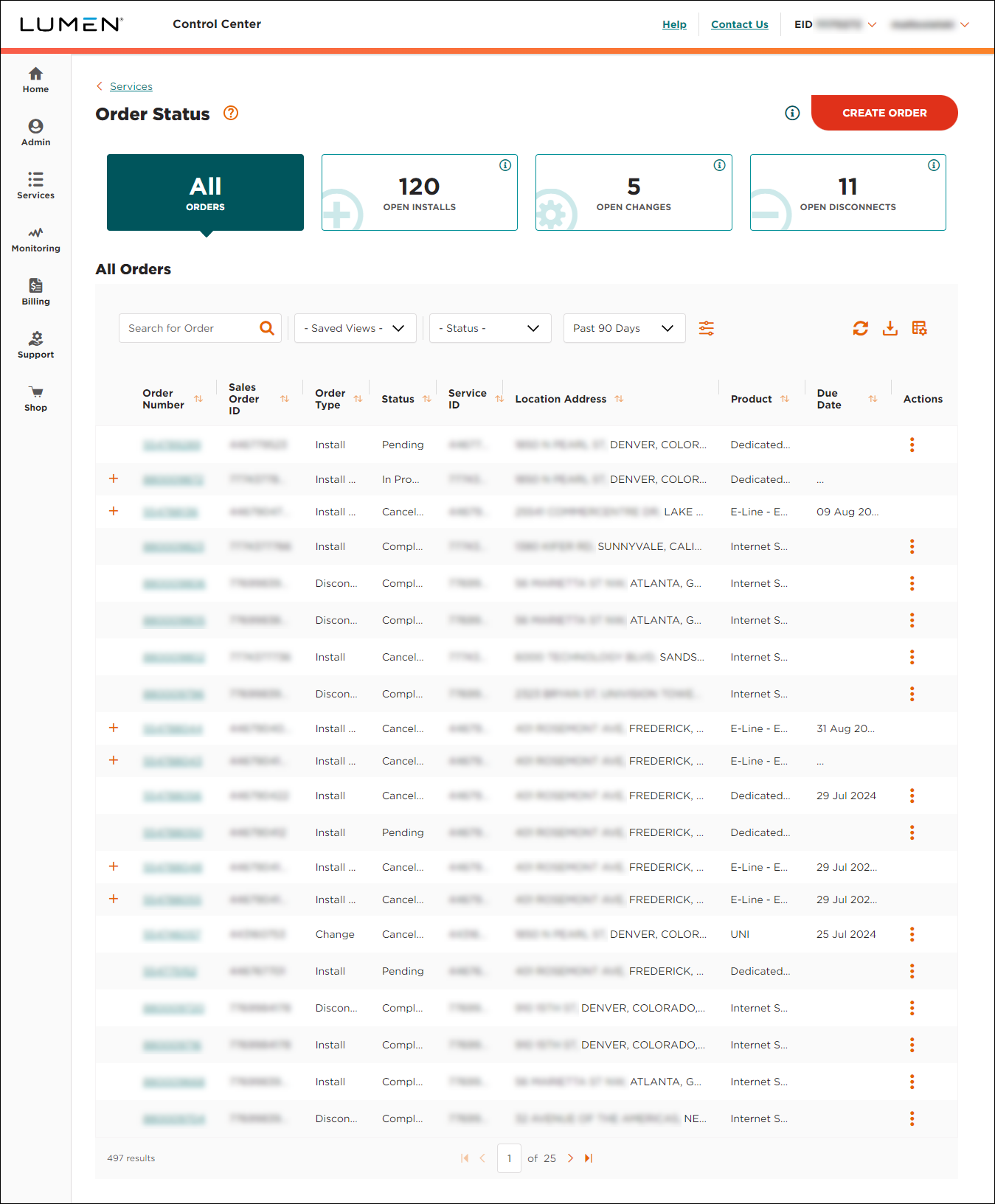
- To view a timeline for your order (with milestones and due dates), click the link in the Order Number column on the row for the order.
Lumen Connect shows details for the order you selected: product, contact in your organization, requested and committed due dates, and more. For most products, Lumen Connect shows additonal milestones, details for any delays in your order, etc. Other details shown vary by product, such as the service contract (for Lumen® Marketplace orders) or the demarcation photo (for select network products),



