

Creating an order for a complex toll-free route plan
Using Lumen Connect, you can place an order for a complex toll‑free route plan for a Lumen® 1+ Switched and Toll Free service. You can also use Lumen Connect to place an order for a simple toll‑free route plan (individually or in bulk).
To create an order for a complex toll‑free route plan:
- Using the left menu, click Services, click Service Tools, then click 1+ Switched & Toll Free.
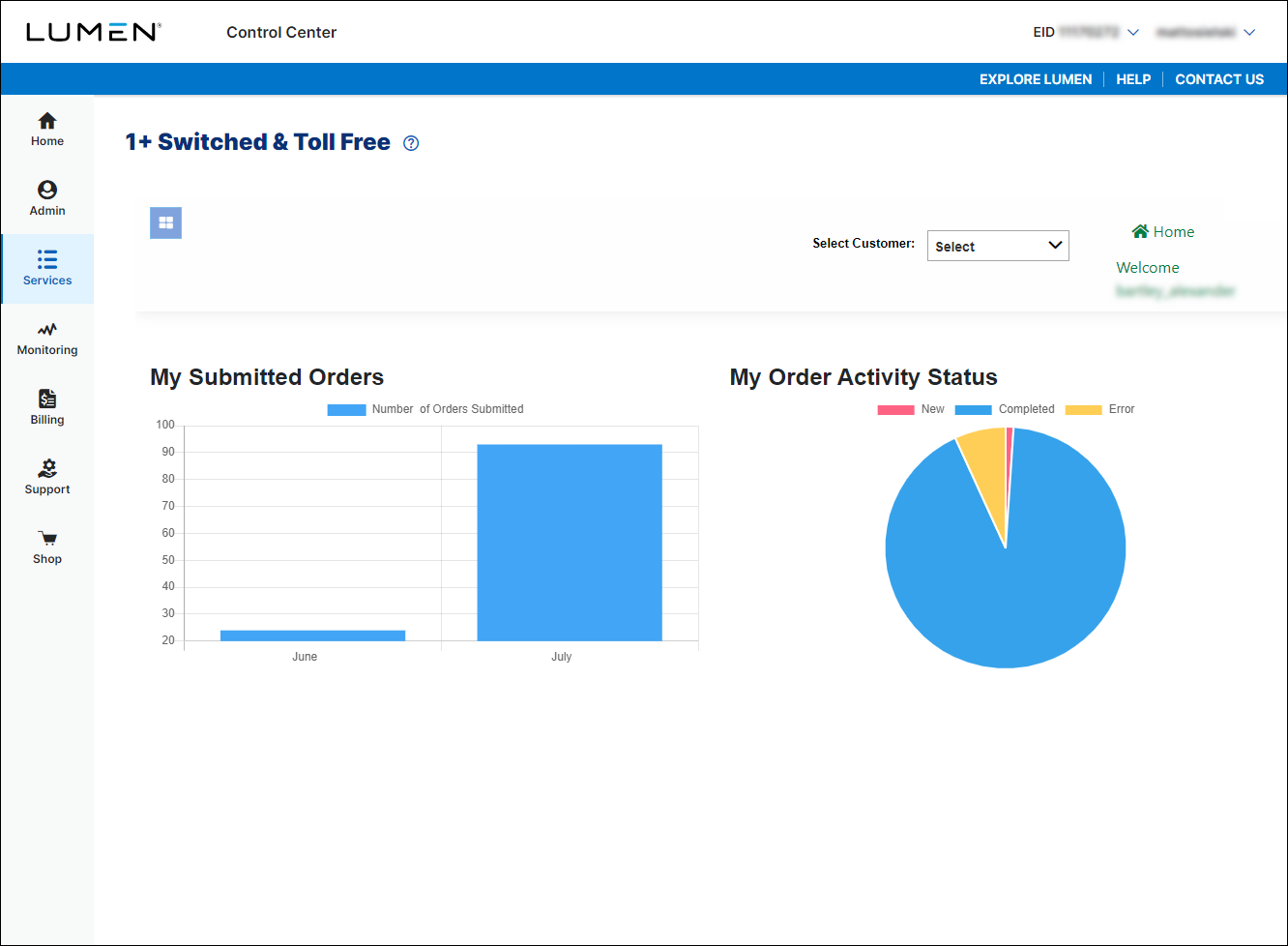
- If you have more than one customer number, use the Select Customer list to select the customer ID you want to work with.
- In the Route Type field, select the Complex radio button.
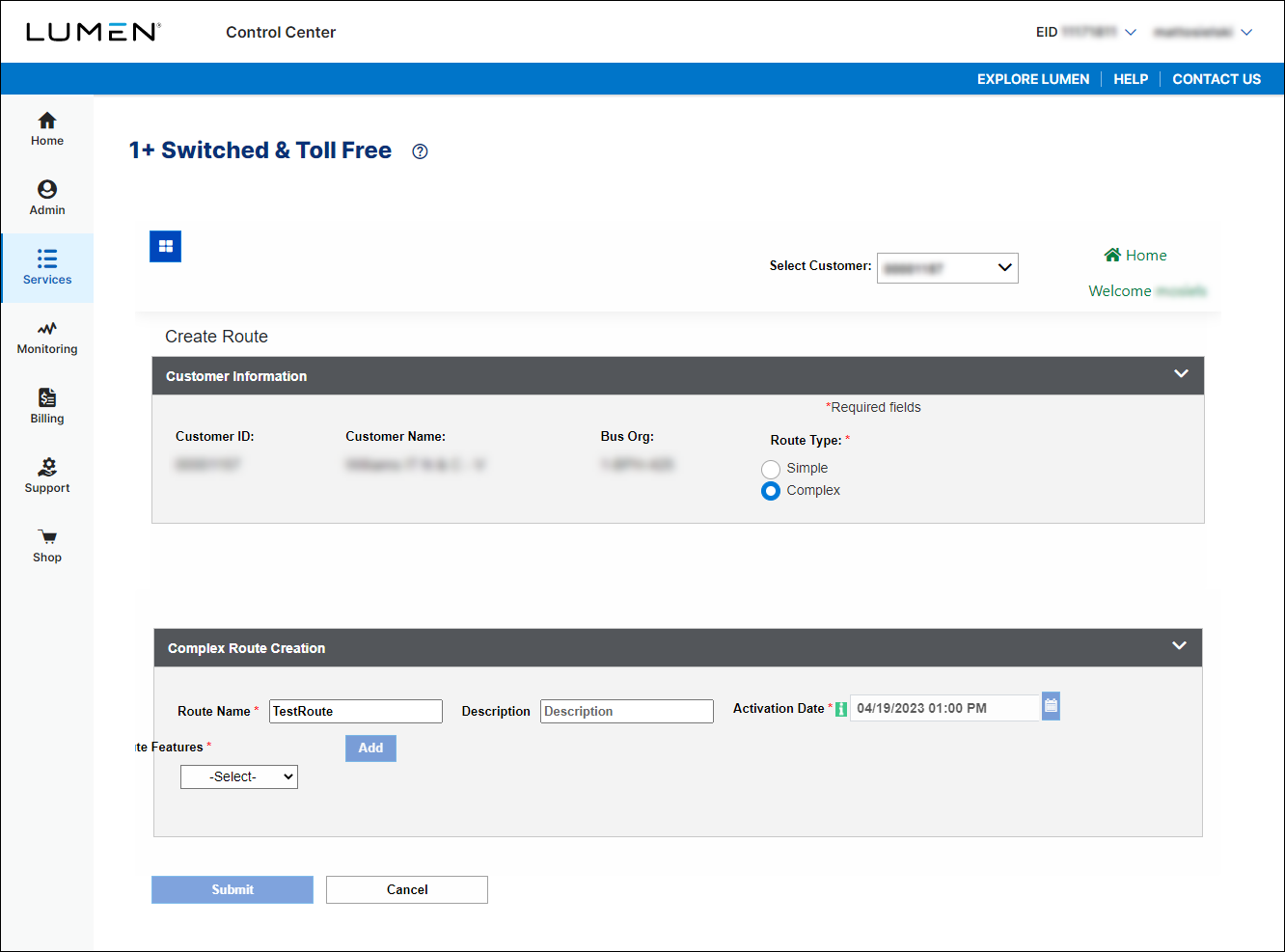
- In the Route Name column, type a name for the route plan.
- If you want to add a description to help you identify the route plan, type it in the Description column.
- In the Activation Date field, either leave the date and time to activate as soon as possible or select a new date and time to schedule when you want to route plan to become active.
- Build the route plan by doing the following:
- From the Route Features list, select a routing feature to add to the route plan.
- Fill in the details for the feature you selected.
- Continue to add and customize routing features as needed to build the route plan.
- From the Route Features list, select a routing feature to add to the route plan.
- In the Route Features field, select Play Announcement.
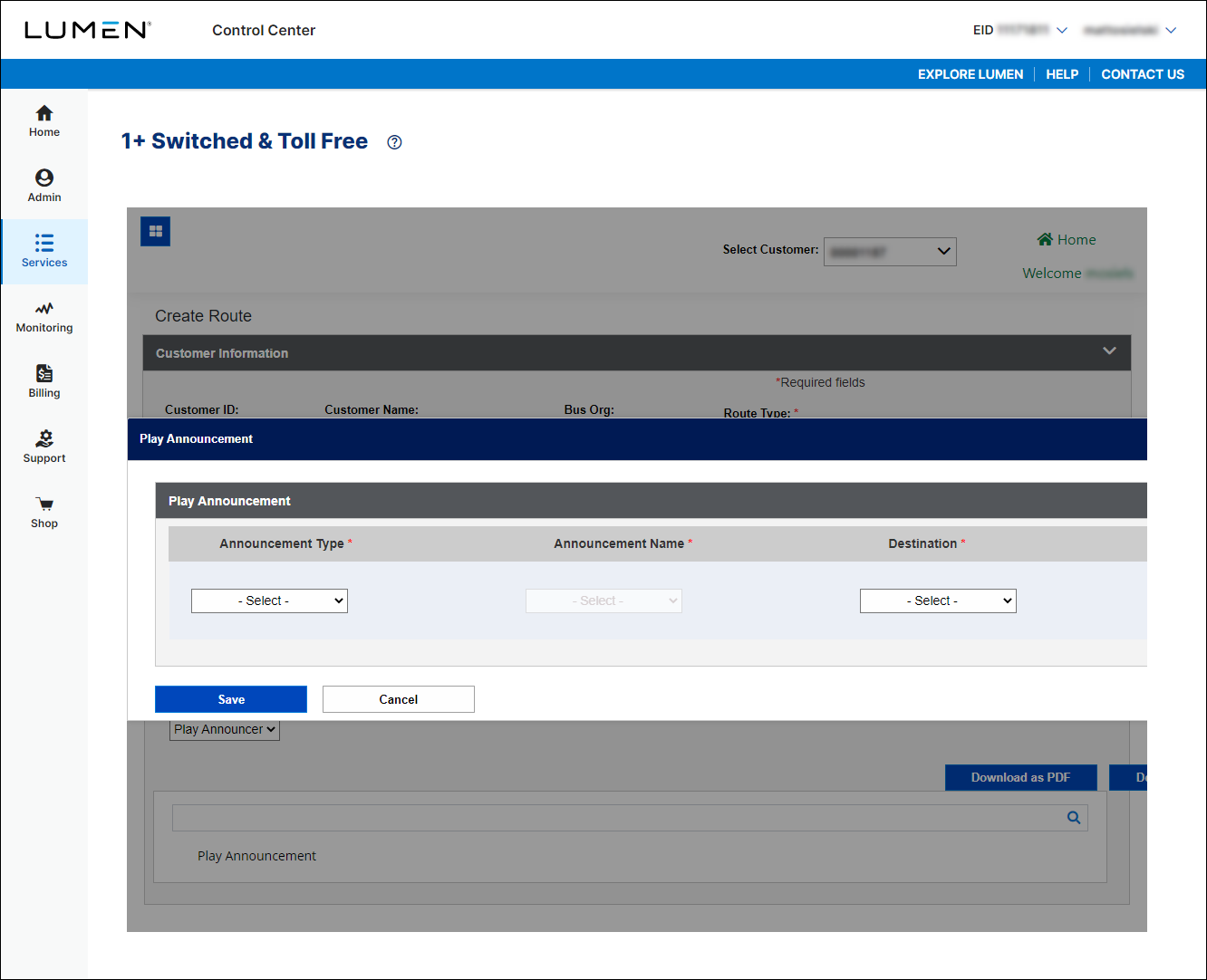
- In the Announcement Type field, select Customer Announcement.
- In the Announcement Name field, select the announcement you want to play when someone dials the toll-free number.
- In the Destination field, select whether you want to call to be disconnected or sent to the terminating number after the announcement plays.
- Click Save.
Lumen Connect adds the route feature to the route plan for the toll-free number.
- When you're done, click Submit.
Lumen Connect submits the order. You can now track the status of your order online.



