Viewing your alerts and notifications
After you create notification settings to receive alerts in Lumen Connect, you can view any alerts or notifications activated by your settings.
To view your alerts and notifications:
- Using the left menu, click Alerts & Notifications.
Lumen Connect lists all your notifications. If you're a Lumen Connect system administrator, you see your notifications by default, but you can use the list to select another user in your organization to view their notifications.
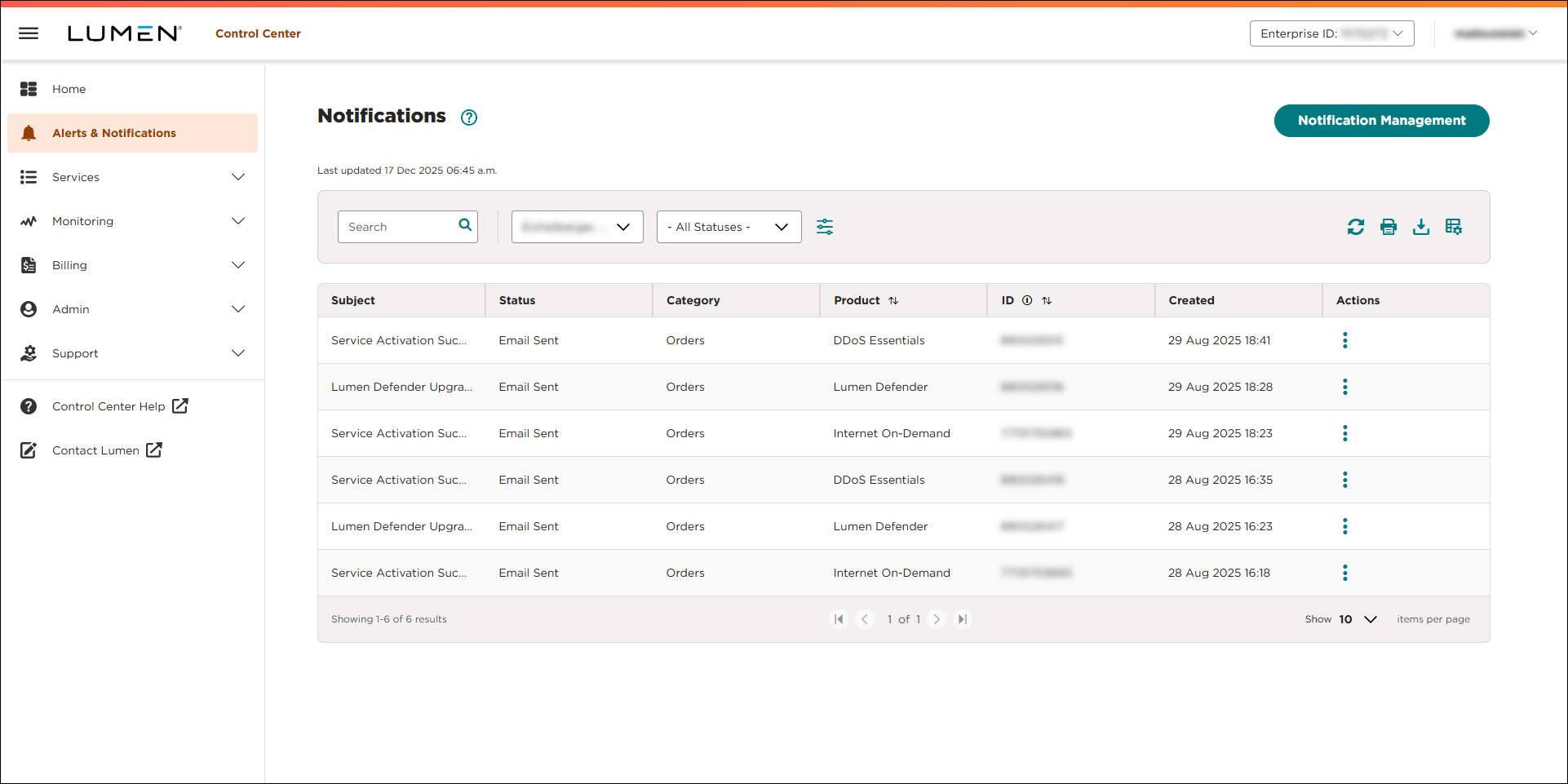
- Do any of the following:
- To view only alerts in a particular status (e.g., Overdue), select a status from the All Statuses list.
- To see more records (20 at a time), use the arrows at the bottom of the list. Lumen Connect stores notifications for one year and then deletes them.
- If you want to find a specific record, you can search for it. Use the Search field to type criteria for the alert.
- To view only alerts in a particular status (e.g., Overdue), select a status from the All Statuses list.



