Viewing a standard summary report
You can view a standard summary billing report. Standard reports provide an overview of trends in your billing data. If you want to tailor a report to your needs, you can also create a custom summary billing report. (To view detailed billing reports view a standard detail billing report or create a custom detail billing report.) You can also add a description to a service to add more meaning to your reports.
To view a standard summary report:
- Sign in to Media portal. (Get help resetting your password)
- From the main menu, select Billing > Invoice Management.
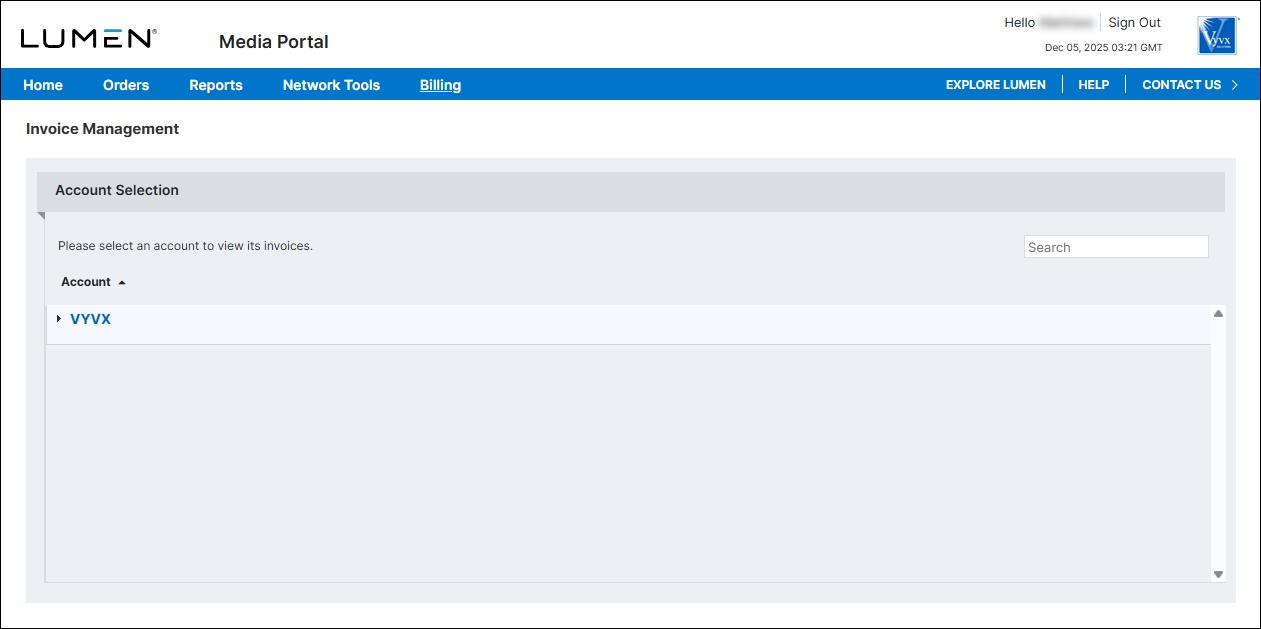
- From the list of accounts, click the blue hyperlink for the account you want to work with.
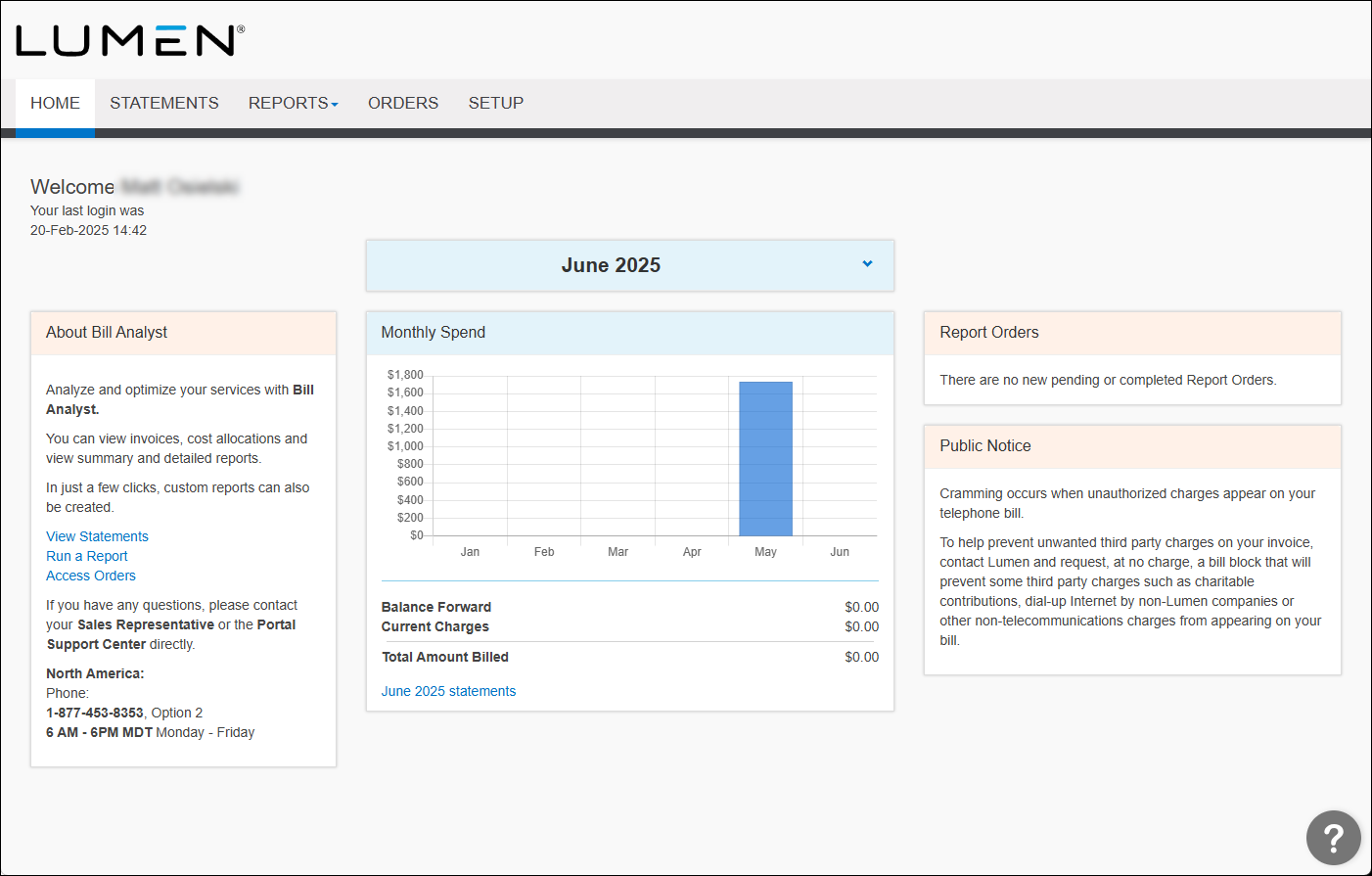
- Click the Reports tab, then click Summary Reports.
Bill Analyst lists the available summary billing reports.
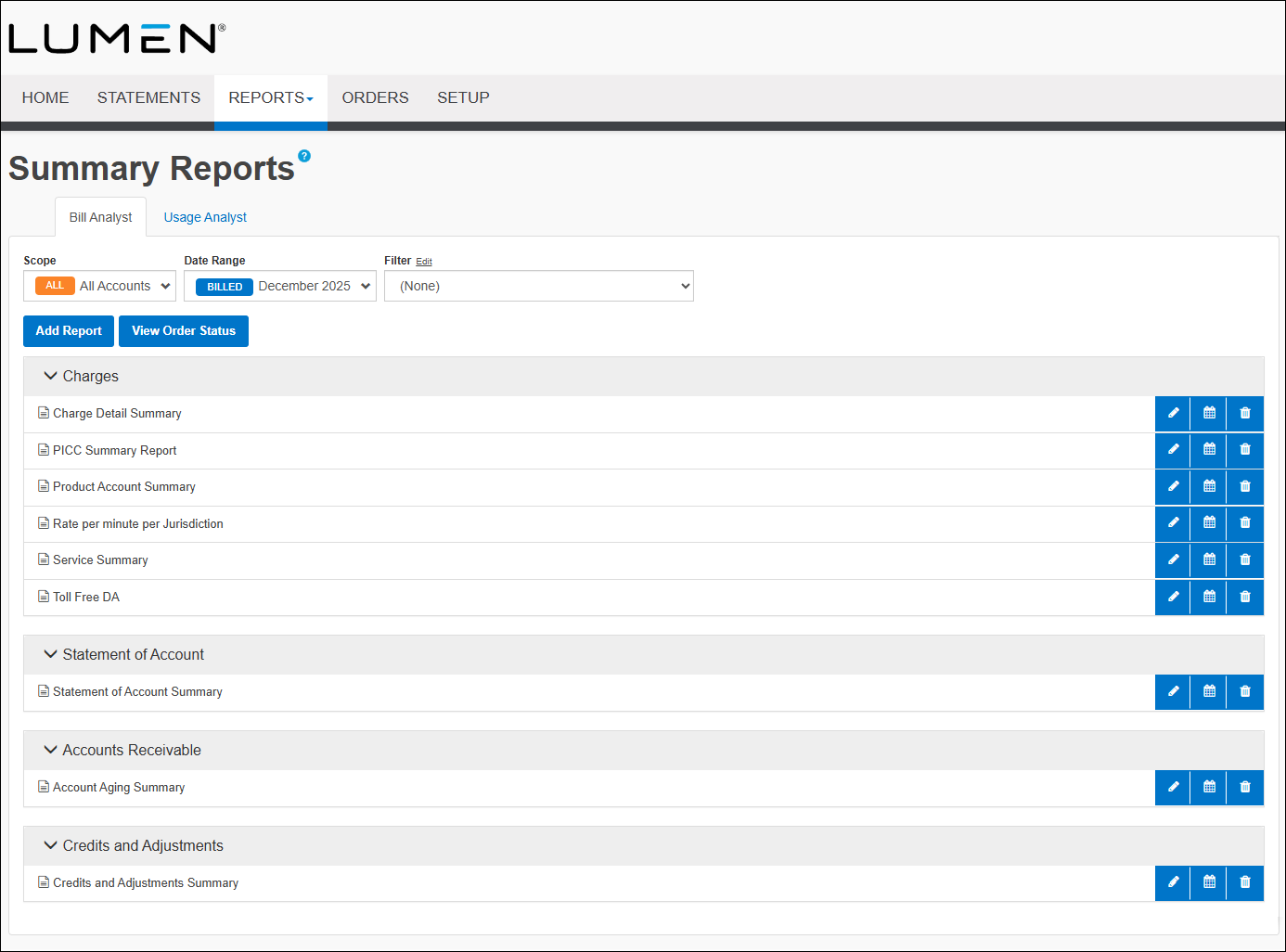
- In the Charges section, click on the name of the report you want to view.
- To view the data in a graph instead of a table, click graph icon.



