Changing your Usage Analyst preferences
You can adjust the way Usage Analyst shows your information, such as currency preferences and exchange rates, and notification options such as email format and confirmation display messages.
What you see in Usage Analyst is based on your permissions. If you need your permissions changed, contact your Lumen Connect system administrator.
To change your preferences:
- Using the left menu, click Monitoring, click Voice Reports, then click Usage Analyst.
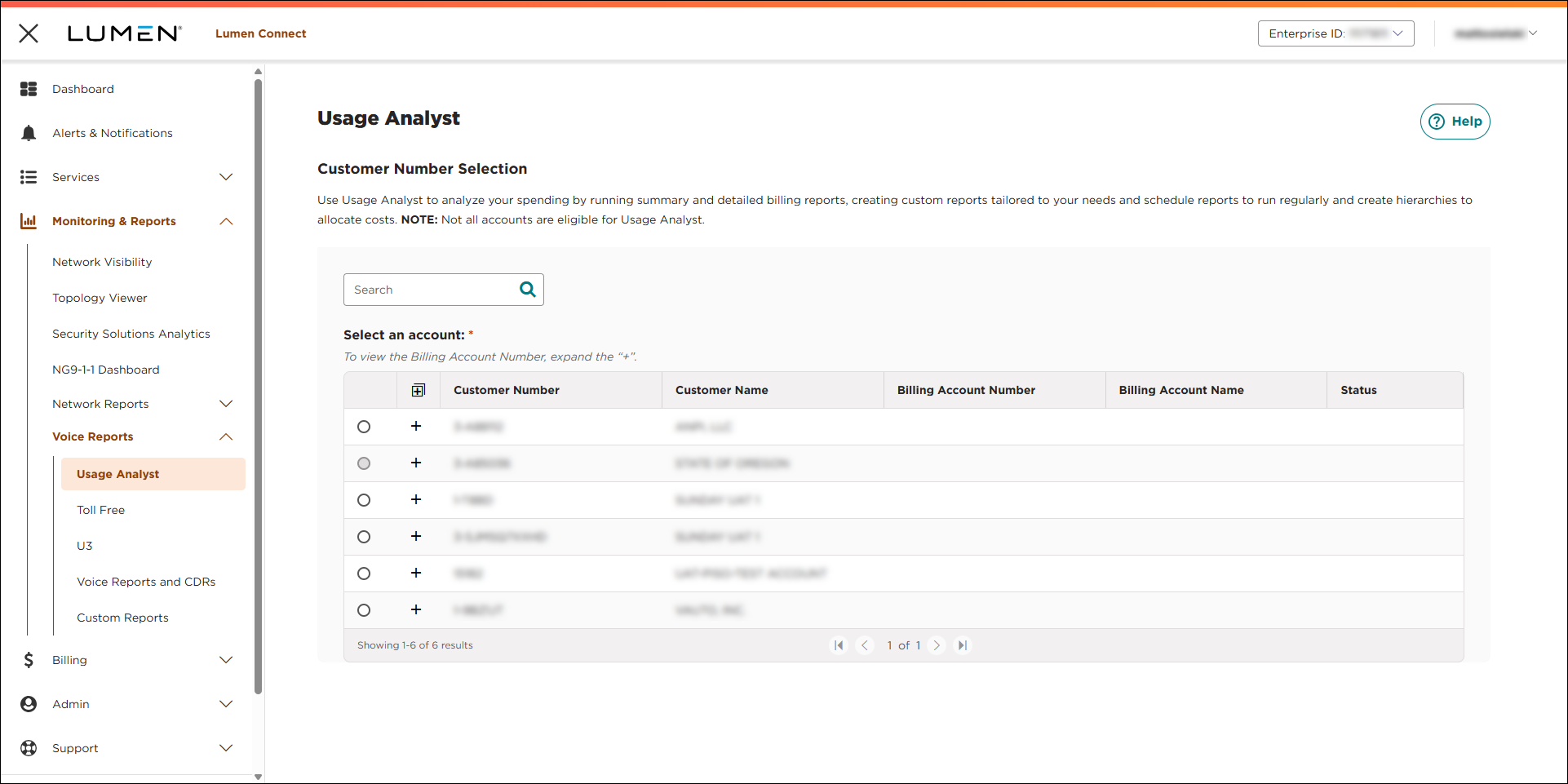
- Select the radio button next to the account you want to view, then click LAUNCH USAGE ANALYST.
Lumen Connect opens Usage Analyst in a new tab.
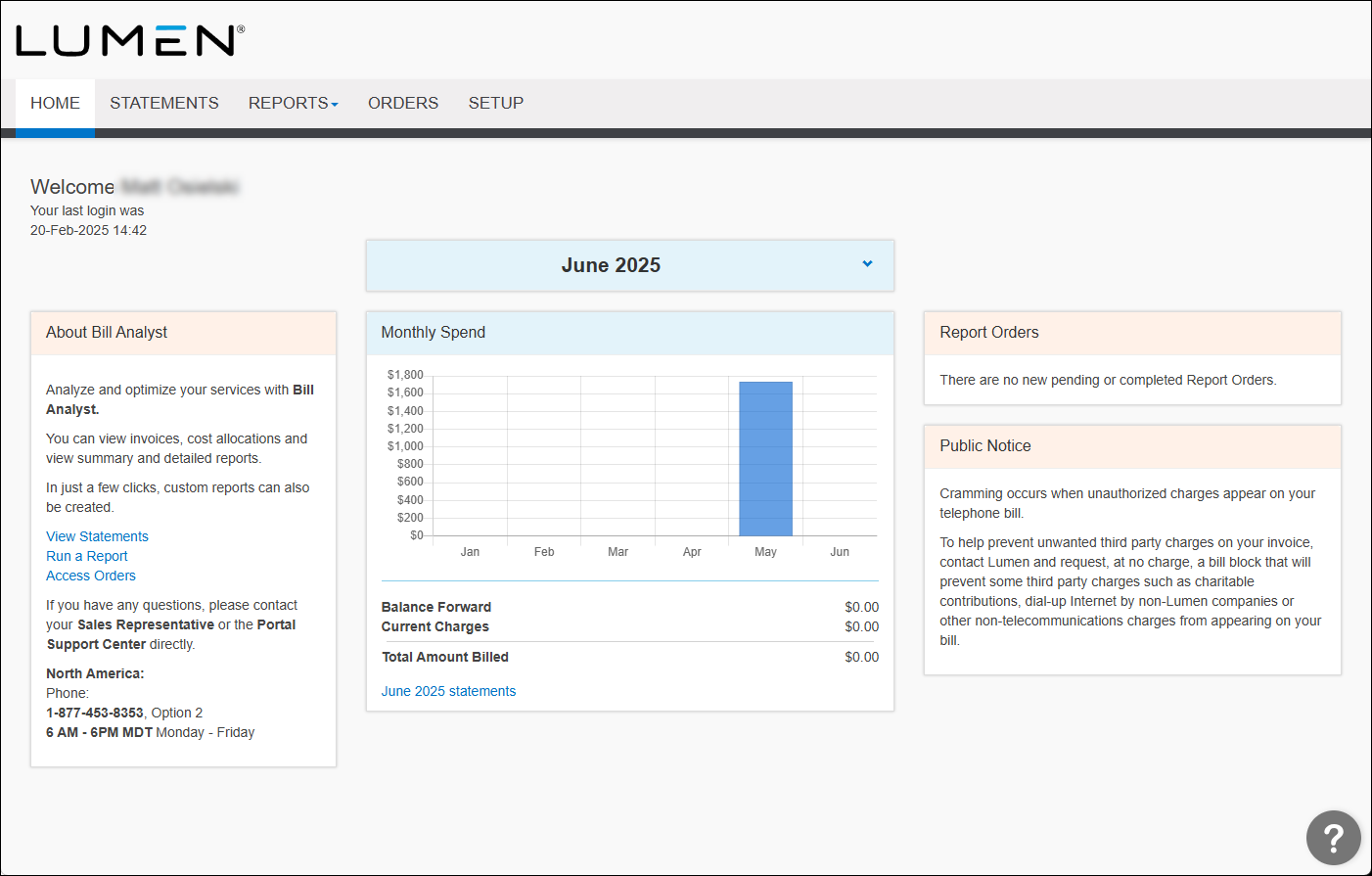
- Click the Setup tab.
- In the User Profiles section, click Preferences.
- Make your changes, then click Save.
Usage Analyst saves your changes.



