Creating a custom detail use report for a toll‑free number
You can create a custom detail use report in Usage Analyst to review your 800 number use data in depth. (If you want to look at high‑level trends, you can also create an 800 summary report.)
To create a custom detail use report for a toll-free number:
- Using the left menu, click Monitoring, click Voice Reports, then click Usage Analyst.
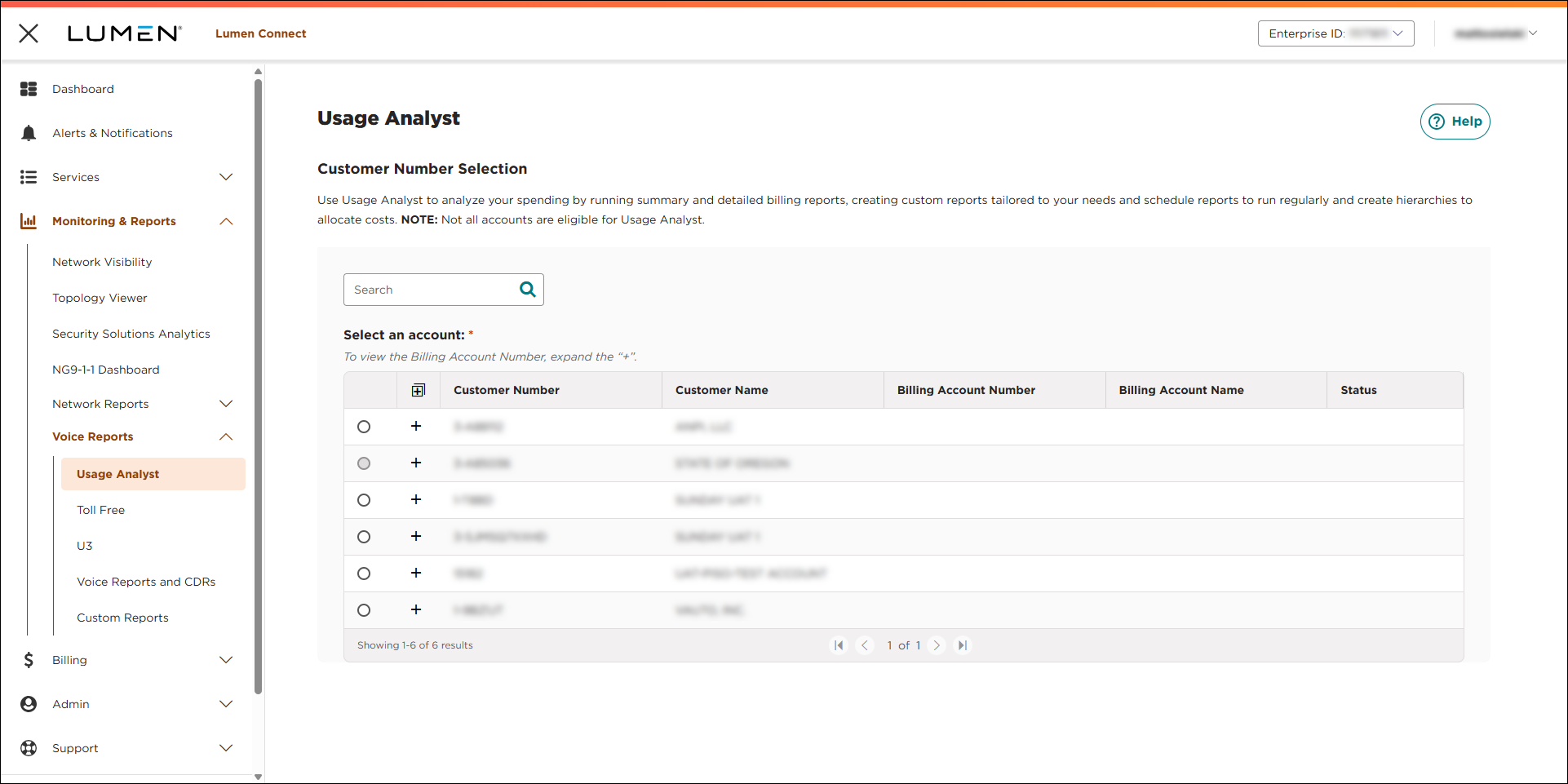
- Select the radio button next to the account you want to view, then click LAUNCH USAGE ANALYST.
Lumen Connect opens Usage Analyst in a new tab.
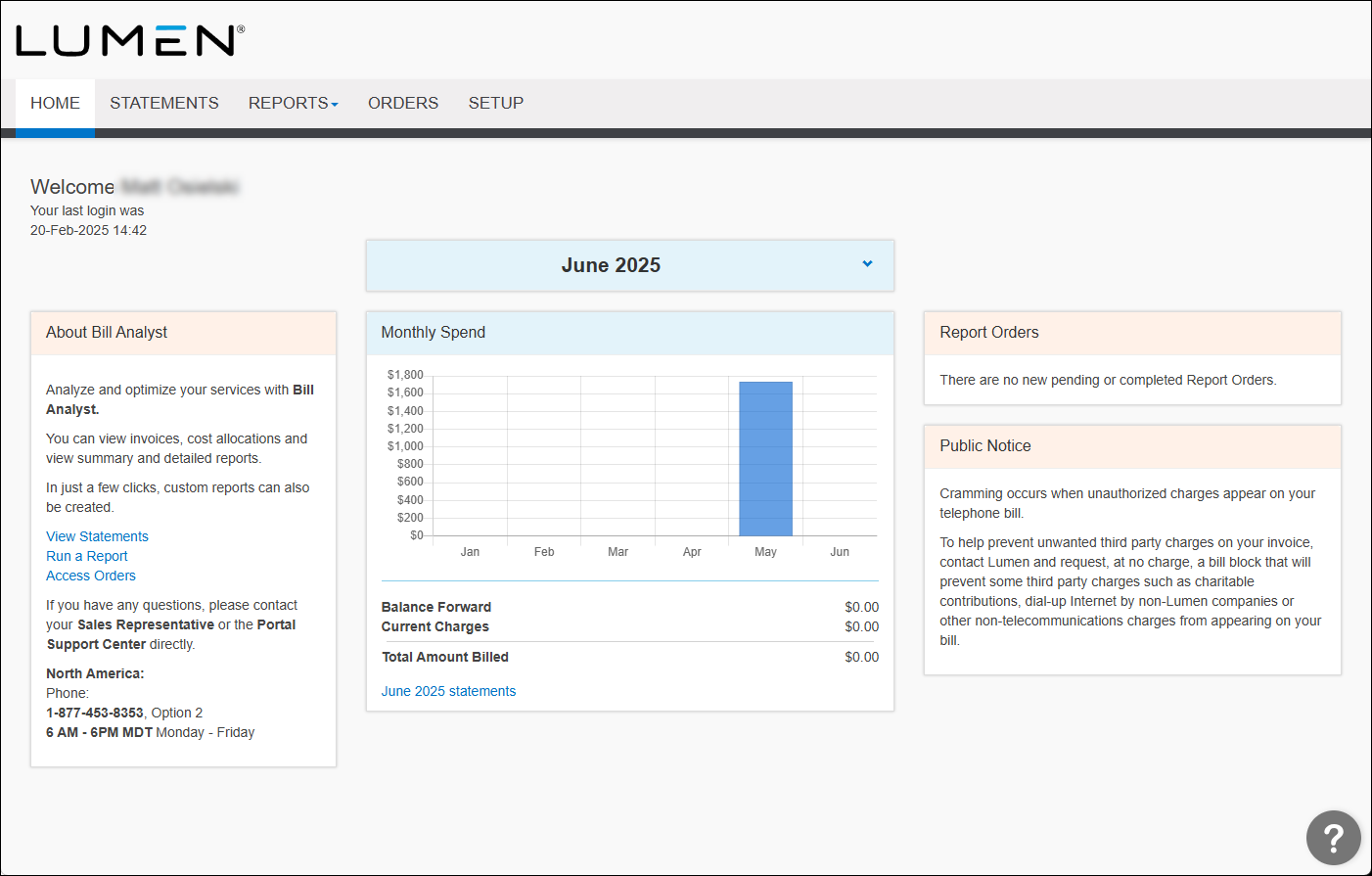
- Click the Reports tab, then click Detail Reports.
- Click the Usage Analyst tab.
Usage Analyst lists the available detail use reports.
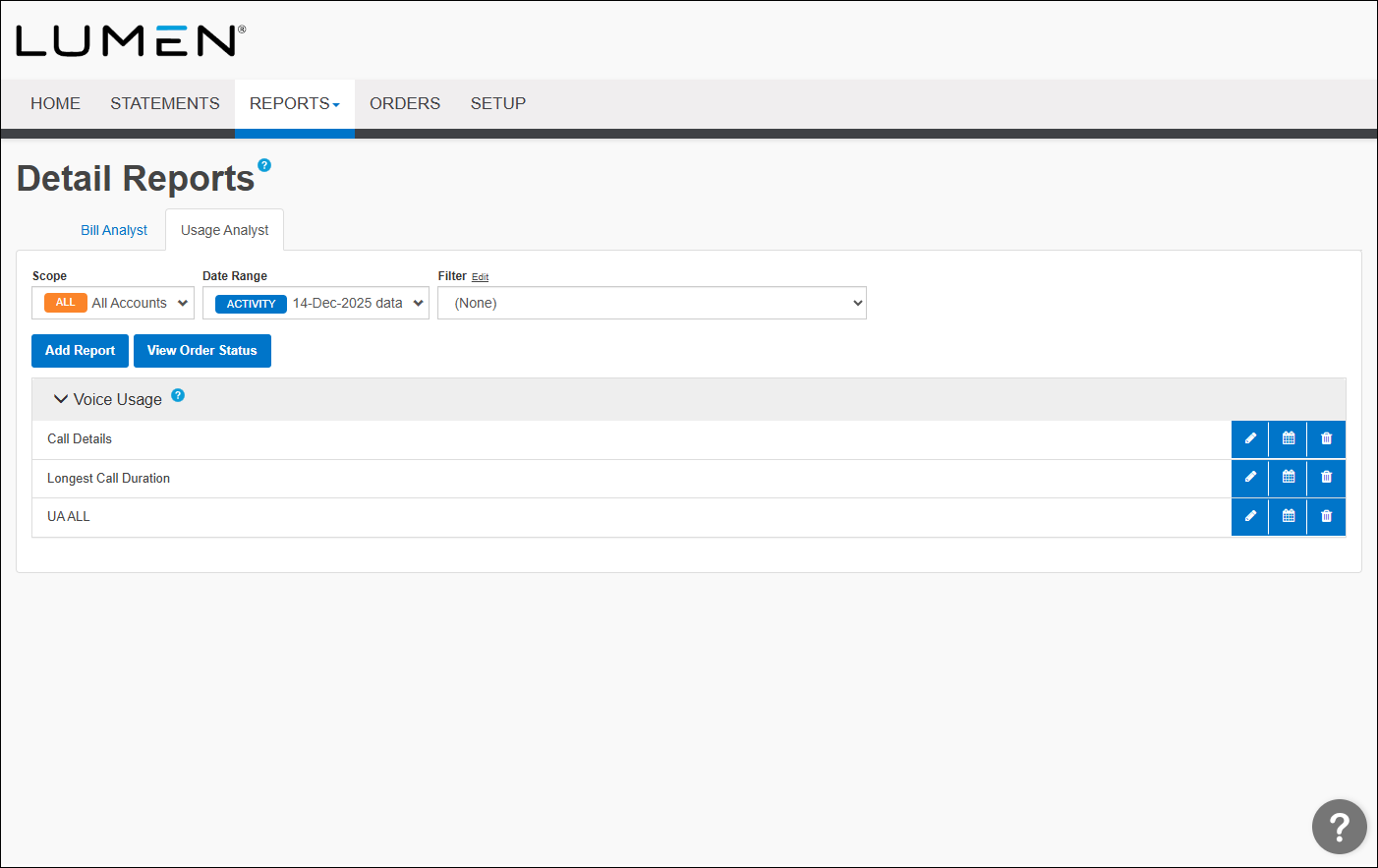
- Click the button next to the report you want to create.
- Make your edits as needed.
- Select the sections you'd like to use to add details to your report:
- Type a name for the report, then from the Default Filter list, select a filter.
- In the Columns section, select the fields you want included in your report by using the > button to move a field from the exclude list to the include list. To delete a field, use the < button to move a field from the include list to the exclude list.
- From the Sort 1 field, select the field to sort the data from, then click down arrow/AZ icon to sort from a to z or the down arrow/ZA icon to sort from z to a. If you want to narrow your data, use Sort 2 ‑ Sort 4 lists.
- In the Additional Options section, from the Include up to...data records list, select the number of rows you want included in the report. The fewer records you select, the quicker the report appears.
- If you want to share the report with your colleagues, select the Share this report checkbox.
- Type a name for the report, then from the Default Filter list, select a filter.
- Click Save.



