Assigning phone number to a route plan
Once you create a route plan for a Lumen® SIP Trunking service, you can assign it to phone numbers on the service using Lumen Connect. As your organization's needs change, you can change the route plan assigned to a number, add trunk groups, remove trunk groups, or update the hunt sequence for the route plan to change routing for all phone numbers using that route plan.
To assign a phone number to a route plan:
- In the Services widget on the dashboard, select IQ Networking from the Find by Product or Service Tool list.
Lumen Connect shows all IQ Networking services on the enterprise ID. SIP Trunking services have a service ID starting with VO-.
- Search for the service you want to work with. When you find the service you want to work with, click the hyperlinked service ID or click the icon (in the Actions column), then click View Details.
Lumen Connect shows details for the SIP Trunking service you selected.
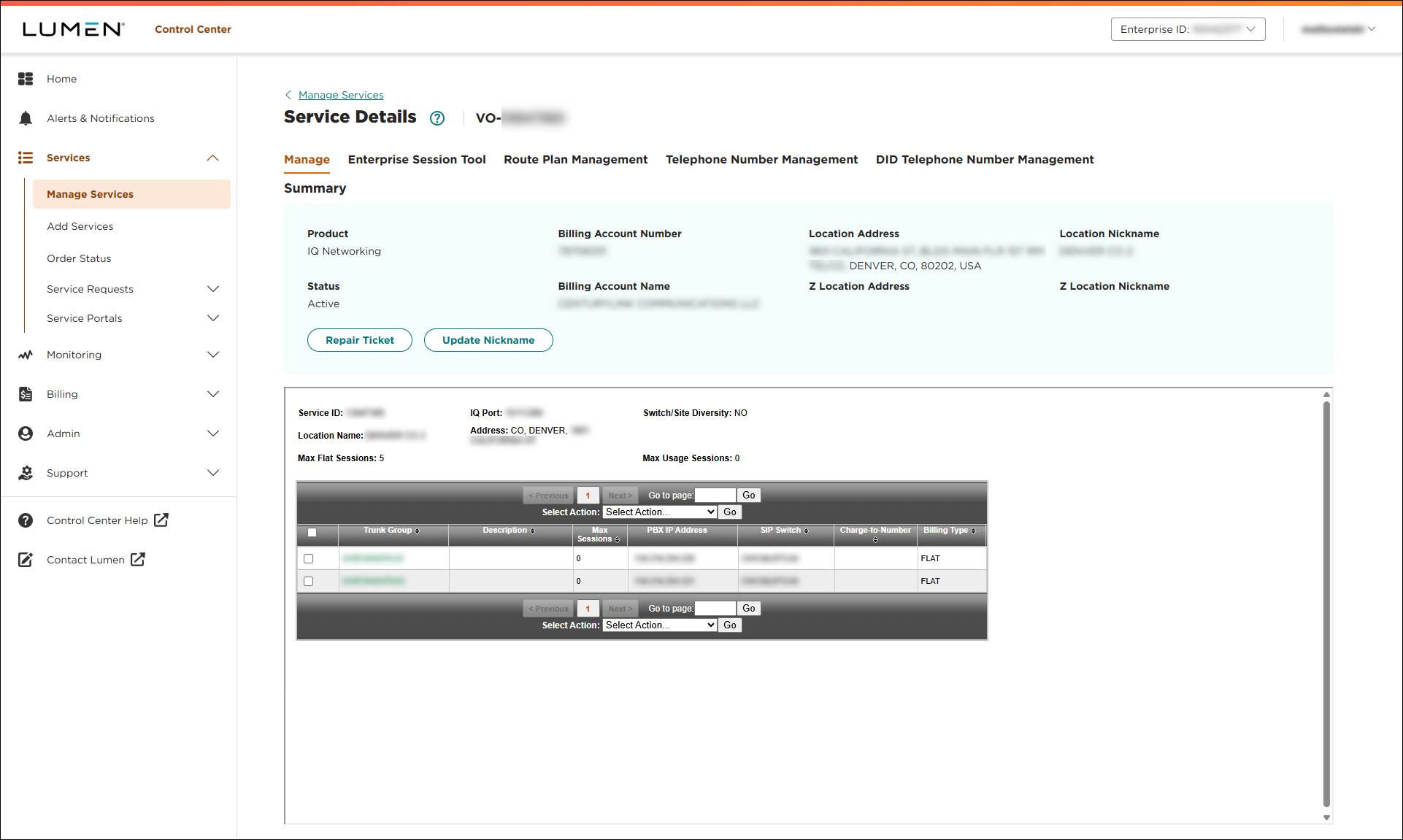
- Click the Telephone Number Management tab.
Lumen Connect shows the telephone number(s) for the service.
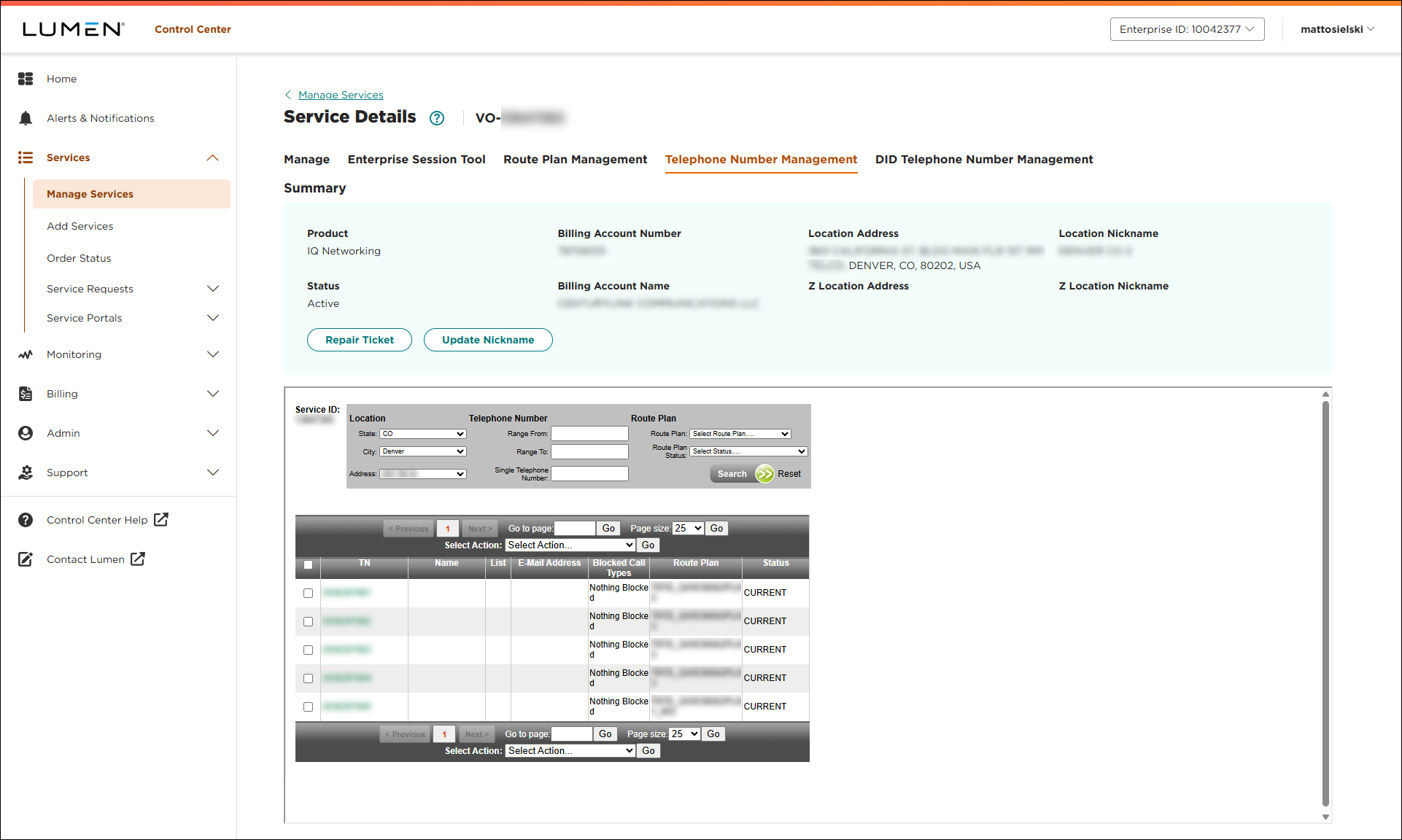
- Select the phone number(s) you want to assign a route plan to:
- To assign a route plan to a single phone number, do the following:
- Click the phone number hyperlink (in the TN column) for the phone number.
Lumen Connect shows details for the phone number you selected.
- In the Route Plan list, select the route plan you want to assign, then click Update.
Lumen Connect updates the route plan for the phone number you selected.
- Click the phone number hyperlink (in the TN column) for the phone number.
- To assign a route plan to multiple phone numbers, do the following:
- Select the checkbox next to the phone numbers.
- In the Select Actions list, select , then click Go.
- From the Change Route Plan list, select the route plan you want to assign, then click Update.
Lumen Connect updates the route plan for the phone numbers you selected.
- Select the checkbox next to the phone numbers.
- To assign a route plan to a single phone number, do the following:



