Updating trunk group percent allocation for a route plan
After you create a percent allocation route plan for a Lumen® SIP Trunking service, you can adjust the percentage of traffic to each trunk group on the route plan. As your business needs change, you can also add trunk groups and remove trunk groups from the route plan. If you no longer need a route plan, you can delete it from Lumen Connect.
If a route plan uses sequential hunting rather than percent allocation, you can update the hunt sequence.
To update trunk group percent allocation for a route plan:
- In the Services widget on the dashboard, select IQ Networking from the Find by Product or Service Tool list.
Lumen Connect shows all IQ Networking services on the enterprise ID. SIP Trunking services have a service ID starting with VO-.
- Search for the service you want to work with. When you find the service you want to work with, click the hyperlinked service ID or click the icon (in the Actions column), then click View Details.
Lumen Connect shows details for the SIP Trunking service you selected.
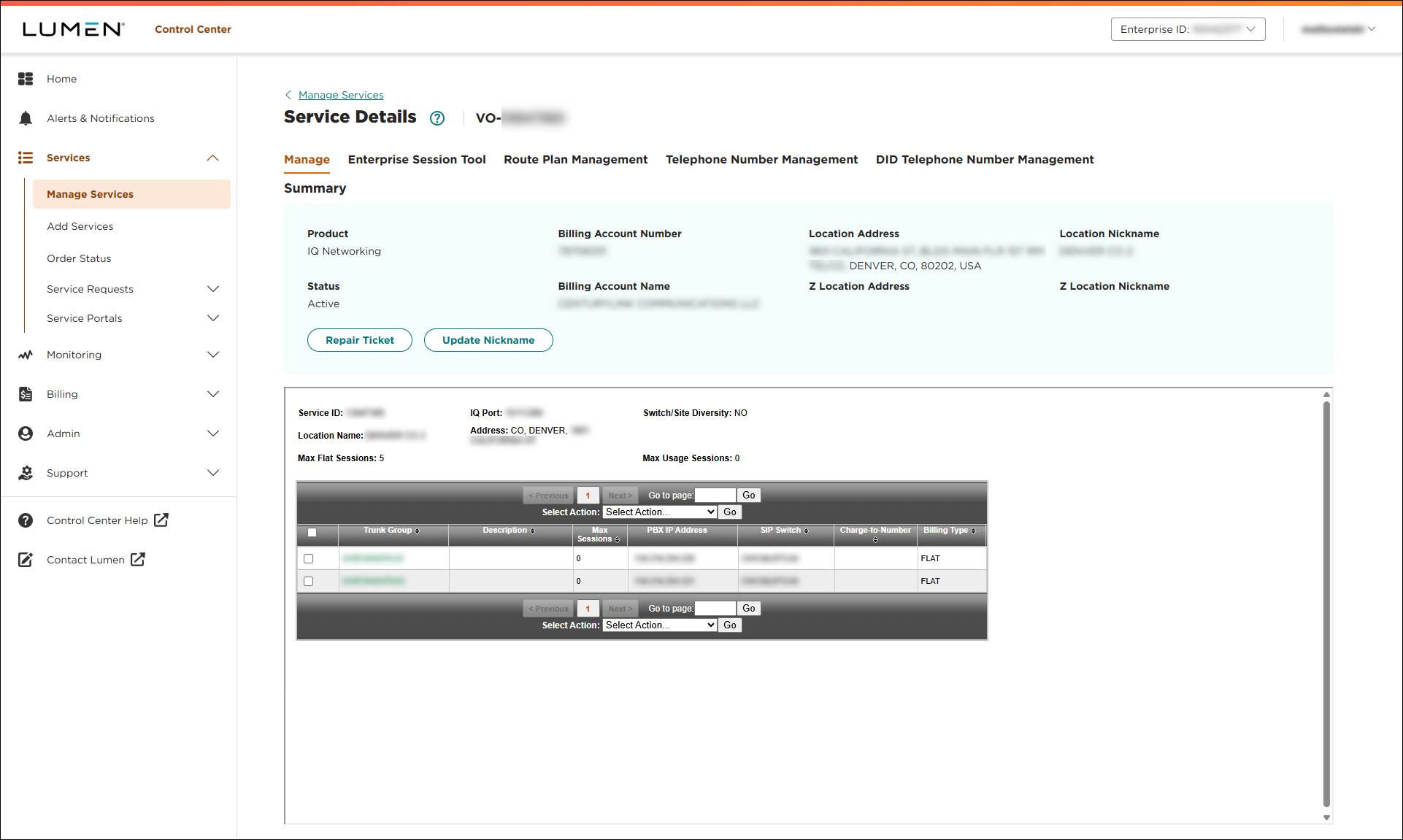
- Click the Route Plan Management tab.
Lumen Connect shows the route plan(s) for the service.
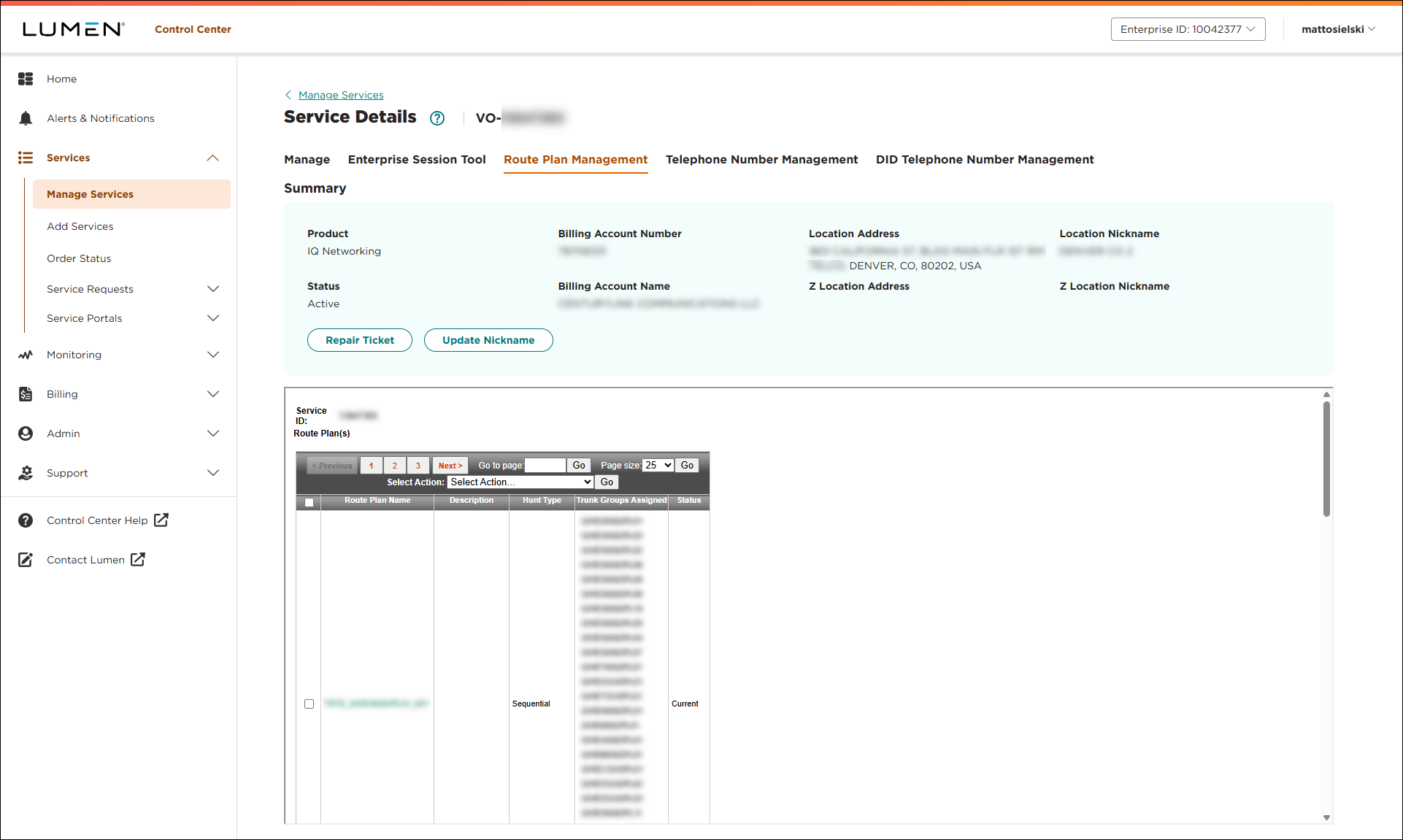
- Click the link in the Route Plan Name column.
Lumen Connect shows the details for the route plan you selected.
- From the Select Action list, select Modify % Allocation, then click Go.
- In the % Allocation column, type the percentage of calls you want to assign to each of the trunk groups you added to the route plan. (Your total must add up to 100%.)
- When you're done, click Submit.
Lumen Connect updates the percent allocation for trunk groups on the route plan.



