Viewing details for a server operations request
Use the Dedicated Cloud Compute portal to view details for your for Lumen® Dedicated Cloud Compute server operations requests. The details page shows information such as the operation name, status of the request (e.g., In Progress), creator, creation time, and when it was last modified. You can also expand the request to view details on the operation, server, and cluster. You can view a list of your server operations requests.
Note: To access the Dedicated Cloud Compute portal, you must have a username and password for Managed Services portal.
To view details for a server operations request:
- Sign in to the Managed Services portal.
- Using the left navigation, click Orders, then click Server Operations.
The Dedicated Cloud Compute portal lists server operations requests for your organization.
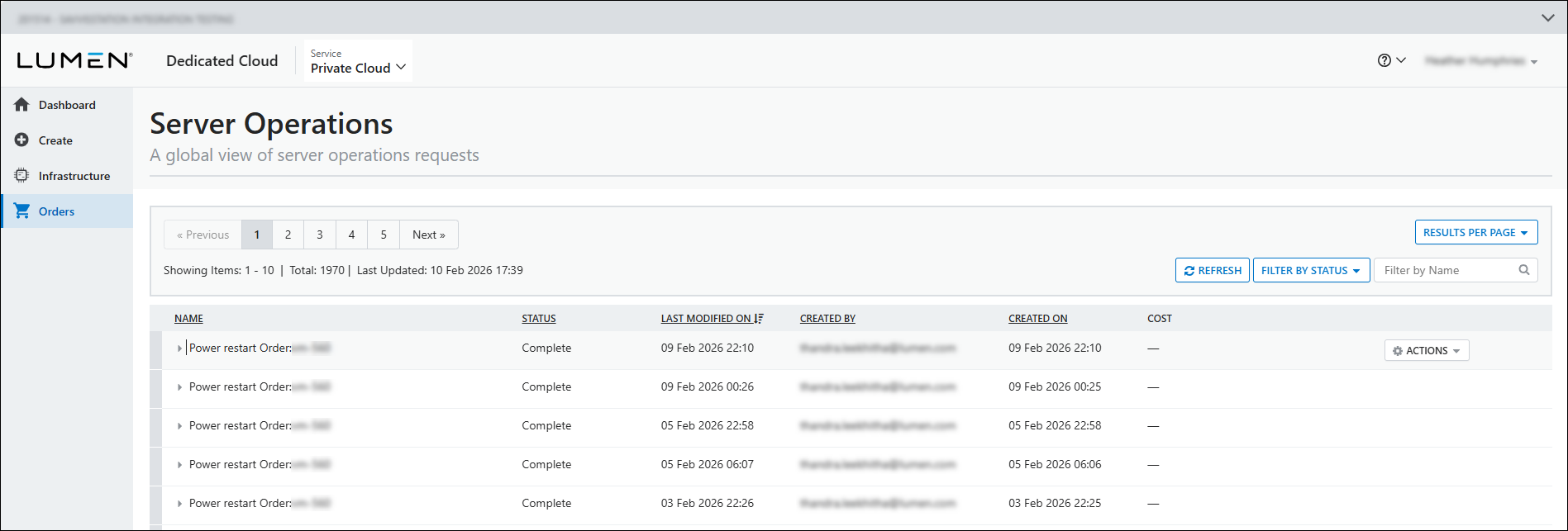
- On the row for the request you want to view details for, hover over the row, click
settings ACTIONS (on the right side of the row), then click View Details.
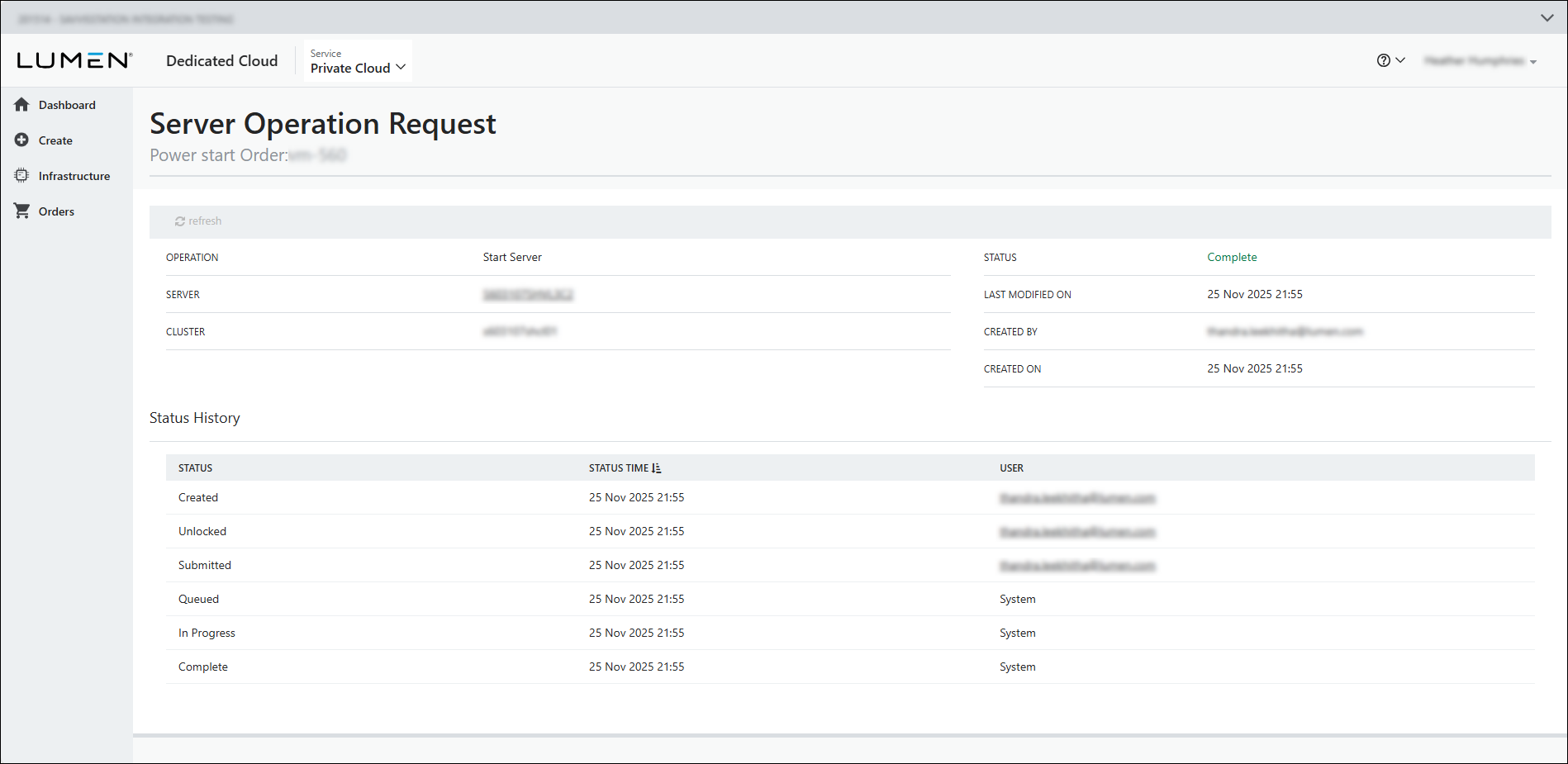
The Dedicated Cloud Compute portal shows details for the request you selected.
- To refresh the server operations request page, click
cached refresh.
- To view information about the requests, review the following sections:
- OPERATION shows the type of operation intitiated on the server.
- UPDATE shows what change was made or added to the server.
- SERVER shows the friendly name you gave to the server when you configured it.
- SERVER NAME shows the machine name of the server.
- CLUSTER shows the cluster the server is associated with.
- STATUS shows the current status of the request.
- LAST MODIFIED ON shows the date and time of the last modification to the request.
- CREATED BY shows who initiated the request.
- CREATED ON shows the date the request was created.
- The Status History section shows the status name, time of change, and the user during each status change for the request.
- OPERATION shows the type of operation intitiated on the server.



