Searching for, sorting, and filtering LNP tickets
If you're tracking a large number of local number portability (LNP) tickets in Lumen Connect®, knowing how to use the sort, filter, search, and customize features makes the task simpler.
To search for, sort, and filter LNP tickets:
- Using the left menu, click Services, click Service Tools & Portals, then click ELS & LI Management.
- If you have more than one customer number on your enterprise ID, select the customer number you want to work with, then click PROCEED.
- Click LNP Tickets.
Lumen Connect lists all open LNP tickets for your organization with category, request type, status, and last updated date.
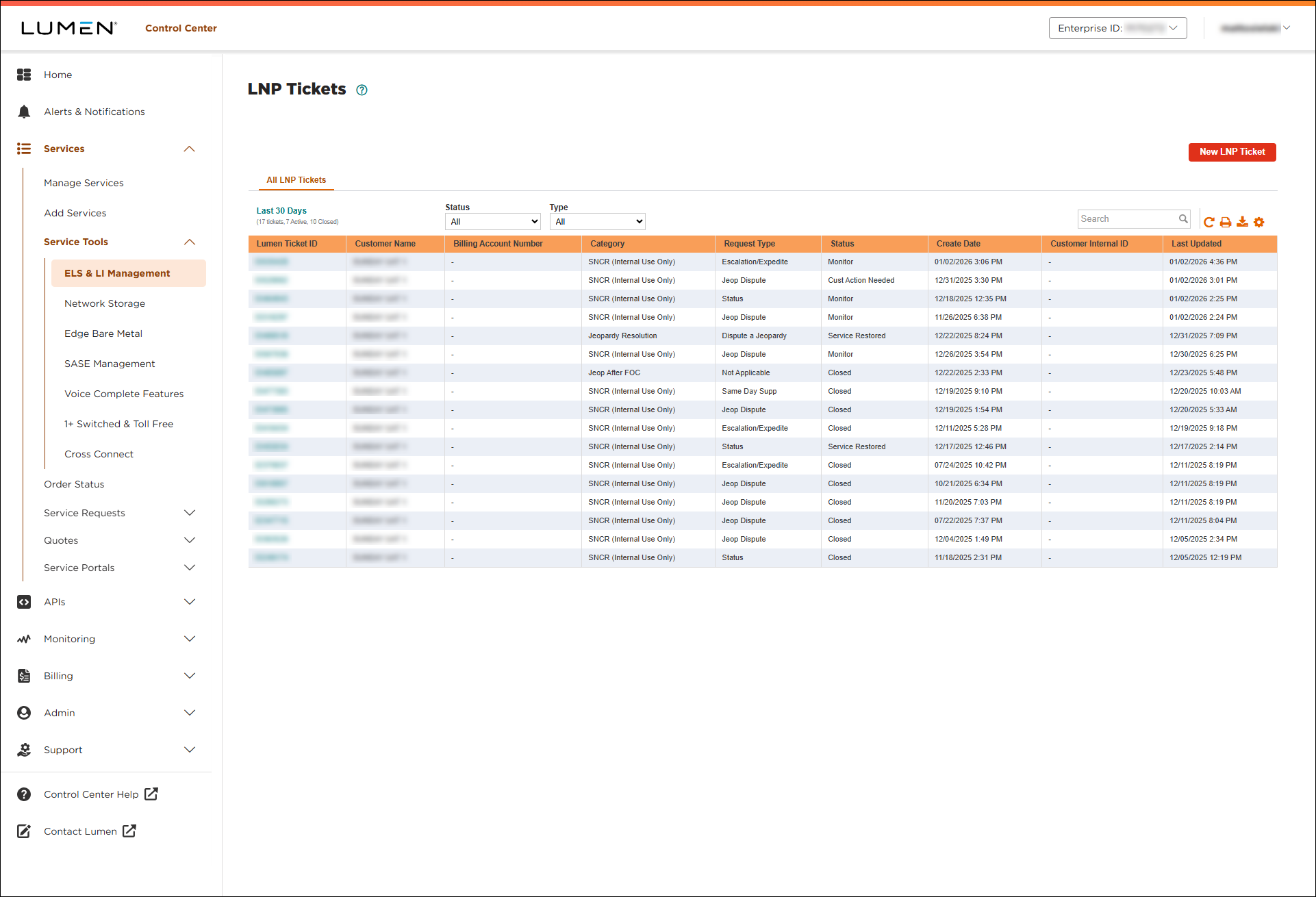
- Use any of the sort, filter, or search tools:
- Sort—to sort the list by a particular column, click the column header. To toggle between ascending and descending order, use the arrow to the right of the header. (By default, Lumen Connect sorts the list of tickets by the date the ticket was created—most recent first.)
- Filter—to filter tickets based on category or status, select an option from the All categories or All statuses lists.
- Search—to search for a ticket, type the search criteria in the Search field. (Lumen Connect filters the list of tickets as you type.)
- Customize—to customize the columns you see, click the
table_edit icon, then add, move, or delete columns.
- Sort—to sort the list by a particular column, click the column header. To toggle between ascending and descending order, use the arrow to the right of the header. (By default, Lumen Connect sorts the list of tickets by the date the ticket was created—most recent first.)
To save a copy of your search results, click the



