Viewing the status of an LNP ticket
Using Lumen Connect®, you can track the status of LNP (local number portability) tickets—requests made to the Lumen LNP team—opened using Lumen Connect and opened by phone. You can view details for all open tickets and tickets closed with the past 12 months. (By default, Lumen Connect shows open tickets and tickets closed within the past 30 days.) You can also view details for a ticket, update information in a ticket, and close tickets you no longer need.
If you have a large number of tickets, you can filter, sort, and use search criteria to locate tickets you want more details for.
To view the status of an LNP ticket:
- Using the left menu, click Services, click Service Tools & Portals, then click ELS & LI Management.
- If you have more than one customer number on your enterprise ID, select the customer number you want to work with, then click PROCEED.
- Click LNP Tickets.
Lumen Connect lists all open LNP tickets for your organization with category, request type, status, and last updated date.
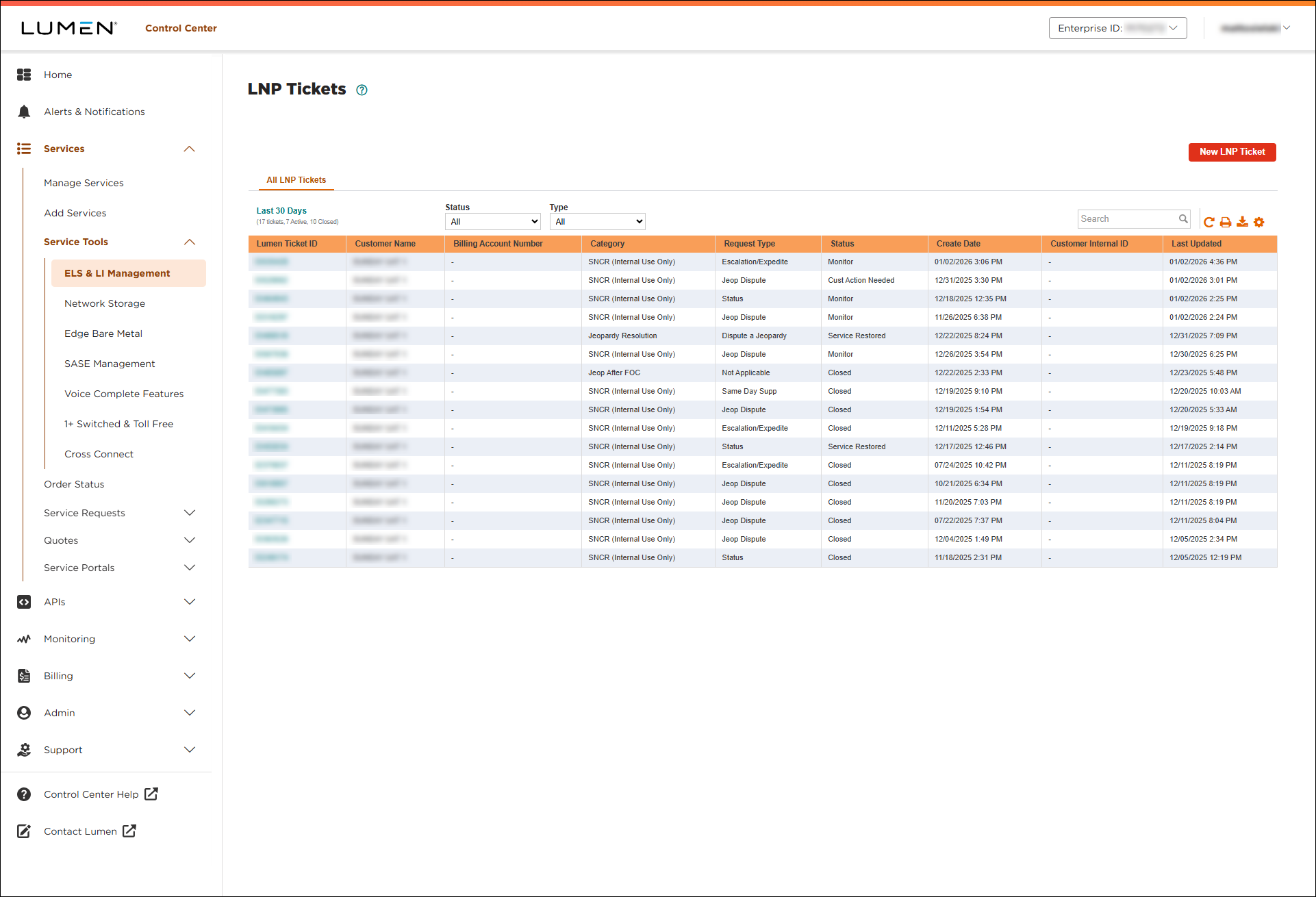
LNP ticket statuses:
- Analysis In Progress: We received your request and it's in the queue to be reviewed.
- Repair In Progress: A Lumen agent has reviewed the ticket and assigned it to the next level of support.
- Monitor: We accepted the ticket and are working on your request. We will provide an update once available.
- Cust Action Needed: We responded with additional information or an action need by you. If we don't receive a response within 24–72 hours, the ticket moves to Closed status.
- Service Restored: We have completed the required action. If you still need help related to this ticket, you can add notes to the ticket. Otherwise, the ticket moves to Closed status.
- Closed: We have completed the required action and closed the ticket (or your organization requested that we close the ticket). No further updates allowed or monitored.
- To view details for a ticket, such as notes, click the link in the Ticket ID column.
Lumen Connect shows details for the LNP ticket.
SLAs for LNP tickets
| Priority | First update target | Service restoral target |
| Outage | 1 hour* | 4 hours* |
| Impaired | 1 hour* | 12 hours* |
| Escalation | 1 hour* | 24 hours* |
| General inquiry | 4 hours* | 48 hours* |
* In business hours based on Monday–Friday, 6:00am–5:00pm MT (excluding Lumen holidays).



