Viewing topology information for a wavelength service
Using Network Visibility (within Lumen Connect®), you can view topology information for wavelength services (such as Lumen® Encrypted Wavelength Service). You can view a map of the working and protected (if applicable) paths for your service.
To view topology information for a wavelength service:
- Using the left menu, click Monitoring, then click Network Visibility.
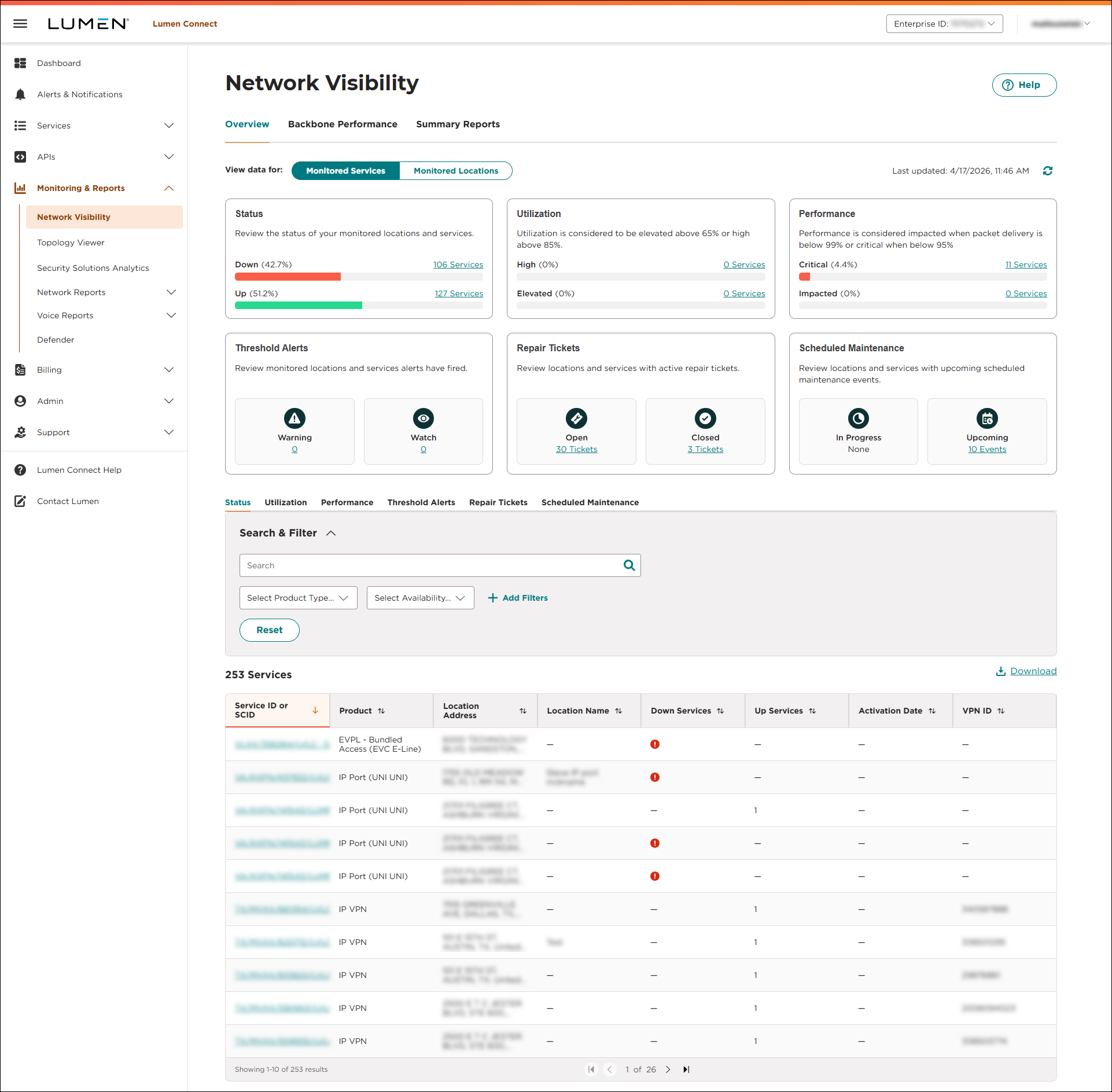
Lumen Connect opens Network Visibility. Tiles show a quick view of your network services: status, utilization, and performance. You'll also see tiles for threshold alerts, repair tickets, and scheduled maintenance (planned network maintenance). Below the tiles, you can view a list of your services by status, utilization, or performance, and those with threshold alerts, repair tickets, or scheduled maintenance associated with them. You can also view your services by location on a map using the Monitored Locations toggle. Use the Backbone Performance and Summary Reports tabs to access additional network performance data. (To refresh the data show, click thecached icon.)
- Search for the service you want to work with:
- From the Monitored Services view, do any of the following:
- Use the tiles to access a filtered list of services based on status, utilization, or performance.
- Use the tiles to see a filtered list of services with active threshold alerts, open or recently closed repair tickets, or in progess or upcoming scheduled maintenance (planned network maintenance).
- Below the tiles, use the tabs to see a list of your services by status, utilization, or performance, and those with threshold alerts, repair tickets, or scheduled maintenance associated with them.
- Use the tiles to access a filtered list of services based on status, utilization, or performance.
- From the Monitored Locations view, select a location on the map, then click the service you want to work with.
- From the Monitored Services view, do any of the following:
Based on the service you selected, Lumen Connect shows all services that location.
- Click the row for the service you want to topology information for.
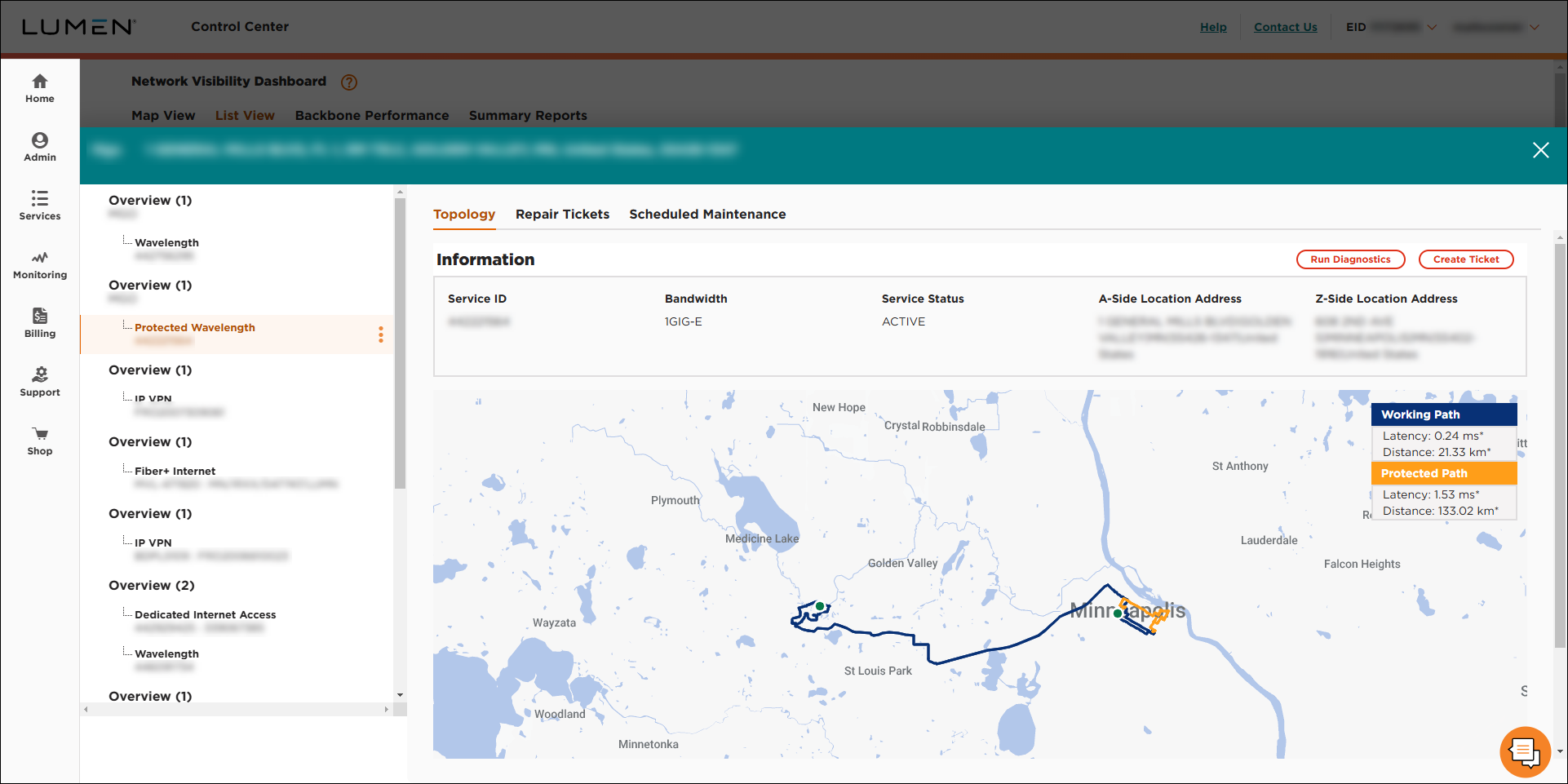
Lumen Connect shows the topology information for the wavelength service you selected: bandwidth, service status, A and Z locations, latency, and total distance the circuit covers. A navy line represents the working path for the service. If applicable, a gold line represents the protected path for the service.