Creating a time schedule for a group
As a Voice Complete Feature Manager administrator, you can use Lumen Connect to create time schedules and holiday schedules to drive how calls are routed for Lumen® Voice Complete® phone numbers using the Simultaneous Ring or Sequential Ring features (available with the Mobility Feature Pack). As an administrator, you can create time schedules for a group of numbers so all phone numbers in the group can access them. As your business needs change, you can also edit the time schedule or delete it if you no longer need it.
To create a time schedule for a group:
- Using the left menu, click Services, click Service Tools, then click Voice Complete Features.
Lumen Connect shows the groups associated with your Voice Complete service.
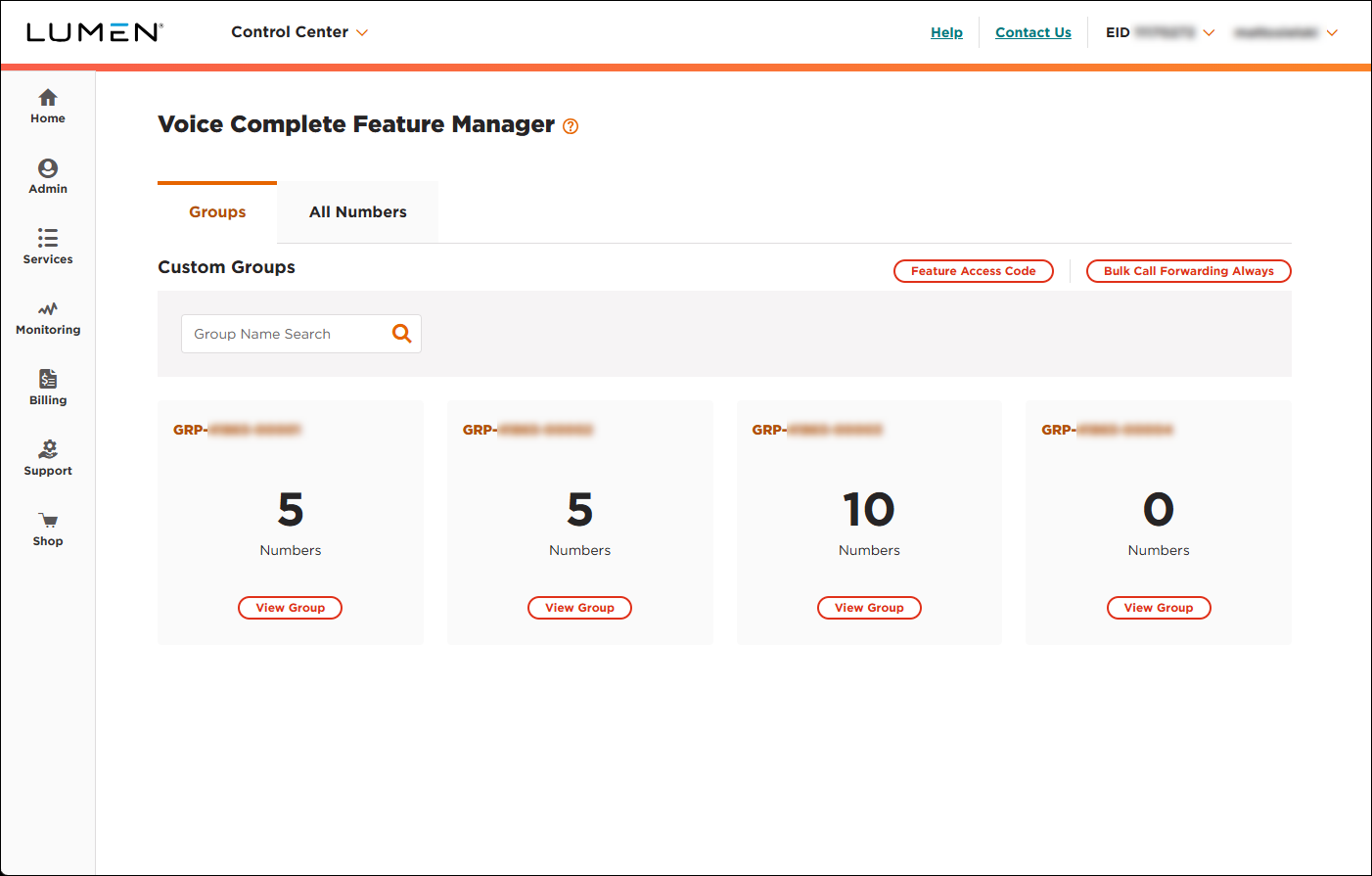
- On the card for the group you want to work with, click View Group.
Lumen Connect lists the phone numbers associated with the group you selected.
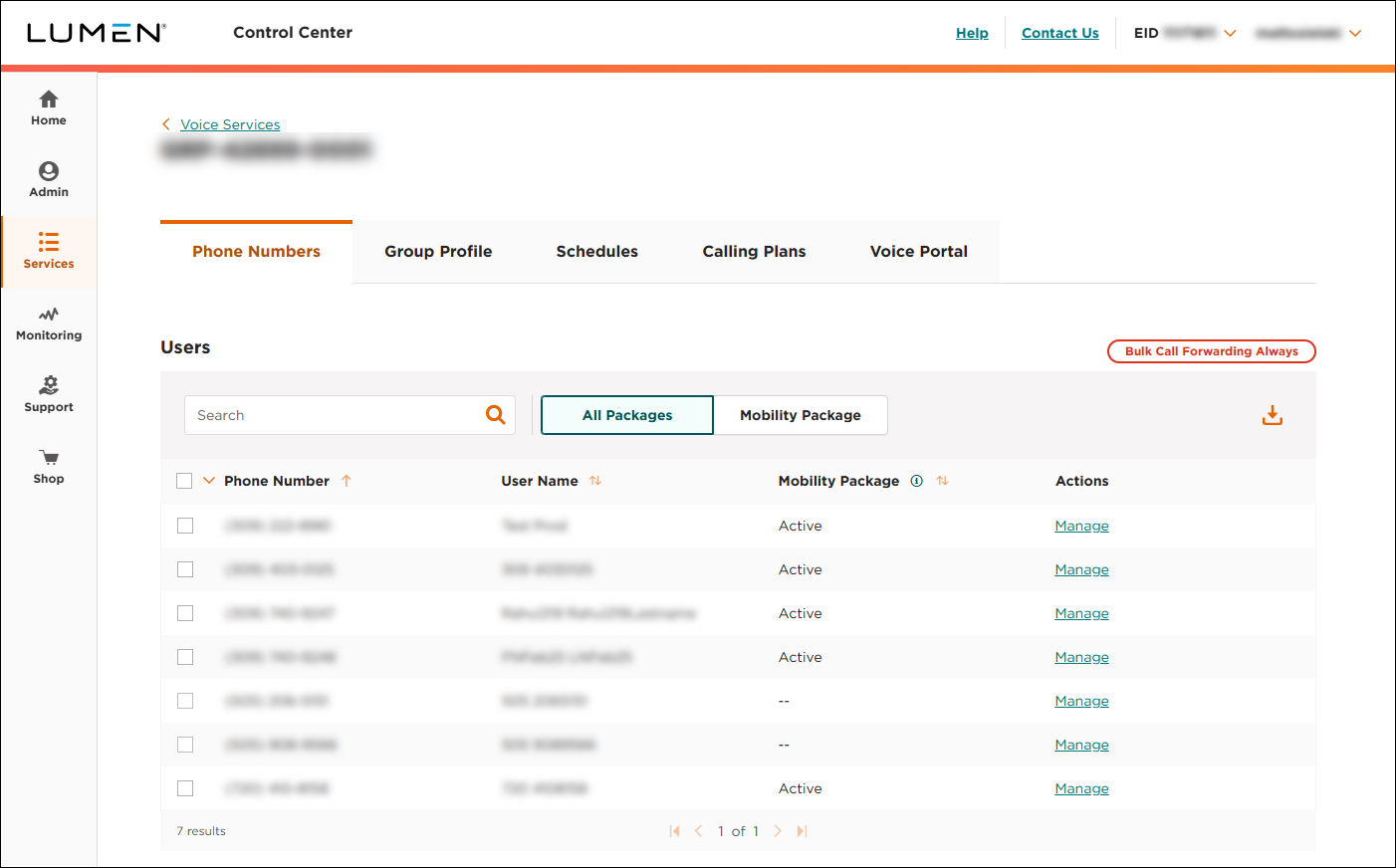
- Click the Schedules tab.
Lumen Connect shows the time schedules for the group (if any).
- Click Create New Time Schedule.
- In the Schedule Name field, type a name for the time schedule, then click SAVE.
- Build out the time schedule by create time ranges in the applicable boxes for the days of the week:
- In the box for the day you want to add a time range to, click Add Time Range or Add Another Time Range.
- Use the Start Time and End Time fields to select the beginning and ending times for the time range.
- Repeat steps a and b to build out the time schedule.
- In the box for the day you want to add a time range to, click Add Time Range or Add Another Time Range.
- When you're done, click SAVE (at the bottom of the time schedule).
Lumen Connect saves your changes.



