Using the navigation keys on your phone (VVX50x/60x series)
Swipe your screen up, down, left, or right to move through various options and setting such as call logs, feature settings, home view, etc.
New to this phone? Learn how to navigate around your phone
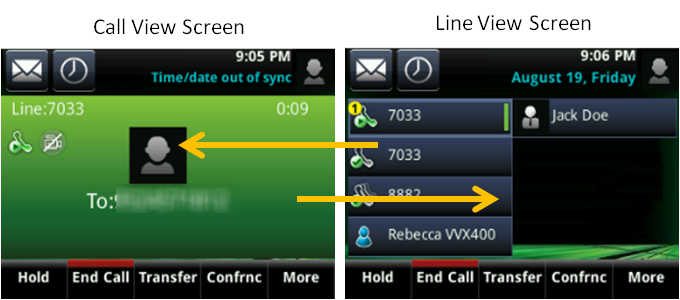
While on a call, you'll see the call view screen by default.
- To navigate to the line view screen, swipe your screen to the right.
- To return to the call view screen, swipe your screen to the left.
Tapping the screen
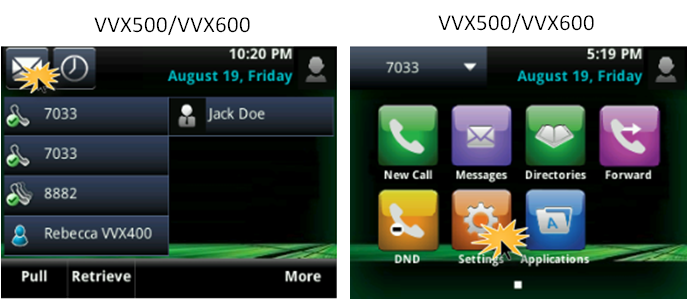
You can access voicemail, advanced features, and soft keys by tapping your phone's screen.
- From your home view screen, tap the envelope icon for voicemail.
- To access other features, tap the Home button, then tap one of the icons.