Searching for, sorting, and filtering repair tickets
If you're tracking a large number of repair tickets, knowing how to use Lumen Connect® to sort, filter, and search makes the task simpler.
To search for, sort, or filter repair tickets:
- Using the left menu, click Support, then Ticketing.
Lumen Connect lists all tickets—repair, potential repair, activation, configuration, billable field tech, maintenance inquiry, portal support, and reason for outage (RFO)—including tickets Lumen created on your behalf. By default, Lumen Connect shows tickets created in the past 90 days and tickets are organized by the date the ticket was created (starting with the newest). The Status column shows the status for each ticket: Active, Canceled, Closed, etc. Potential tickets are marked with an amber flag (flag_2 ). Tickets needing a reply from you are marked with a green flag (flag_2 ).
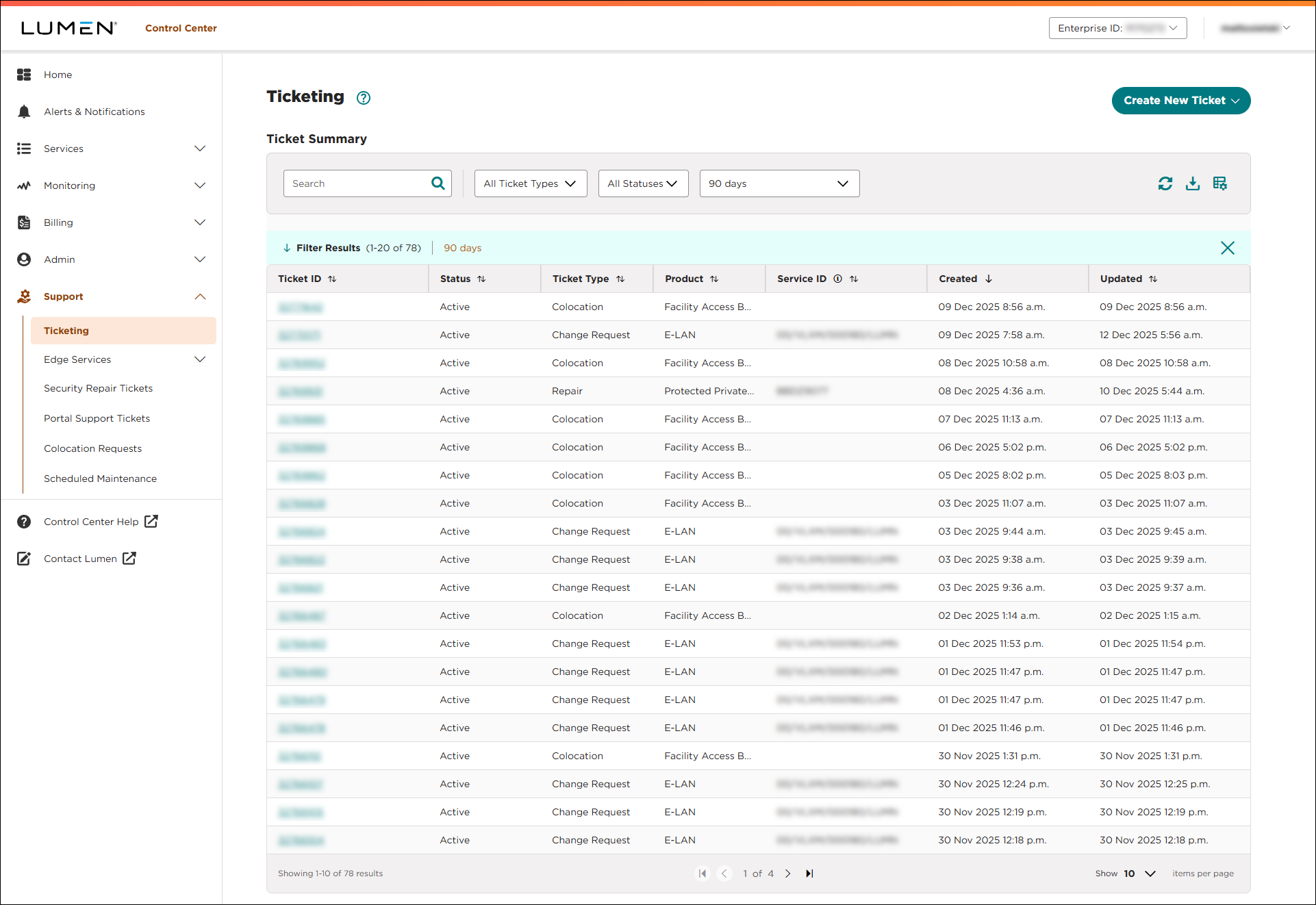
- Use any of the search, sort, or filter tools:
- Search—type the search criteria in the field to the right, then press Enter. (Lumen Connect filters the list of tickets as you type.)
- Sort—to sort the list by a particular column, click the column header. To toggle between ascending and descending order, use the arrows to the right of the column header. (By default, Lumen Connect sorts the list of tickets by the date the ticket was created—most recent first.)
- Filter—your tickets based on type, status, or creation date, use the lists to the right of the Search field. For example, to see only open tickets, click the All Statuses list, then select Active.
- Customize—customize the columns you see by clicking the
table_edit icon, then add, move, or delete columns.
- Search—type the search criteria in the field to the right, then press Enter. (Lumen Connect filters the list of tickets as you type.)
You can also save a copy of your search results. Click the



