Viewing the status of a customer service record request
Once you submit a customer service record (CSR) request in the Carrier Port-Out Tool, you can track its status easily online.
To view the status of a customer service record request:
- If you have more than one SPID, select the SPID you want to work with, then click Continue.
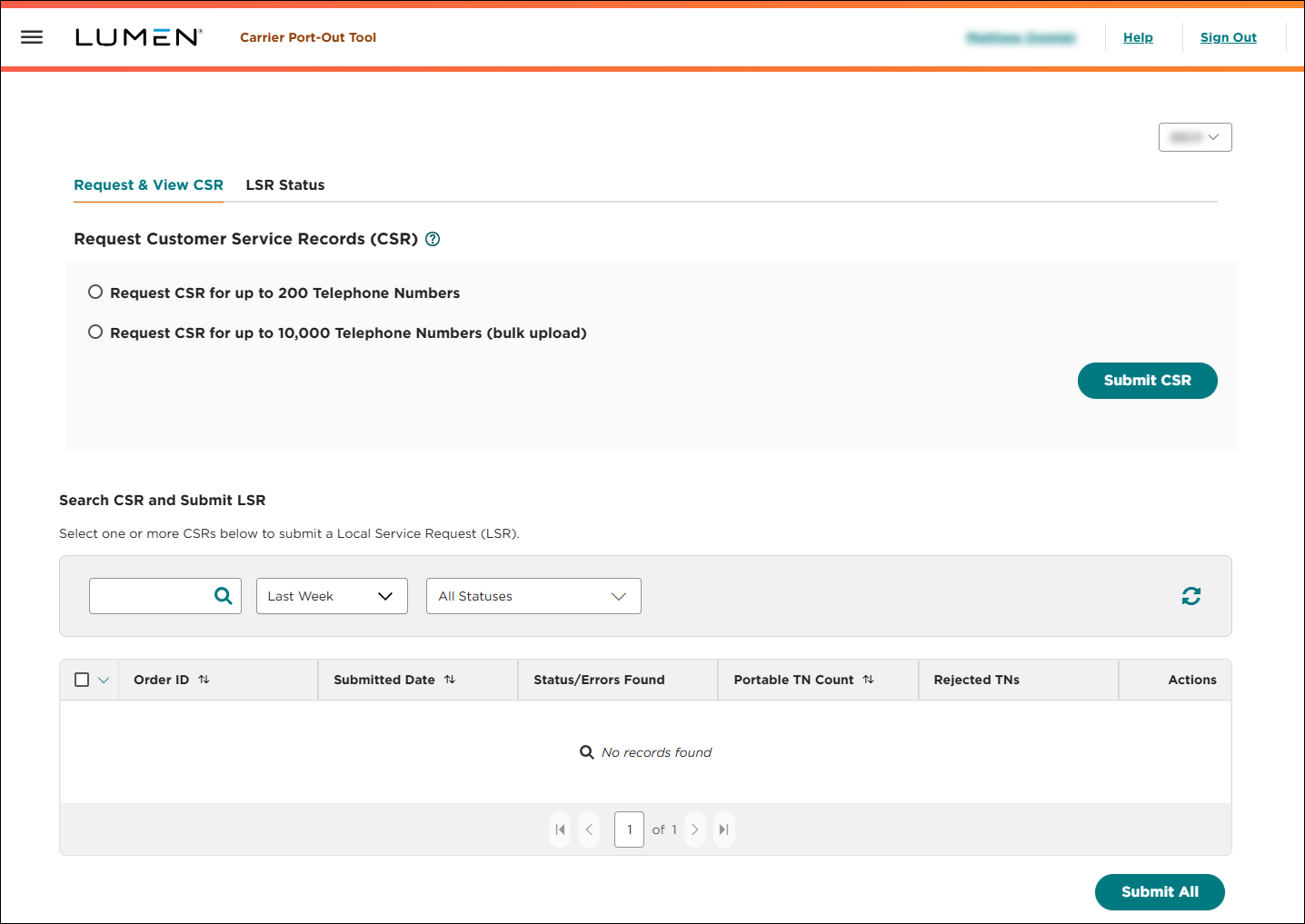
- Search for the customer service record request you want to work with:
- To search by information in the request, type the information in the search field, then press Enter.
- To see all customer service record requests created within the past week, select Last Week from the list.
- To see all customer service record requests created within the past 30 days, select Past 30 Days from the list.
- To see all customer service record requests created within the past 90 days, select Past 90 Days from the list.
- To see all customer service record requests created in a specifc date range, select Custom Date Range from the list, click the icon, use the fields to select a start and end date, then click Apply.
- To see all of customer service record requests in a certain status, select an option from the Status list.
- To refresh the page, click the icon.
The Carrier Port-Out Tool shows all customer service record requests matching your search criteria and includes a status (including a summary of any errors) for each CSR. The Carrier Port-Out Tool also shows how many phone numbers from the CSR are portable and how many are rejected. (To see a list of the rejected phone numbers, click the Download link in the Rejected TNs column.)
- To search by information in the request, type the information in the search field, then press Enter.
The downloaded file of rejected phone numbers includes the reason you cannot port the phone number:
- Non-Portable not with Lumen: The phone number is not assigned to SPID 8824 and can't be ported using the Carrier Port-Out Tool.
- Non-Portable with Lumen: The phone number isn't currently portable.
- Pending Order: There is a pending port order for this phone number.
- TN with No Service Image: The phone number belongs to Lumen, but we couldn't process the CSR because of a system issue.
If you still have questions or need help with rejected numbers, contact us.
- To view details for the customer service record request, click the icon (in the Actions column), then click View CSR Details.
The Carrier Port-Out Tool shows details for the customer service record request you selected, including a status for each phone number on the request. Use the table below to determine whether you can submit the phone number on a local service request based on the information in the Status/Errors Found column.
| Status | OK to submit LSR? | Explanation |
| -- | The phone number is portable and the CSR has no errors. You can submit the LSR for this phone number. | |
| Address Mismatch | The address provided on the CSR doesn't match our records. You must correct the issue before you can submit the LSR for this phone number. | |
| Name Mismatch | The name provided on the CSR doesn't match our records. You can submit the LSR for this phone number. | |
| PIN Required | The phone number is portable and the CSR has no errors. You can submit the LSR, but you must provide the PIN to port this phone number. |



