Submitting a local service request (LSR)
Once you have a CSR (customer service record) with no errors, you can submit a local service request (LSR) using the Carrier Port-Out Tool to port out the phone number(s).
To submit a local service request:
- If you have more than one SPID, select the SPID you want to work with, then click Continue.
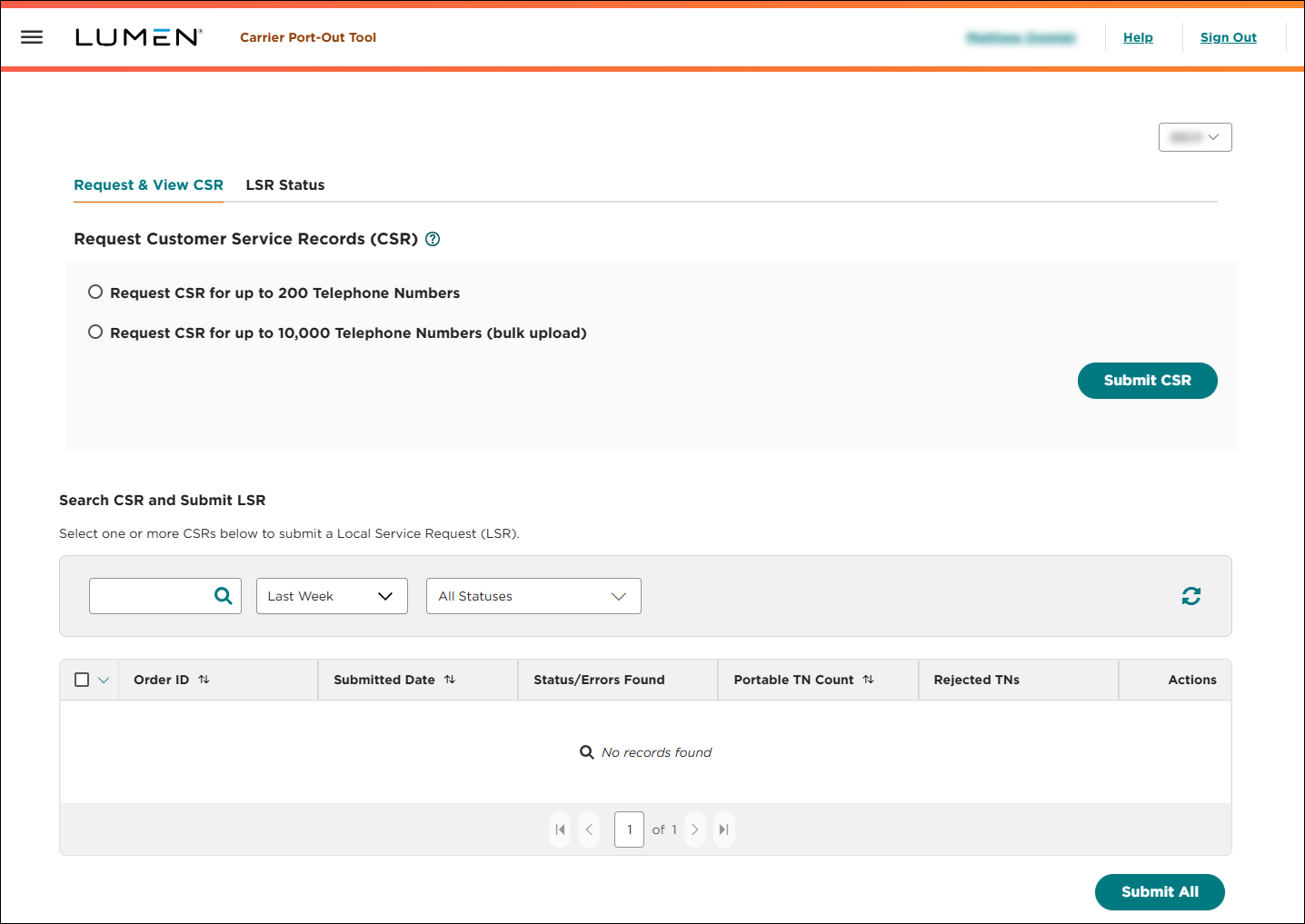
- Search for the customer service record request you want to work with:
- To search by information in the request, type the information in the search field, then press Enter.
- To see all customer service record requests created within the past week, select Last Week from the list.
- To see all customer service record requests created within the past 30 days, select Past 30 Days from the list.
- To see all customer service record requests created within the past 90 days, select Past 90 Days from the list.
- To see all customer service record requests created in a specifc date range, select Custom Date Range from the list, click the icon, use the fields to select a start and end date, then click Apply.
- To see all of customer service record requests in a certain status, select an option from the Status list.
- To refresh the page, click the icon.
The Carrier Port-Out Tool shows all customer service record requests matching your search criteria and includes a status (including a summary of any errors) for each CSR. The Carrier Port-Out Tool also shows how many phone numbers from the CSR are portable and how many are rejected. (To see a list of the rejected phone numbers, click the Download link in the Rejected TNs column.)
- To search by information in the request, type the information in the search field, then press Enter.
- When you find the CSR you want to work with, click the icon (in the Actions column), then click Submit LSR.
- In the window that appears, do the following:
- Type or select your requested port date.
- Type the name of the person authorizing the port.
- If needed, add the carrier PON (to help you track this port back to an order number in your systems).
- Upload the letter of authorization: click Choose File, browse to the file on your computer, then click Open.
- Type or select your requested port date.
- When you're done, click REQUEST LSR.
The Carrier Port-Out Tool submits the local service request. You can now track its status online. As needed, you can edit the LSR to change the requested port date or cancel the LSR if you no longer want to port the phone number away from Lumen.



